AAP MCP Security and Compliance Tool Set: Audit Trails via AI Agents
By Luca Berton · Published 2024-01-01 · Category: installation
How AAP's MCP Server exposes 12 security and compliance tools for audit trails and policy checks, letting AI agents query AAP without bypassing guardrails.
!Cursor IDE settings showing all 6 installed AAP MCP servers
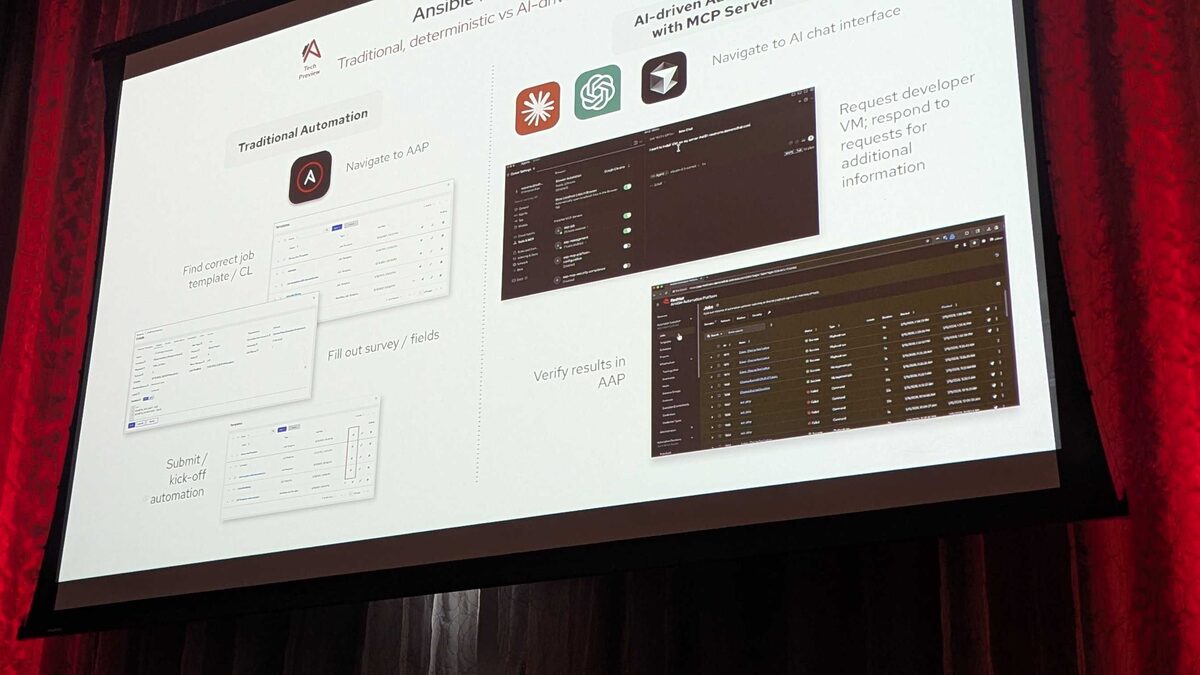
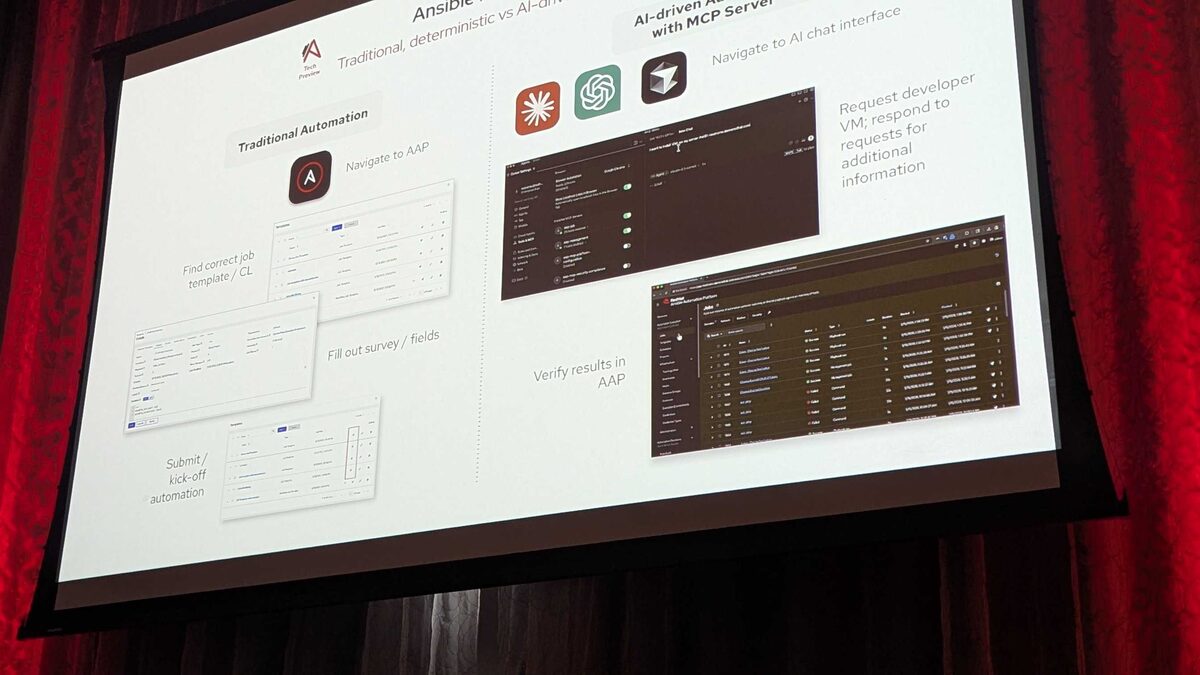
Red Hat's hosted MCP (Model Context Protocol) Server for Ansible Automation Platform moved from concept to live demo at Red Hat Tech Day Netherlands 2026 in Bunnik, on 3 June 2026. Presented by Fred van Zwieten of Red Hat, the session showed an AI agent inside the Cursor IDE talking to AAP over plain HTTP with Bearer-token authentication — no custom SDK, no bespoke integration, just declarative tool endpoints that any LLM-based client can call. Among the six tool sets that make up this Tech Preview, one deserves particular attention from platform and security teams: the Security and compliance tool set, made up of 12 tools focused on audit trails and policy checks.
This article looks specifically at that tool set — what it is built to do, how it fits into the broader 107-tool MCP surface, and why "AI reads, AAP decides" is the operating principle that makes it safe to put in front of an agent in the first place.
What the MCP Server Actually Exposes
The AAP MCP Server (Tech Preview) translates Ansible Automation Platform's existing REST API surface into MCP tool definitions, grouped into six functional sets totaling 107 tools:
| Tool set | Tool count | Primary purpose |
|---|---|---|
| Job management | 25 | Launch, monitor, cancel jobs |
| User management | 32 | Query permissions, roles, teams |
| Platform configuration | 18 | Settings, credentials, integrations |
| System monitoring | 13 | Service health, resource usage |
| Security and compliance | 12 | Audit trails, policy checks |
| Inventory management | 7 | Query hosts, groups, variables |
See also: AAP MCP Inventory Management Tool Set: Query Hosts and Groups via AI Agents
Inside the Security and Compliance Tool Set
The 12 tools in this set were described at Tech Day as covering two related jobs: surfacing audit trails (who did what, when, on which job or resource) and running policy checks (does a given configuration, job template, or credential usage conform to the rules the organization has defined in AAP). In practice, this is the tool set an AI agent reaches for when a human asks questions like "who launched this job template last week" or "has this credential been used outside its allowed schedule."
That framing matters because it defines the boundary of what these tools do — and don't do. They are read and verify operations against AAP's own activity stream and RBAC/policy configuration. They do not grant an agent the ability to rewrite history, delete audit records, or override a policy decision. The agent can ask AAP "was this allowed," but AAP's own authorization and validation logic remains the sole arbiter of "is this allowed right now."
Guardrails Held Even When the Prompt Didn't
The most instructive part of the Tech Day demo wasn't really about the security tool set in isolation — it was about the architectural pattern that also governs it. When Fred van Zwieten asked the agent to launch a "Paint" job template through the MCP job management tools with an invalid survey value ("Purple" wasn't in the allowed survey options), the launch was rejected. Not because the LLM caught the mistake, but because the MCP server passed the request straight through to AAP's own survey validation, and AAP said no.
That's the same trust model the security and compliance tools rely on. An agent can query audit trails and run policy checks all day, but it cannot use those same tools to quietly approve a non-compliant action or suppress a policy violation — because the compliance decision lives in AAP, not in the model's context window. The MCP layer is a faithful, declarative pass-through to AAP's existing authorization and validation engine, not a new place where security logic gets reinterpreted by an LLM.
The demo's second scenario reinforces the same point from a different angle. When a job failed, the agent used MCP tools to read job stdout and job events directly — no human pasted logs into a chat window — and correctly diagnosed two independent issues: a typo in an ec2_vpc_name value (caap instead of aap) and a race condition caused by two jobs running against the same resource in parallel. That's effectively an ad hoc audit exercise, performed by an agent pulling real execution data through MCP tools rather than guessing from a prompt.
See also: AAP MCP Job Management Tool Set: 25 Tools for AI-Driven Job Control
Example: A Policy Check Task an Agent Might Trigger
Because the security and compliance tool set was announced at Tech Day rather than published in full API detail, the exact tool names aren't yet documented publicly. But the pattern an agent would follow — ask a question in natural language, have the MCP client call a scoped tool, get back structured data — maps cleanly onto a playbook task a human operator might run as a sanity check on the same underlying job history:
---
- name: Audit recent job template executions for compliance review
  hosts: localhost
  gather_facts: false
  vars:
    aap_hostname: "https://aap.example.com"
    aap_job_template: "Paint"
    lookback_days: 7

  tasks:
    - name: Retrieve recent job history for the target job template
      ansible.controller.job_list_info:
        controller_host: "{{ aap_hostname }}"
        controller_username: "{{ aap_user }}"
        controller_password: "{{ aap_password }}"
        validate_certs: true
      register: recent_jobs

    - name: Flag jobs launched with unapproved survey values
      ansible.builtin.debug:
        msg: >-
          Job {{ item.id }} launched by {{ item.launched_by }} on
          {{ item.created }} used survey value '{{ item.extra_vars.paint_color }}'
      loop: "{{ recent_jobs.results | default([]) }}"
      when: item.extra_vars.paint_color is defined and
            item.extra_vars.paint_color not in ['Red', 'Blue', 'Green']
An MCP-connected agent performing the equivalent audit-trail lookup would call a security-and-compliance tool (something like a list_audit_events or check_policy_compliance endpoint, in the spirit of the tool set's stated purpose) and receive the same underlying job and survey data back as structured JSON — ready to summarize in natural language, exactly as the "last 5 jobs" query did in the live demo.
Why This Matters for Compliance-Heavy Environments
Regulated organizations — finance, healthcare, government — have historically treated "let an AI touch production automation" as a nonstarter, precisely because audit trails and policy enforcement can't be optional or best-effort. What the Tech Day demo showed is a design where:
- Audit data is exposed for querying, not rewriting.
- Policy checks are evaluated by AAP, not inferred by the model.
- Every action an agent attempts (like the rejected Paint job) still passes through AAP's real validation path.
See also: AAP MCP Platform Configuration Tool Set: Settings and Credentials via AI
Key Takeaways
- The AAP MCP Server (Tech Preview) exposes 107 tools across six sets; Security and compliance is 12 tools dedicated to audit trails and policy checks.
- MCP tools are a declarative pass-through to AAP's existing REST API and authorization logic — the LLM cannot override AAP's own validation, as proven live when an invalid survey value was rejected.
- Agents can perform genuine audit work — reading job stdout/events, correlating timestamps, spotting policy or configuration anomalies — directly through MCP tool calls, as shown in the root-cause demo (a typo in
ec2_vpc_nameplus a parallel-job race condition). - Connection is plain HTTP with Bearer-token auth, making the tool set usable from general-purpose IDEs and agent clients like Cursor, not just AAP-specific tooling.
- Because it's a Tech Preview, treat exact tool names and schemas as subject to change before general availability — but the trust model (AAP decides, the agent asks) is the architectural commitment worth planning around now.
Related Articles
- AAP MCP User Management Tool Set: 32 Tools for AI-Assisted RBAC
- AAP MCP Platform Configuration Tool Set: Settings and Credentials via AI
- AAP MCP System Monitoring Tool Set: AI-Driven Health Checks Guide
- Agent Identity and Guardrails: Securing OpenClaw Access to Ansible Automation Platform
- ServiceNow, OPA, and Ansible: Policy-Gated Agentic Remediation Explained
Category: installation