Ansible win_file Module: Create Directory on Windows Hosts (Guide)
By Luca Berton · Published 2024-01-01 · Category: installation
How to create directories on Windows with Ansible win_file module (ansible.windows.win_file). Set paths, manage folders, handle permissions.

How to create a directory in Windows-like systems with Ansible?
See also: Ansible win_file Module: Create & Manage Files on Windows (Guide)
Ansible create a directory
> ansible.windows.win_file Creates, touches, or removes files or directories
Today we're talking about the Ansible module win_file.
The full name is ansible.windows.win_file, which means that is part of the collection of modules to interact with windows machines.
It's a module pretty stable and out for years.
It creates, touches, or removes files or directories.
For Linux targets, use the ansible.builtin.file module instead
Main Parameters
pathpath - file pathstatestring -file/absent/directory/touch
See also: Ansible Backup Windows 10/11/2019/2022: win_robocopy Playbook (Guide)
Links
## Playbook
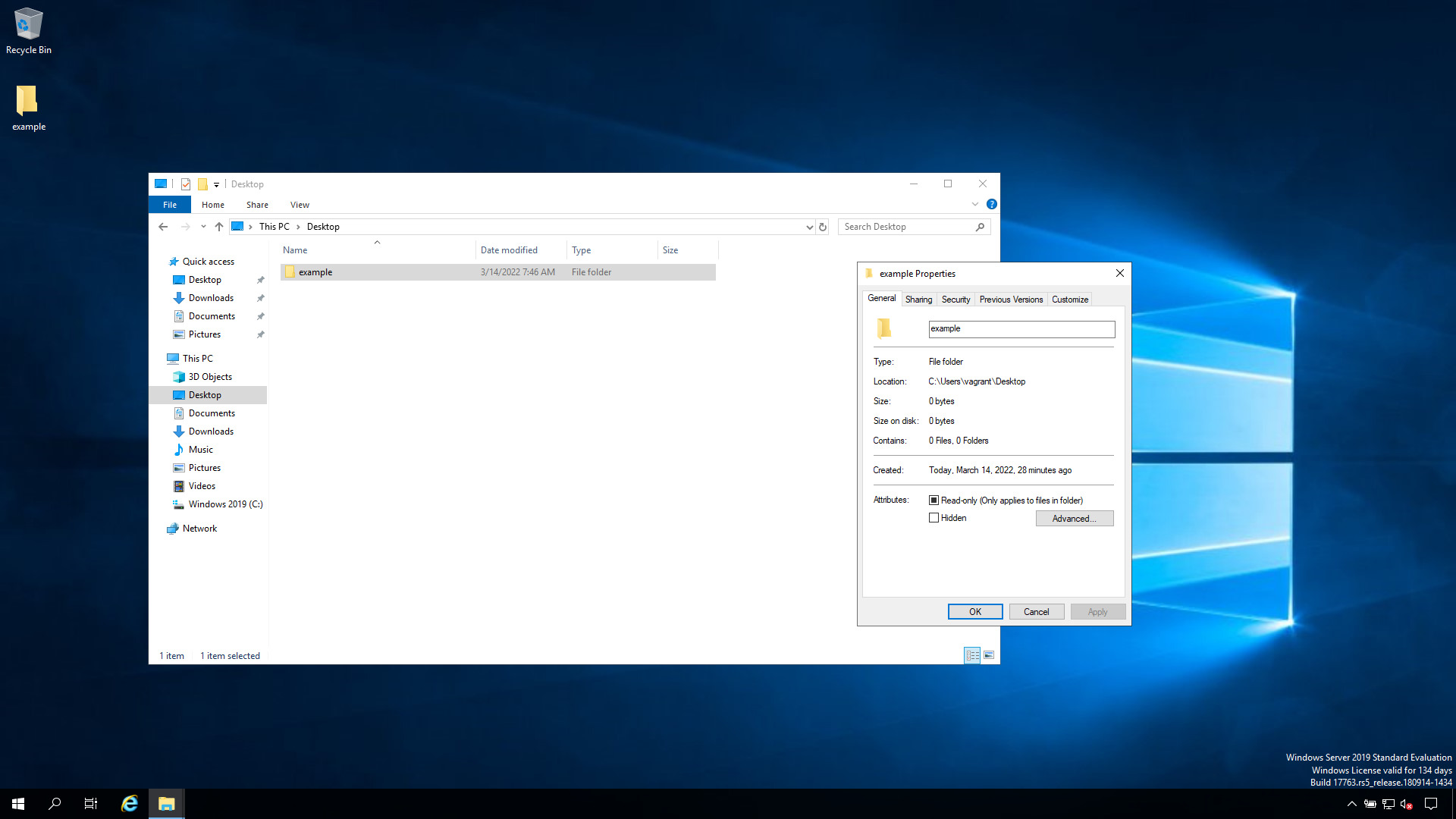
How to create an "example" directory/folder in the Desktop of the user on Windows-like systems with Ansible Playbook.
code
---
- name: win_file module demo
  hosts: all
  vars:
    mydir: 'C:\Users\vagrant\Desktop\example'
  tasks:
    - name: Create a directory
      ansible.windows.win_file:
        path: "{{ mydir }}"
        state: directory
execution
ansible-pilot $ ansible-playbook -i virtualmachines/win/inventory create\ directory/directory_create_windows.yml
PLAY [win_file module demo] ***********************************************************************
TASK [Gathering Facts] ****************************************************************************
ok: [WindowsServer]
TASK [Create a directory] *************************************************************************
changed: [WindowsServer]
PLAY RECAP ****************************************************************************************
WindowsServer              : ok=2    changed=1    unreachable=0    failed=0    skipped=0    rescued=0    ignored=0
ansible-pilot $
idempotency
ansible-pilot $ ansible-playbook -i virtualmachines/win/inventory create\ directory/directory_create_windows.yml
PLAY [win_file module demo] ***********************************************************************
TASK [Gathering Facts] ****************************************************************************
ok: [WindowsServer]
TASK [Create a directory] *************************************************************************
ok: [WindowsServer]
PLAY RECAP ****************************************************************************************
WindowsServer              : ok=2    changed=0    unreachable=0    failed=0    skipped=0    rescued=0    ignored=0
ansible-pilot $
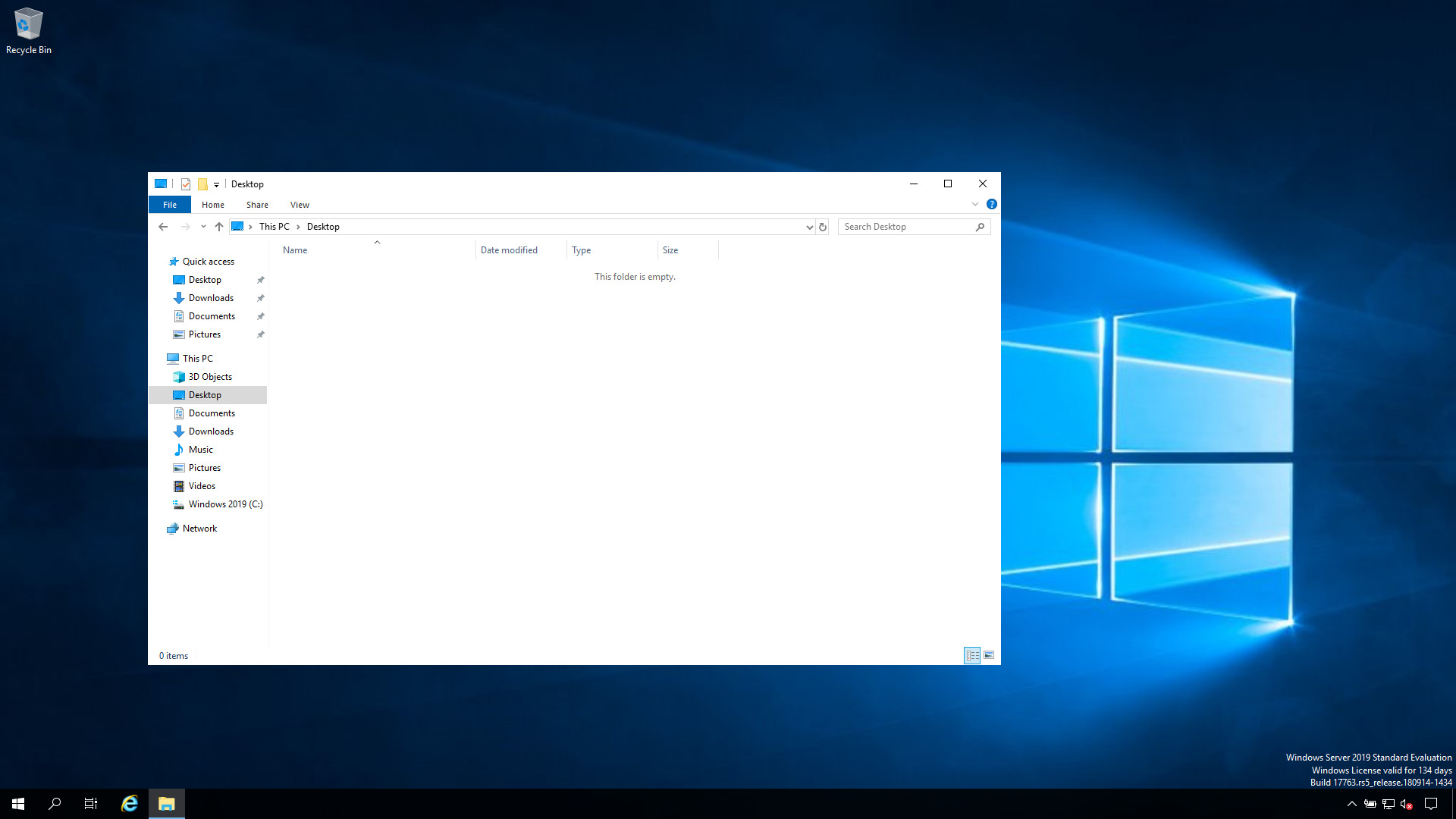
before execution
after execution
The other states: remove a directory and create an empty file
The same win_file module handles the rest of the lifecycle through the state
parameter. Two states are worth knowing beyond directory:
Remove a directory (or file) with state: absent:
    - name: Remove the example directory
      ansible.windows.win_file:
        path: "{{ mydir }}"
        state: absent
Be careful: with state: absent a directory is deleted recursively — every
file and subfolder inside it goes too — so double-check the path before you run
it.
Create an empty file with state: touch (the Windows equivalent of touch on
Linux):
    - name: Create an empty marker file
      ansible.windows.win_file:
        path: 'C:\Users\vagrant\Desktop\example\.installed'
        state: touch
Note that touch is not idempotent: like the Linux file module it updates
the file's timestamp on every run, so the task always reports changed. Use it
only when you actually want that behaviour (for example writing a marker file);
for a plain "make sure this file exists" check, a state that doesn't re-touch is
a better fit.
See also: Ansible win_stat: Check if File or Directory Exists on Windows (Examples)
Conclusion
Now you know how to create a directory in Windows-like systems with Ansible —
and how to remove one with state: absent or drop an empty file with
state: touch using the same ansible.windows.win_file module.
Related Articles
Category: installation
Watch the video: Ansible win_file Module: Create Directory on Windows Hosts (Guide) — Video Tutorial