Ansible Backup Windows 10/11/2019/2022: win_robocopy Playbook (Guide)
By Luca Berton · Published 2024-01-01 · Category: troubleshooting
How to automate the backup synchronization of an “examples” folder to “examples-backup” on Windows using RoboCopy with Ansible module win_robocopy.

How to Backup Windows 10/11/2019/2022 with Ansible Playbook: win_robocopy vs win_copy
See also: Ansible win_file Module: Create Directory on Windows Hosts (Guide)
Ansible backing up with RoboCopy
> community.windows.win_robocopy: Synchronizes the contents of two directories using Robocopy
For a Windows backup playbook on Windows 10, Windows 11, Windows Server 2019, or Windows Server 2022, use community.windows.win_robocopy when you need to synchronize a whole directory tree. Use ansible.windows.win_copy for smaller one-off file copies from the Ansible controller to a Windows host; use win_robocopy for Robocopy-style backups between paths available on the Windows target.
Today we're talking about the Ansible module win_robocopy.
The full name is community.windows.win_robocopy, which means that is part of the collection targeting Windows platforms.
Synchronizes the contents of two directories using Robocopy.
Under the hood, it uses the RoboCopy utility, since that should be available on most modern Windows systems.
Parameters
src_string_ - source path - absolute or relativedest_string_ - destination path - absolute or relativerecurse_string_ - no/yes - Includes all subdirectoriespurge_string_ - no/yes - Deletes any files/directories found in the destination that do not exist in the source.flags_string_ - Additional flags
win_robocopy module.
The only mandatory parameters are "src" and "dest" parameters.
The "src" parameter is mandatory and specifies the path on the source host that will be synchronized to the destination. The path can be absolute or relative.
Same story for the dest parameter that specifies the path on the destination host that will be synchronized from the source.
Paths could be Local or Remote according to your needs.
The "recurse" parameter is default as disabled but you should consider enabling it when you want to synchronize all the subdirectories.
If you need to delete all the files and directories found in the destination that do not exist in the source you must enable the purge parameter.
It's possible to specify additionals Robocopy parameters via the "flags" parameter, but not all are supported.
See also: Ansible synchronize Module: Rsync Files & Directories Between Hosts
Links
## Playbook How to Backup With Robocopy on Windows with Ansible Playbook.
code
---
- name: win_robocopy module Playbook
  hosts: all
  become: false
  vars:
    source: "Desktop/examples"
    destination: "Desktop/examples-backup"
  tasks:
    - name: data syncronization
      community.windows.win_robocopy:
        src: '{{ source }}'
        dest: '{{ destination }}'
execution
ansible-pilot $ ansible-playbook -i virtualmachines/win/inventory copy\ files\ to\ remote\ hosts/win_robocopy.yml
PLAY [win_robocopy module Playbook] *******************************************************************
TASK [Gathering Facts] ****************************************************************************
ok: [WindowsServer]
TASK [data synchronization] ***********************************************************************
changed: [WindowsServer]
PLAY RECAP ****************************************************************************************
WindowsServer              : ok=2    changed=1    unreachable=0    failed=0    skipped=0    rescued=0    ignored=0
ansible-pilot $
idempotency
ansible-pilot $ ansible-playbook -i virtualmachines/win/inventory copy\ files\ to\ remote\ hosts/win_robocopy.yml
PLAY [win_robocopy module Playbook] *******************************************************************
TASK [Gathering Facts] ****************************************************************************
ok: [WindowsServer]
TASK [data synchronization] ***********************************************************************
ok: [WindowsServer]
PLAY RECAP ****************************************************************************************
WindowsServer              : ok=2    changed=0    unreachable=0    failed=0    skipped=0    rescued=0    ignored=0
ansible-pilot $
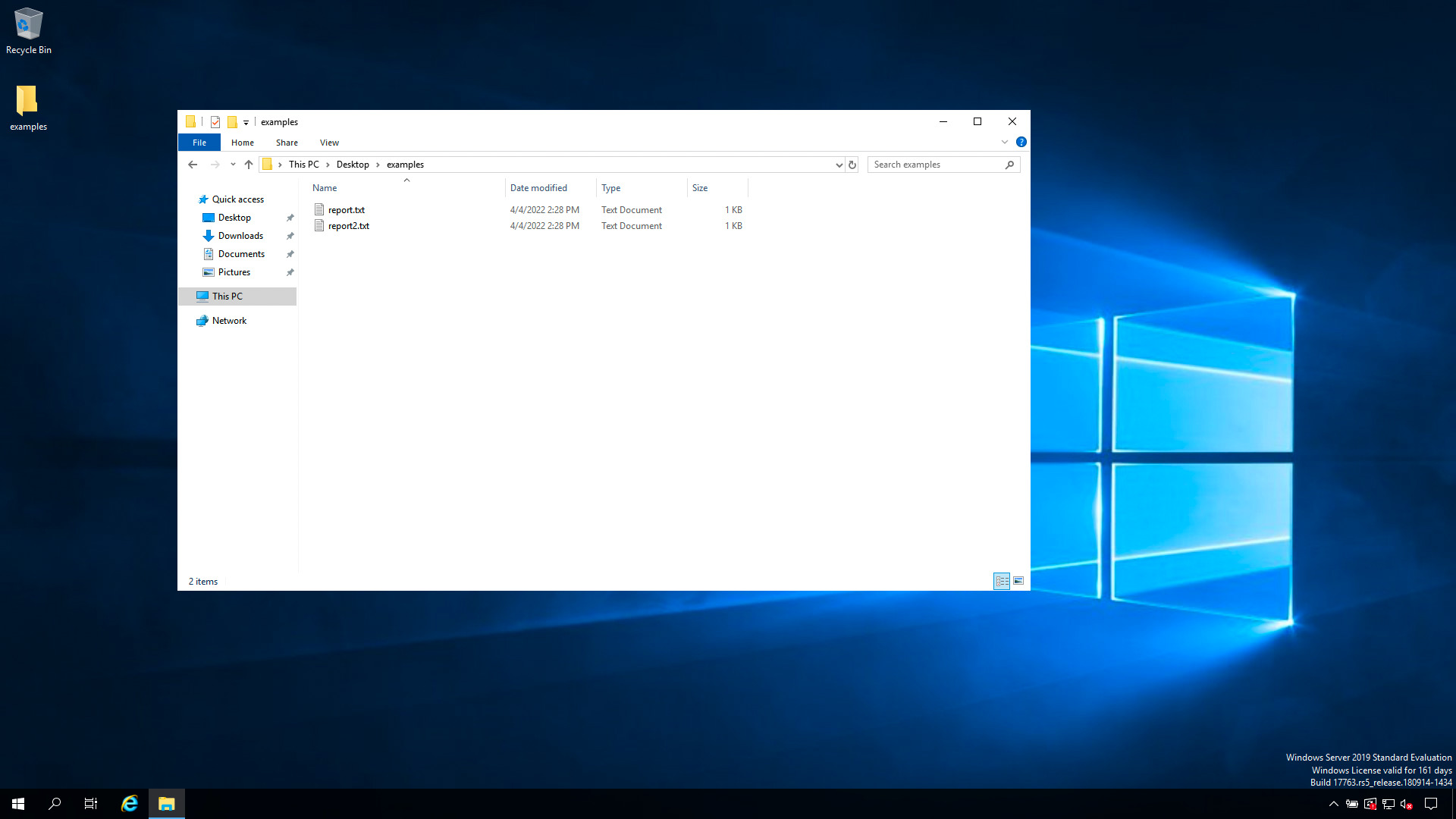
before execution
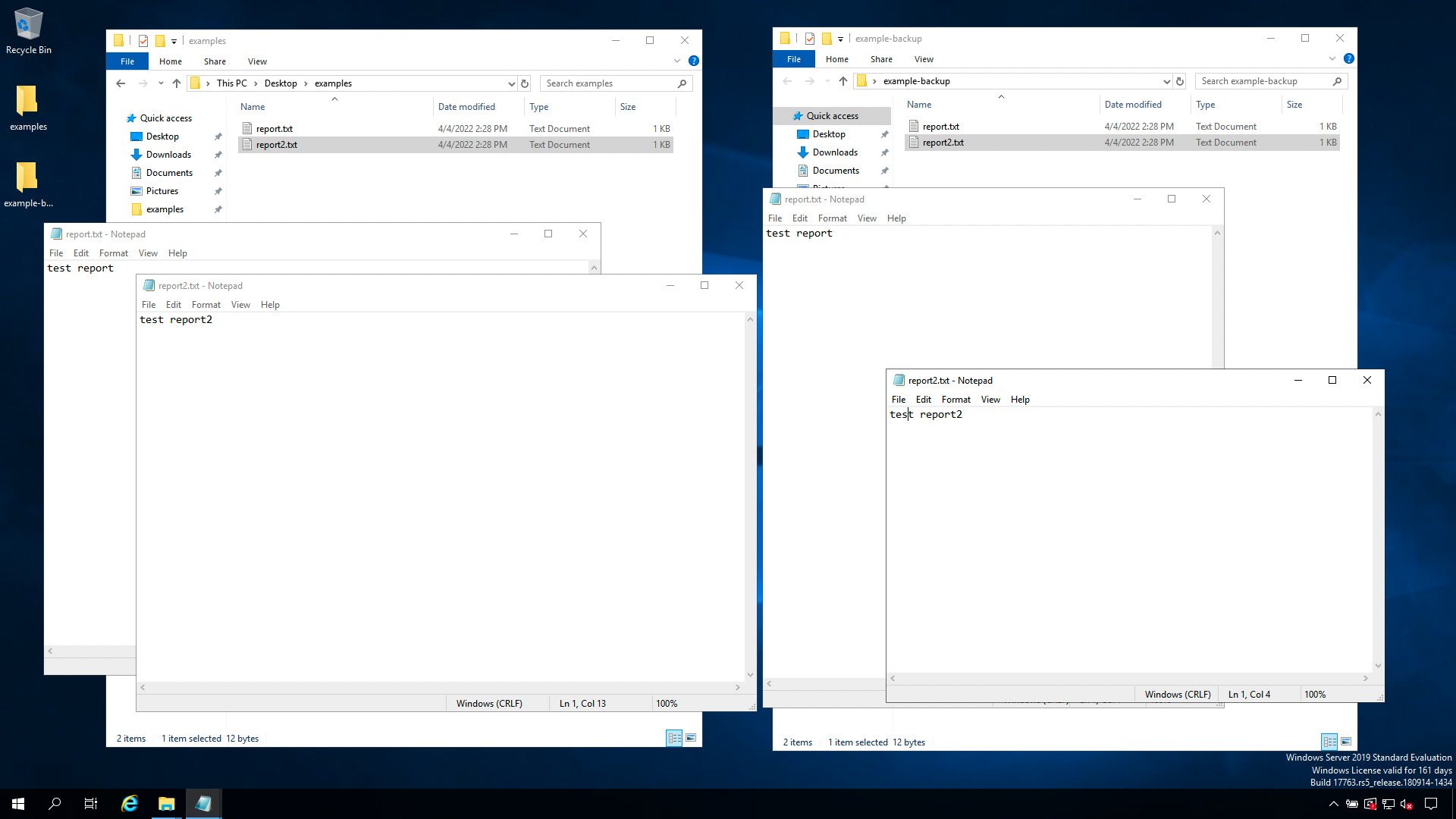
after execution
Conclusion
Now you know how to back up With Robocopy on Windows with Ansible.
See also: Ansible win_stat: Check if File or Directory Exists on Windows (Examples)
Related Articles
Category: troubleshooting
Watch the video: Ansible Backup Windows 10/11/2019/2022: win_robocopy Playbook (Guide) — Video Tutorial