Connect the AAP Intelligent Assistant to Azure OpenAI: Setup Guide
By Luca Berton · Published 2024-01-01 · Category: installation
Step-by-step guide to connecting the AAP Intelligent Assistant to Azure OpenAI with AAP 2.7 BYOM, covering prerequisites, config, and BYOK context.
!BYOM provider compatibility matrix, AAP 2.7
Red Hat Ansible Automation Platform 2.7 opens up the Intelligent Assistant — the AI chatbot embedded directly in the AAP UI — to a Bring Your Own Model (BYOM) approach. Instead of being locked into a single hosted model, platform teams can now point the assistant at the large language model provider that already fits their enterprise's cloud footprint, compliance posture, and existing contracts. For organizations standardized on Microsoft Azure, that provider is Azure OpenAI, and Red Hat confirmed support for it at Red Hat Tech Day Netherlands 2026 in Bunnik.
This guide walks through what "Azure OpenAI support" actually means for the Intelligent Assistant, what you need before you start, and how to configure the connection so your automation teams can ask AAP-aware questions and get answers grounded in your own environment.
What the Intelligent Assistant Actually Does
The Intelligent Assistant is a conversational chatbot surfaced inside the AAP web UI. It's designed to help automation engineers and operators without requiring them to leave the platform to search documentation, Slack threads, or tribal knowledge. Typical use cases include:
- Asking how to structure a job template or workflow
- Getting explanations of failed job output
- Looking up recommended patterns for credentials, inventories, or execution environments
- Querying organizational runbooks and procedures (once BYOK, discussed below, is enabled)
See also: AAP BYOM Provider Comparison 2026: Red Hat AI vs OpenAI vs Azure vs watsonx vs Gemini
BYOM Provider Support at a Glance
Red Hat's compatibility matrix, presented at Red Hat Tech Day Netherlands 2026, draws a clear distinction between the two AI surfaces in AAP 2.7 — the Intelligent Assistant (chatbot) and the Coding Assistant (the Ansible VS Code extension). They do not support the same providers on the same timeline, which is a common source of confusion for teams planning their rollout.
| Provider | Intelligent Assistant (chatbot) | Coding Assistant (VS Code) |
|---|---|---|
| Red Hat AI | Supported (AAP 2.6+) | Supported (AAP 2.6+) |
| OpenAI | Supported (AAP 2.6+) | Coming Soon |
| Azure OpenAI | Supported (AAP 2.6+) | Coming Soon |
| IBM watsonx | Not supported | Supported (AAP 2.5+, first external provider) |
| Google Gemini / Vertex | Coming Soon | Supported (AAP 2.6+) |
Prerequisites Before You Connect Azure OpenAI
Before touching AAP configuration, make sure you have the Azure-side pieces in place:
- An Azure OpenAI resource provisioned in your Azure subscription, with a model deployment created (for example, a GPT-4-class deployment) and a deployment name you control.
- An API key or Azure AD/Entra ID credential with access to that resource, scoped following least-privilege principles.
- The resource endpoint URL, typically in the form
https://..openai.azure.com/ - The API version your deployment expects (Azure OpenAI versions its REST API independently of the underlying model).
- AAP 2.6 or later, since Azure OpenAI support for the Intelligent Assistant requires that baseline. AAP 2.7 is recommended for the most complete BYOM configuration experience.
- Network reachability from your AAP control plane to the Azure OpenAI endpoint — confirm firewall rules, proxy configuration, and any private endpoint / VNet integration requirements your security team enforces.
Configuring the Connection
The BYOM configuration lives in the AAP administration settings where AI provider credentials are managed. At a high level, the workflow is:
- Navigate to the platform-level AI/Intelligent Assistant configuration screen in the AAP UI.
- Select Azure OpenAI as the provider for the Intelligent Assistant.
- Supply the endpoint URL, deployment name, API version, and authentication credential.
- Save and validate the connection — AAP performs a test call to confirm the model responds before enabling it platform-wide.
- Optionally scope the configuration per organization if you need different Azure OpenAI resources (e.g., different regions or cost centers) for different teams.
---
- name: Configure Intelligent Assistant to use Azure OpenAI
  hosts: localhost
  gather_facts: false
  vars:
    aap_hostname: "https://aap.example.com"
    azure_openai_endpoint: "https://my-org-openai.openai.azure.com/"
    azure_openai_deployment: "gpt4-automation-assistant"
    azure_openai_api_version: "2024-10-21"
  tasks:
    - name: Set Intelligent Assistant provider to Azure OpenAI
      ansible.builtin.uri:
        url: "{{ aap_hostname }}/api/gateway/v1/ai_settings/intelligent_assistant/"
        method: PATCH
        headers:
          Authorization: "Bearer {{ aap_admin_token }}"
        body_format: json
        body:
          provider: "azure_openai"
          endpoint: "{{ azure_openai_endpoint }}"
          deployment_name: "{{ azure_openai_deployment }}"
          api_version: "{{ azure_openai_api_version }}"
          credential_ref: "azure-openai-service-cred"
        status_code: 200
      register: assistant_config
      no_log: true

    - name: Confirm assistant configuration succeeded
      ansible.builtin.debug:
        msg: "Intelligent Assistant now routed to Azure OpenAI deployment {{ azure_openai_deployment }}"
      when: assistant_config.status == 200
Treat the endpoint names, API paths, and field names above as illustrative of the pattern — always confirm the exact API surface against your installed AAP 2.7 release documentation, since BYOM configuration screens and endpoints are still evolving as the feature matures.
See also: Connect the AAP Coding Assistant to Google Gemini: Setup Guide
Grounding Answers with BYOK
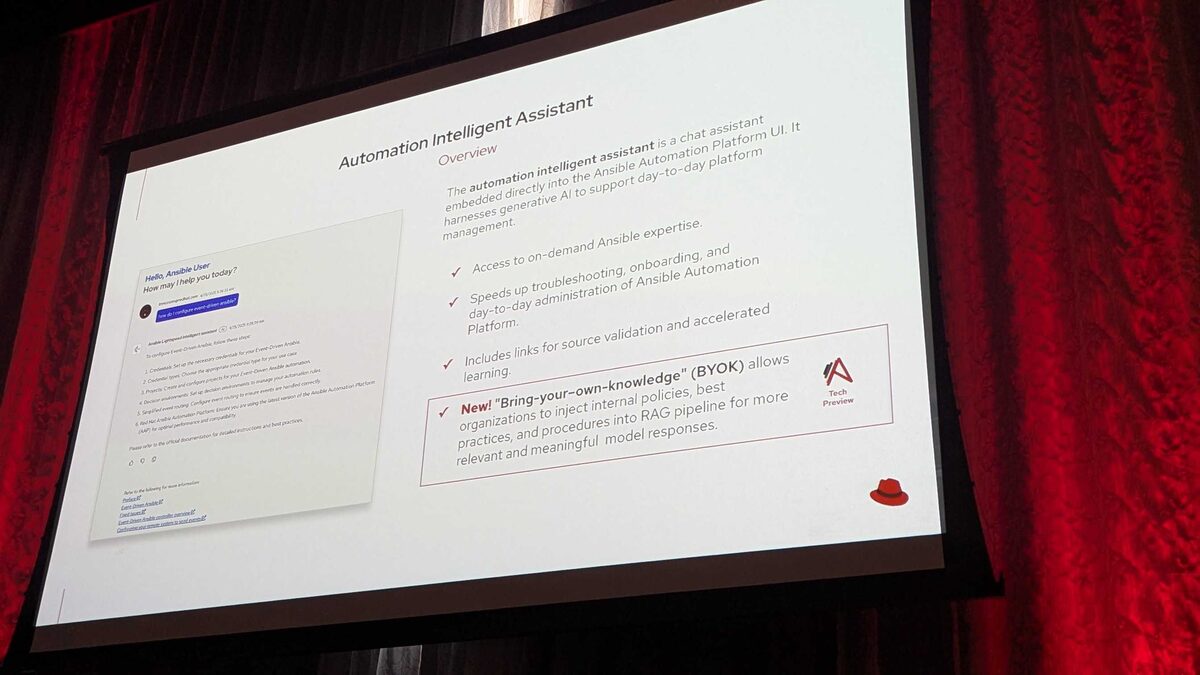
Once the Intelligent Assistant is talking to Azure OpenAI, the next natural question is: how do you make sure it answers with your organization's context instead of generic Ansible knowledge? That's where Bring Your Own Knowledge (BYOK) comes in — also announced at Red Hat Tech Day Netherlands 2026 as a Tech Preview feature.
BYOK lets you inject internal policies, best practices, and procedures into the Intelligent Assistant's retrieval-augmented generation (RAG) pipeline. Practically, that means the assistant can ground its answers in:
- Your organization's change-management procedures
- Internal network naming conventions
- Compliance requirements such as PCI-DSS, HIPAA, or SOC2
- Internal runbooks specific to your infrastructure
Key Takeaways
- Azure OpenAI has been a supported provider for the AAP Intelligent Assistant since AAP 2.6, with BYOM configuration maturing further in AAP 2.7.
- The Intelligent Assistant (chatbot) and Coding Assistant (VS Code extension) have different provider support timelines — Azure OpenAI is not yet available for the Coding Assistant, which is listed as Coming Soon.
- IBM watsonx is not supported for the Intelligent Assistant at all, while it was the first external provider supported for the Coding Assistant back in AAP 2.5.
- Before connecting Azure OpenAI, gather your resource endpoint, deployment name, API version, and a properly scoped credential.
- BYOK (Tech Preview) lets you layer your organization's own policies and runbooks on top of whichever BYOM provider you choose, including Azure OpenAI.
- Always validate exact configuration field names and API paths against your installed AAP 2.7 documentation, since BYOM settings are still evolving.
Related Articles
- Connect the AAP Intelligent Assistant to OpenAI: Setup Guide
- AAP BYOM Provider Comparison 2026: Red Hat AI vs OpenAI vs Azure vs watsonx vs Gemini
- BYOK for the AAP Intelligent Assistant: Injecting Your Own Knowledge into RAG
- Ansible azure.azcollection Guide: Machine Learning, App Configuration, and Front Door in AAP 2.7
Category: installation