Streamline Ansible Development with Auto-Fixing FCQN Violations
By Luca Berton · Published 2024-01-01 · Category: installation
Learn how to use ansible-lint to automatically fix FCQN rule violations in Ansible playbooks, ensuring consistent, high-quality automation code effortlessly.
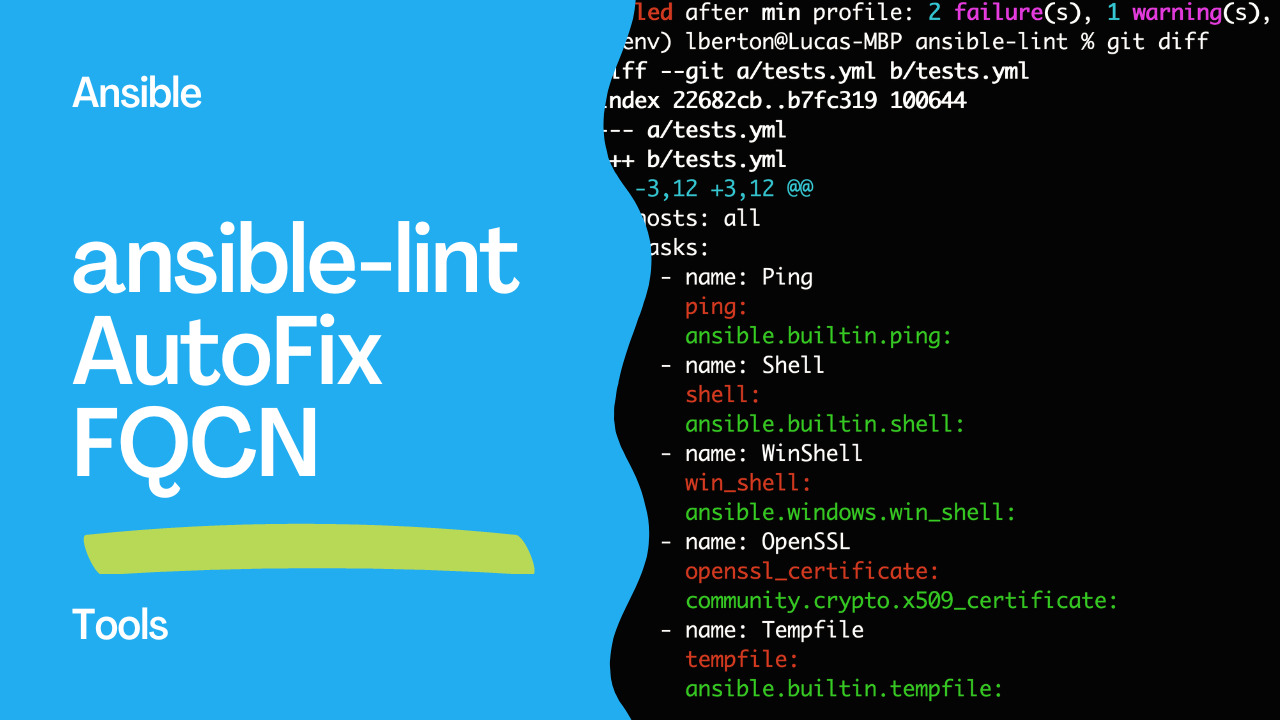
Streamline Your Ansible Development with Auto-Fixing of FCQN Rule Violations using Ansible-Lint.
FCQN stands for Fully Qualified Collection Name. In Ansible, collections are a way to organize and distribute roles, modules, and plugins. The FCQN is a naming convention that specifies the full name of a collection, including the author's namespace, the collection name, and the version number. The purpose of using FCQN is to avoid naming conflicts between different collections, especially when collections are distributed across multiple namespaces. Ansible-lint checks for FCQN rule violations in Ansible playbooks to ensure that collections are referenced with their fully qualified names to avoid ambiguity and naming conflicts.
As IT infrastructure management becomes more complex, many organizations turn to automation tools such as Ansible to help manage their systems more efficiently. Ansible playbooks provide a powerful toolset for automating system management tasks. However, as playbooks become more complex, maintaining their quality can become a daunting task. This is where ansible-lint comes in.
The ansible-lint is a powerful linting tool for Ansible playbooks, roles, and collections. It checks for issues that may cause problems when executing Ansible tasks, such as syntax errors, indentation problems, or deprecated features. Recently, Ansible-Lint has added a new feature that allows auto-fixing of FCQN (Fully Qualified Collection Name) rule violations in Ansible playbooks.
The FCQN rule violation occurs when a playbook uses a reference to a collection without the fully qualified name. For example, if a playbook includes a task that references a role in a collection, but the role is not fully qualified with the collection name, ansible-lint will flag this as a violation.
Before this latest feature was added, fixing these violations required manual intervention by the developer. However, with the auto-fixing capability of ansible-lint, these issues can now be automatically corrected, saving time and improving code quality.
To use the auto-fixing feature, developers simply need to run ansible-lint on their playbook with the --fix flag. ansible-lint will then attempt to automatically fix any FCQN rule violations it finds in the playbook. If ansible-lint is unable to fix the violation, it will provide a detailed message explaining the issue so that the developer can manually resolve it.
This new feature not only saves time, but it also improves code quality by ensuring that playbooks are consistent in their use of fully qualified names. This helps to prevent errors and improve maintainability in large codebases.
Ansible-Lint is a powerful tool for improving the quality of Ansible playbooks. With the addition of auto-fixing of FCQN rule violations, ansible-lint has become an even more valuable tool for developers who want to streamline their Ansible development process. By automating the correction of these violations, ansible-lint helps to ensure that playbooks are of high quality and consistent in their use of fully qualified names. So why not give ansible-lint a try and see how it can help improve your Ansible development workflow today?
Demo
First of all we need to install the ansible-lit tool with at least version 6.15.0.
Setup
python3 -m venv venv
source venv/bin/activate
pip install --upgrade pip
pip install ansible-lint- output
lberton@Lucas-MBP ansible-lint % python3 -m venv venv
lberton@Lucas-MBP ansible-lint % source venv/bin/activate
(venv) lberton@Lucas-MBP ansible-lint % pip install --upgrade pip
Requirement already satisfied: pip in ./venv/lib/python3.11/site-packages (23.0.1)
Collecting pip
  Downloading pip-23.1.2-py3-none-any.whl (2.1 MB)
     ━━━━━━━━━━━━━━━━━━━━━━━━━━━━━━━━━━━━━━━━ 2.1/2.1 MB 1.7 MB/s eta 0:00:00
Installing collected packages: pip
  Attempting uninstall: pip
    Found existing installation: pip 23.0.1
    Uninstalling pip-23.0.1:
      Successfully uninstalled pip-23.0.1
Successfully installed pip-23.1.2
(venv) lberton@Lucas-MBP ansible-lint % pip install ansible-lint
Collecting ansible-lint
  Downloading ansible_lint-6.15.0-py3-none-any.whl (289 kB)
     ━━━━━━━━━━━━━━━━━━━━━━━━━━━━━━━━━━━━━━━━ 289.5/289.5 kB 684.2 kB/s eta 0:00:00
Collecting ansible-core>=2.12.0 (from ansible-lint)
  Downloading ansible_core-2.14.5-py3-none-any.whl (2.2 MB)
     ━━━━━━━━━━━━━━━━━━━━━━━━━━━━━━━━━━━━━━━━ 2.2/2.2 MB 1.4 MB/s eta 0:00:00
Collecting black>=22.8.0 (from ansible-lint)
  Downloading black-23.3.0-cp311-cp311-macosx_10_16_universal2.whl (2.6 MB)
     ━━━━━━━━━━━━━━━━━━━━━━━━━━━━━━━━━━━━━━━━ 2.6/2.6 MB 1.1 MB/s eta 0:00:00
Collecting filelock>=3.3.0 (from ansible-lint)
  Downloading filelock-3.12.0-py3-none-any.whl (10 kB)
Collecting jsonschema>=4.10.0 (from ansible-lint)
  Downloading jsonschema-4.17.3-py3-none-any.whl (90 kB)
     ━━━━━━━━━━━━━━━━━━━━━━━━━━━━━━━━━━━━━━━━ 90.4/90.4 kB 453.3 kB/s eta 0:00:00
Collecting packaging>=21.3 (from ansible-lint)
  Downloading packaging-23.1-py3-none-any.whl (48 kB)
     ━━━━━━━━━━━━━━━━━━━━━━━━━━━━━━━━━━━━━━━━ 48.9/48.9 kB 1.2 MB/s eta 0:00:00
Collecting pyyaml>=5.4.1 (from ansible-lint)
  Downloading PyYAML-6.0-cp311-cp311-macosx_11_0_arm64.whl (167 kB)
     ━━━━━━━━━━━━━━━━━━━━━━━━━━━━━━━━━━━━━━━━ 167.5/167.5 kB 1.0 MB/s eta 0:00:00
Collecting rich>=12.0.0 (from ansible-lint)
  Downloading rich-13.3.4-py3-none-any.whl (238 kB)
     ━━━━━━━━━━━━━━━━━━━━━━━━━━━━━━━━━━━━━━━━ 238.7/238.7 kB 2.2 MB/s eta 0:00:00
Collecting ruamel.yaml<0.18,>=0.17.21 (from ansible-lint)
  Downloading ruamel.yaml-0.17.21-py3-none-any.whl (109 kB)
     ━━━━━━━━━━━━━━━━━━━━━━━━━━━━━━━━━━━━━━━━ 109.5/109.5 kB 2.3 MB/s eta 0:00:00
Collecting subprocess-tee>=0.4.1 (from ansible-lint)
  Downloading subprocess_tee-0.4.1-py3-none-any.whl (5.1 kB)
Collecting yamllint>=1.30.0 (from ansible-lint)
  Downloading yamllint-1.31.0-py3-none-any.whl (64 kB)
     ━━━━━━━━━━━━━━━━━━━━━━━━━━━━━━━━━━━━━━━━ 64.9/64.9 kB 3.5 MB/s eta 0:00:00
Collecting wcmatch>=8.1.2 (from ansible-lint)
  Downloading wcmatch-8.4.1-py3-none-any.whl (39 kB)
Collecting jinja2>=3.0.0 (from ansible-core>=2.12.0->ansible-lint)
  Downloading Jinja2-3.1.2-py3-none-any.whl (133 kB)
     ━━━━━━━━━━━━━━━━━━━━━━━━━━━━━━━━━━━━━━━━ 133.1/133.1 kB 2.4 MB/s eta 0:00:00
Collecting cryptography (from ansible-core>=2.12.0->ansible-lint)
  Downloading cryptography-40.0.2-cp36-abi3-macosx_10_12_universal2.whl (5.1 MB)
     ━━━━━━━━━━━━━━━━━━━━━━━━━━━━━━━━━━━━━━━━ 5.1/5.1 MB 1.7 MB/s eta 0:00:00
Collecting resolvelib<0.9.0,>=0.5.3 (from ansible-core>=2.12.0->ansible-lint)
  Downloading resolvelib-0.8.1-py2.py3-none-any.whl (16 kB)
Collecting click>=8.0.0 (from black>=22.8.0->ansible-lint)
  Downloading click-8.1.3-py3-none-any.whl (96 kB)
     ━━━━━━━━━━━━━━━━━━━━━━━━━━━━━━━━━━━━━━━━ 96.6/96.6 kB 7.3 MB/s eta 0:00:00
Collecting mypy-extensions>=0.4.3 (from black>=22.8.0->ansible-lint)
  Downloading mypy_extensions-1.0.0-py3-none-any.whl (4.7 kB)
Collecting pathspec>=0.9.0 (from black>=22.8.0->ansible-lint)
  Downloading pathspec-0.11.1-py3-none-any.whl (29 kB)
Collecting platformdirs>=2 (from black>=22.8.0->ansible-lint)
  Downloading platformdirs-3.4.0-py3-none-any.whl (15 kB)
Collecting attrs>=17.4.0 (from jsonschema>=4.10.0->ansible-lint)
  Downloading attrs-23.1.0-py3-none-any.whl (61 kB)
     ━━━━━━━━━━━━━━━━━━━━━━━━━━━━━━━━━━━━━━━━ 61.2/61.2 kB 5.0 MB/s eta 0:00:00
Collecting pyrsistent!=0.17.0,!=0.17.1,!=0.17.2,>=0.14.0 (from jsonschema>=4.10.0->ansible-lint)
  Downloading pyrsistent-0.19.3-cp311-cp311-macosx_10_9_universal2.whl (82 kB)
     ━━━━━━━━━━━━━━━━━━━━━━━━━━━━━━━━━━━━━━━━ 82.6/82.6 kB 1.3 MB/s eta 0:00:00
Collecting markdown-it-py<3.0.0,>=2.2.0 (from rich>=12.0.0->ansible-lint)
  Downloading markdown_it_py-2.2.0-py3-none-any.whl (84 kB)
     ━━━━━━━━━━━━━━━━━━━━━━━━━━━━━━━━━━━━━━━━ 84.5/84.5 kB 2.1 MB/s eta 0:00:00
Collecting pygments<3.0.0,>=2.13.0 (from rich>=12.0.0->ansible-lint)
  Downloading Pygments-2.15.1-py3-none-any.whl (1.1 MB)
     ━━━━━━━━━━━━━━━━━━━━━━━━━━━━━━━━━━━━━━━━ 1.1/1.1 MB 1.0 MB/s eta 0:00:00
Collecting bracex>=2.1.1 (from wcmatch>=8.1.2->ansible-lint)
  Downloading bracex-2.3.post1-py3-none-any.whl (12 kB)
Collecting MarkupSafe>=2.0 (from jinja2>=3.0.0->ansible-core>=2.12.0->ansible-lint)
  Downloading MarkupSafe-2.1.2-cp311-cp311-macosx_10_9_universal2.whl (17 kB)
Collecting mdurl~=0.1 (from markdown-it-py<3.0.0,>=2.2.0->rich>=12.0.0->ansible-lint)
  Downloading mdurl-0.1.2-py3-none-any.whl (10.0 kB)
Collecting cffi>=1.12 (from cryptography->ansible-core>=2.12.0->ansible-lint)
  Downloading cffi-1.15.1-cp311-cp311-macosx_11_0_arm64.whl (174 kB)
     ━━━━━━━━━━━━━━━━━━━━━━━━━━━━━━━━━━━━━━━━ 174.2/174.2 kB 660.6 kB/s eta 0:00:00
Collecting pycparser (from cffi>=1.12->cryptography->ansible-core>=2.12.0->ansible-lint)
  Downloading pycparser-2.21-py2.py3-none-any.whl (118 kB)
     ━━━━━━━━━━━━━━━━━━━━━━━━━━━━━━━━━━━━━━━━ 118.7/118.7 kB 417.4 kB/s eta 0:00:00
Installing collected packages: resolvelib, subprocess-tee, ruamel.yaml, pyyaml, pyrsistent, pygments, pycparser, platformdirs, pathspec, packaging, mypy-extensions, mdurl, MarkupSafe, filelock, click, bracex, attrs, yamllint, wcmatch, markdown-it-py, jsonschema, jinja2, cffi, black, rich, cryptography, ansible-core, ansible-lint
Successfully installed MarkupSafe-2.1.2 ansible-core-2.14.5 ansible-lint-6.15.0 attrs-23.1.0 black-23.3.0 bracex-2.3.post1 cffi-1.15.1 click-8.1.3 cryptography-40.0.2 filelock-3.12.0 jinja2-3.1.2 jsonschema-4.17.3 markdown-it-py-2.2.0 mdurl-0.1.2 mypy-extensions-1.0.0 packaging-23.1 pathspec-0.11.1 platformdirs-3.4.0 pycparser-2.21 pygments-2.15.1 pyrsistent-0.19.3 pyyaml-6.0 resolvelib-0.8.1 rich-13.3.4 ruamel.yaml-0.17.21 subprocess-tee-0.4.1 wcmatch-8.4.1 yamllint-1.31.0- requirements.txt
ansible-core==2.14.5
ansible-lint==6.15.0
attrs==23.1.0
black==23.3.0
bracex==2.3.post1
cffi==1.15.1
click==8.1.3
cryptography==40.0.2
filelock==3.12.0
Jinja2==3.1.2
jsonschema==4.17.3
markdown-it-py==2.2.0
MarkupSafe==2.1.2
mdurl==0.1.2
mypy-extensions==1.0.0
packaging==23.1
pathspec==0.11.1
platformdirs==3.4.0
pycparser==2.21
Pygments==2.15.1
pyrsistent==0.19.3
PyYAML==6.0
resolvelib==0.8.1
rich==13.3.4
ruamel.yaml==0.17.21
subprocess-tee==0.4.1
wcmatch==8.4.1
yamllint==1.31.0
Successfully installed
ansible-lint --version
ansible-lint 6.15.0 using ansible 2.14.5
Success
- test.yml
---
- name: Test playbook
  hosts: all
  tasks:
    - name: Ping
      ping:
    - name: Shell
      shell:
    - name: WinShell
      win_shell:
    - name: OpenSSL
      openssl_certificate:
    - name: Tempfile
tempfile:- execution
ansible-lint --write all tests.yml
WARNING  Listing 3 violation(s) that are fatal
command-instead-of-shell: Use shell only when shell functionality is required.
tests.yml:7 Task/Handler: Shell

no-changed-when: Commands should not change things if nothing needs doing.
tests.yml:7 Task/Handler: Shell

args[module]: missing required arguments: path (warning)
tests.yml:11 Task/Handler: OpenSSL

Read documentation for instructions on how to ignore specific rule violations.

Modified 1 files.
                          Rule Violation Summary
 count tag                      profile    rule associated tags
     1 command-instead-of-shell basic      command-shell, idiom
     1 no-changed-when          shared     command-shell, idempotency
     3 fqcn[action-core]        production formatting
     2 fqcn[action]             production formatting
     1 args[module]                        syntax, experimental (warning)

Failed after min profile: 2 failure(s), 1 warning(s), and fixed 5 issue(s) on 1 files.- diff
--- a/tests.yml
+++ b/tests.yml
@@ -3,12 +3,12 @@
   hosts: all
   tasks:
     - name: Ping
-      ping:
+      ansible.builtin.ping:
     - name: Shell
-      shell:
+      ansible.builtin.shell:
     - name: WinShell
-      win_shell:
+      ansible.windows.win_shell:
     - name: OpenSSL
-      openssl_certificate:
+      community.crypto.x509_certificate:
     - name: Tempfile
-      tempfile:
+      ansible.builtin.tempfile:
Failure
- fail.yml
---
- name: Test playbook
  hosts: all
  tasks:
    - name: AWS EC2
      ec2_instance:
    - name: Mount
mount:- execution
ansible-lint --write all fail.yml
WARNING  Listing 1 violation(s) that are fatal
syntax-check[specific]: couldn't resolve module/action 'ec2_instance'. This often indicates a misspelling, missing collection, or incorrect module path.
fail.yml:5:7


                  Rule Violation Summary
 count tag                    profile rule associated tags
     1 syntax-check[specific] min     core, unskippable

Failed after : 1 failure(s), 0 warning(s) on 1 files.
See also: Improve Playbook Debugging Using Ansible Lint
Conclusion
Ansible-Lint is a linting tool that helps improve the quality of Ansible playbooks. It has a new feature that allows auto-fixing of FCQN rule violations in playbooks. FCQN violations occur when a playbook uses a reference to a collection without the fully qualified name. Before this new feature was added, these issues required manual intervention to fix. But now, developers can use ansible-lint with the --write flag to automatically fix these violations. This feature saves time and improves code quality by ensuring consistency in the use of fully qualified names. Ansible-lint is a valuable tool for developers who want to streamline their Ansible development process and improve the quality of their playbooks.
Related Articles
Category: installation
Watch the video: Streamline Ansible Development with Auto-Fixing FCQN Violations — Video Tutorial