Ansible-Lint: Complete Guide to Linting Playbooks & Roles
By Luca Berton · Published 2024-01-01 · Category: installation
Complete guide to ansible-lint. Install, configure, run linting on playbooks and roles, fix common errors, and integrate with CI/CD pipelines.
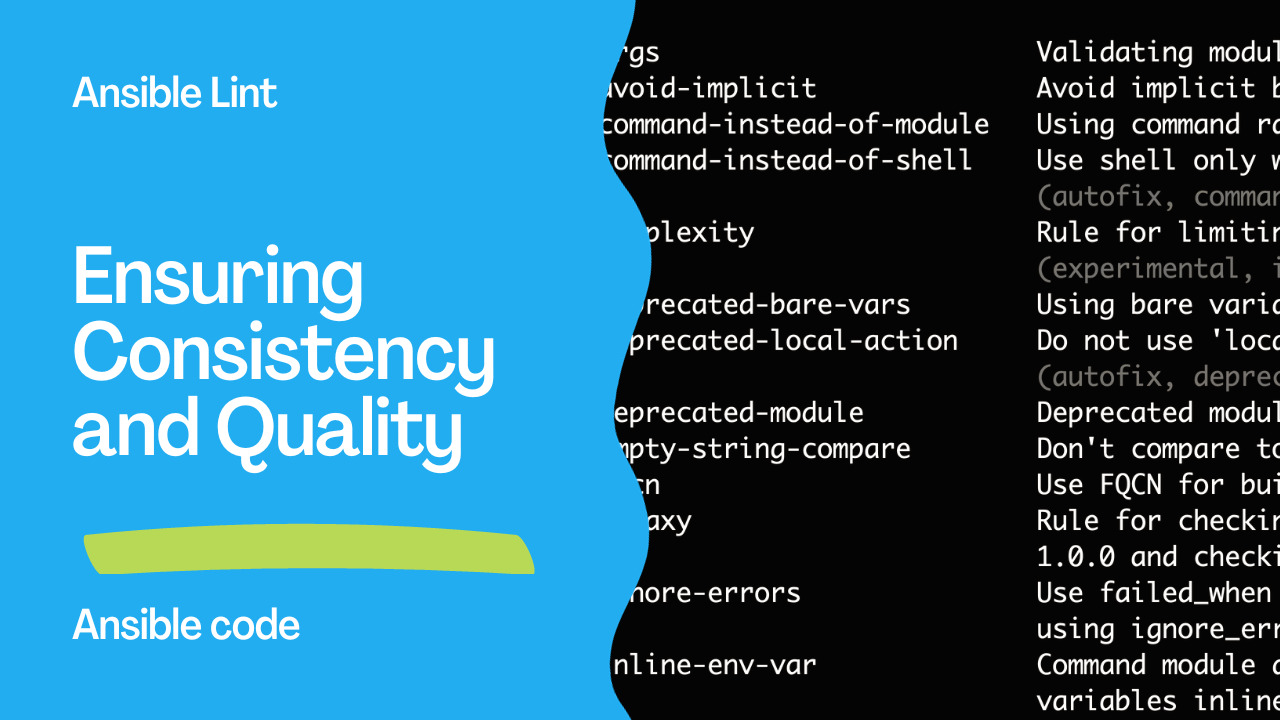
Ensuring Quality with Ansible-Lint: A Guide to Best Practices
In the realm of IT automation, maintaining the quality and consistency of your Ansible playbooks and roles is crucial for effective and reliable automation. Ansible-Lint, a powerful tool for analyzing and improving Ansible code, helps achieve this by enforcing best practices and identifying potential issues. This article delves into the features, benefits, and practical applications of Ansible-Lint, providing a comprehensive guide to using it effectively.
See also: Automate Ansible Galaxy Roles with GitHub Actions
What is Ansible-Lint?
Ansible-Lint is a command-line tool that helps identify and correct issues in Ansible playbooks, roles, and collections. It ensures that your automation code adheres to best practices and coding standards, making your automation processes more reliable and maintainable. By analyzing Ansible content for a wide range of potential issues, Ansible-Lint helps developers produce high-quality code.
Key Features and Benefits
- Improves Code Quality: Ansible-Lint checks for common issues and enforces best practices, ensuring that your playbooks and roles are written consistently and maintainably.
- Identifies Potential Issues: The tool identifies syntax errors, deprecated features, security issues, and other potential problems that might not be immediately apparent during manual reviews.
- Enhances Security: By flagging insecure practices, such as storing passwords in plain text, Ansible-Lint helps enhance the security of your automation processes.
- Facilitates Collaboration: Enforcing a standardized coding style across teams ensures that all members can understand and contribute to the automation code more effectively.
- Integration with CI/CD Pipelines: Ansible-Lint can be integrated into Continuous Integration/Continuous Deployment (CI/CD) pipelines, allowing for automated linting and ensuring code quality throughout the development lifecycle.
Installation and Setup
To begin using Ansible-Lint, you need to have Ansible installed on your system. The following steps guide you through the installation and initial setup of Ansible-Lint:
- Install Ansible-Lint:
   pip3 install ansible-lint
   ansible-lint --version
- List Available Rules: Ansible-Lint comes with a comprehensive set of rules. You can list these rules using:
ansible-lint -L
- Lint a Playbook: To lint a specific playbook, use:
ansible-lint playbook.yml
The tool will analyze the playbook and provide detailed messages indicating which rules were triggered, along with file locations and problematic lines.
See also: Enhancing Ansible Role Development with Best Practices with ansible-later
Practical Applications
- Regular Code Reviews: Use Ansible-Lint during code reviews to ensure that playbooks and roles adhere to best practices and are free of common issues.
- Automated Testing: Integrate Ansible-Lint into your CI/CD pipelines to automatically check for issues whenever new code is committed, ensuring continuous code quality.
- Educational Tool: For teams new to Ansible, Ansible-Lint serves as an educational tool, guiding developers towards writing better Ansible code by enforcing best practices and providing feedback.
Best Practices for Using Ansible-Lint
- Stay Updated: Regularly update Ansible-Lint to benefit from the latest rule improvements and bug fixes.
- Integrate into CI/CD: Incorporate Ansible-Lint into your CI/CD pipelines to catch issues early in the development process.
- Use Autofix: Take advantage of autofixable rules to automatically correct issues in your playbooks.
- Check for Deprecated Features: Regularly check for deprecated features and modules in your playbooks and update them to use supported alternatives.
- Follow Naming Conventions: Adhere to role naming conventions and playbook file extensions to ensure consistency and readability.
- Prioritize Security: Pay close attention to security-related rules, such as avoiding storing passwords in plain text, to safeguard sensitive data.
Conclusion
Ansible-Lint is an invaluable tool for maintaining the quality, consistency, and security of Ansible automation code. By enforcing best practices and identifying potential issues, it helps developers produce reliable and maintainable playbooks and roles. Integrating Ansible-Lint into your development and CI/CD processes ensures that your automation efforts are efficient, secure, and compliant with industry standards.
For more detailed information on setting up and using Ansible-Lint, refer to the official documentation on GitHub.
Install
pip install ansible-lint

# Verify
ansible-lint --version
See also: Ansible Development: Write Custom Modules, Plugins & Collections
Run Lint
# Lint a playbook
ansible-lint playbook.yml

# Lint entire project
ansible-lint

# Lint a role
ansible-lint roles/nginx/

# Show all rules
ansible-lint -L

# Specific rules only
ansible-lint -R -r /path/to/rules
Configuration (.ansible-lint)
# .ansible-lint
---
profile: production  # null, min, basic, moderate, safety, shared, production

skip_list:
  - yaml[line-length]
  - name[missing]
  - no-changed-when

warn_list:
  - experimental

exclude_paths:
  - .github/
  - tests/
  - molecule/

enable_list:
  - no-log-password
Common Rules
| Rule | Description | Fix |
|---|---|---|
yaml[truthy] | Use true/false not yes/no | enabled: true |
name[missing] | Tasks need names | Add name: |
no-changed-when | command/shell needs changed_when | Add changed_when: |
command-instead-of-shell | Use command over shell | Switch to command: |
command-instead-of-module | Use Ansible module | Replace with proper module |
risky-shell-pipe | Shell pipe without pipefail | Add set -o pipefail |
no-free-form | Don't use free-form syntax | Use explicit parameters |
fqcn[action-core] | Use fully qualified names | ansible.builtin.copy |
Fix Examples
# BEFORE (multiple lint violations)
- shell: apt install nginx
  ignore_errors: yes

# AFTER (clean)
- name: Install nginx
  ansible.builtin.apt:
    name: nginx
    state: present
  become: true
# BEFORE
- command: grep "error" /var/log/app.log
# AFTER
- name: Check for errors in log
ansible.builtin.command:
cmd: grep "error" /var/log/app.log
register: log_check
changed_when: false
failed_when: falseInline Skip
- name: Special case
  ansible.builtin.command: custom-script.sh  # noqa: no-changed-when
CI/CD Integration
# GitHub Actions
- name: Run ansible-lint
  uses: ansible/ansible-lint@main
  with:
    args: ""

# GitLab CI
lint:
  image: python:3.11
  script:
    - pip install ansible-lint
    - ansible-lint
Profiles
| Profile | Strictness | Use Case |
|---|---|---|
null | No rules | Disabled |
min | Minimal | Legacy projects |
basic | Basic | Getting started |
moderate | Moderate | Most projects |
safety | Safety-focused | Security-critical |
shared | Strict | Shared roles |
production | Strictest | Production code |
FAQ
How do I fix all FQCN warnings at once?
# Use ansible-lint --fix (auto-fix)
ansible-lint --fix playbook.yml
Can I use ansible-lint in pre-commit?
# .pre-commit-config.yaml
repos:
  - repo: https://github.com/ansible/ansible-lint
    rev: v24.12.0
    hooks:
      - id: ansible-lint
How do I lint only changed files?
git diff --name-only HEAD~1 | grep -E '\.(yml|yaml)$' | xargs ansible-lintInstall
pip install ansible-lint

# Or with all dev tools
pip install ansible-dev-tools

# Verify
ansible-lint --version
Run Lint
# Lint a playbook
ansible-lint site.yml

# Lint all YAML in current directory
ansible-lint

# Lint a role
ansible-lint roles/webserver/

# Specific files
ansible-lint playbook.yml roles/*/tasks/*.yml
Configuration
# .ansible-lint
profile: production  # min, basic, moderate, safety, shared, production

skip_list:
  - yaml[line-length]
  - name[missing]

warn_list:
  - experimental

exclude_paths:
  - .github/
  - tests/

enable_list:
  - no-log-password

use_default_rules: true
Profiles
| Profile | Strictness | Use Case |
|---|---|---|
min | Lowest | Legacy code, minimal checks |
basic | Low | Getting started |
moderate | Medium | Active development |
safety | High | Security-focused |
shared | High | Shared/public roles |
production | Highest | Production deployments |
Common Errors and Fixes
# name[missing] — Tasks should have names
# WRONG
- apt: { name: nginx }
# CORRECT
- name: Install nginx
  apt: { name: nginx }

# yaml[truthy] — Use true/false, not yes/no
# WRONG
enabled: yes
# CORRECT
enabled: true

# no-changed-when — Commands need changed_when
# WRONG
- command: /opt/check.sh
# CORRECT
- command: /opt/check.sh
  changed_when: false

# fqcn[action-core] — Use fully qualified names
# WRONG
- apt: { name: nginx }
# CORRECT
- ansible.builtin.apt: { name: nginx }
Skip Rules Per Task
- name: Special case
  command: /opt/script.sh  # noqa: no-changed-when
CI/CD Integration
# .github/workflows/lint.yml
name: Ansible Lint
on: [push, pull_request]
jobs:
  lint:
    runs-on: ubuntu-latest
    steps:
      - uses: actions/checkout@v4
      - uses: ansible/ansible-lint@main
Fix Automatically
# Auto-fix what can be fixed
ansible-lint --fix

# Preview fixes
ansible-lint --fix --diff
FAQ
How to ignore a rule globally?
Add to skip_list in .ansible-lint. Use sparingly — rules exist for good reasons.
What's the recommended profile?
Start with moderate for existing projects, production for new projects. Increase strictness over time.
Does it check Jinja2 syntax?
Yes — it catches common Jinja2 issues like undefined variables and invalid filters.
Related Articles
Category: installation
Watch the video: Ansible-Lint: Complete Guide to Linting Playbooks & Roles — Video Tutorial