Ansible Windows Update: Rolling Updates with win_updates Module (Guide)
By Luca Berton · Published 2024-01-01 · Category: installation
How to manage Windows Updates with Ansible win_updates module. Rolling updates, selective patching, reboot handling, and WSUS integration with playbook.
How to perform Rolling Update with Ansible on Windows-like systems?
Every System Administrator knows how important is to maintain an up-to-date fleet in a consistent state.See also: Add Windows Registry on Windows-like systems - Ansible module win_regedit
Ansible Rolling Update Windows-like systems
ansible.windows.win_updates- Download and install Windows updates
win_updates.
The full name is ansible.windows.win_updates , which means that is part of the collection of modules specialized to interact with Windows target host.
It's a module pretty stable and out for years.
It works in Windows and Windows Server operating systems.
It downloads and installs Windows updates.
For Linux target use the yum module for RedHat-like systems, apt for Debian-like, and zypper for Suse-like.
Parameters
- category_names _string_ - CriticalUpdates, DefinitionUpdates, DeveloperKits, FeaturePacks, SecurityUpdates, ServicePacks, UpdateRollups
- state _string_ - searched / downloaded / installed
- reboot _boolean_ /reboot_timeout - no / yes
- log_path _path_ - append log file
- accept_list / reject_list _list_ - titles or KB to whitelist or blacklist
See also: Check .NET Framework Version on Windows with Ansible
Links
## Playbook
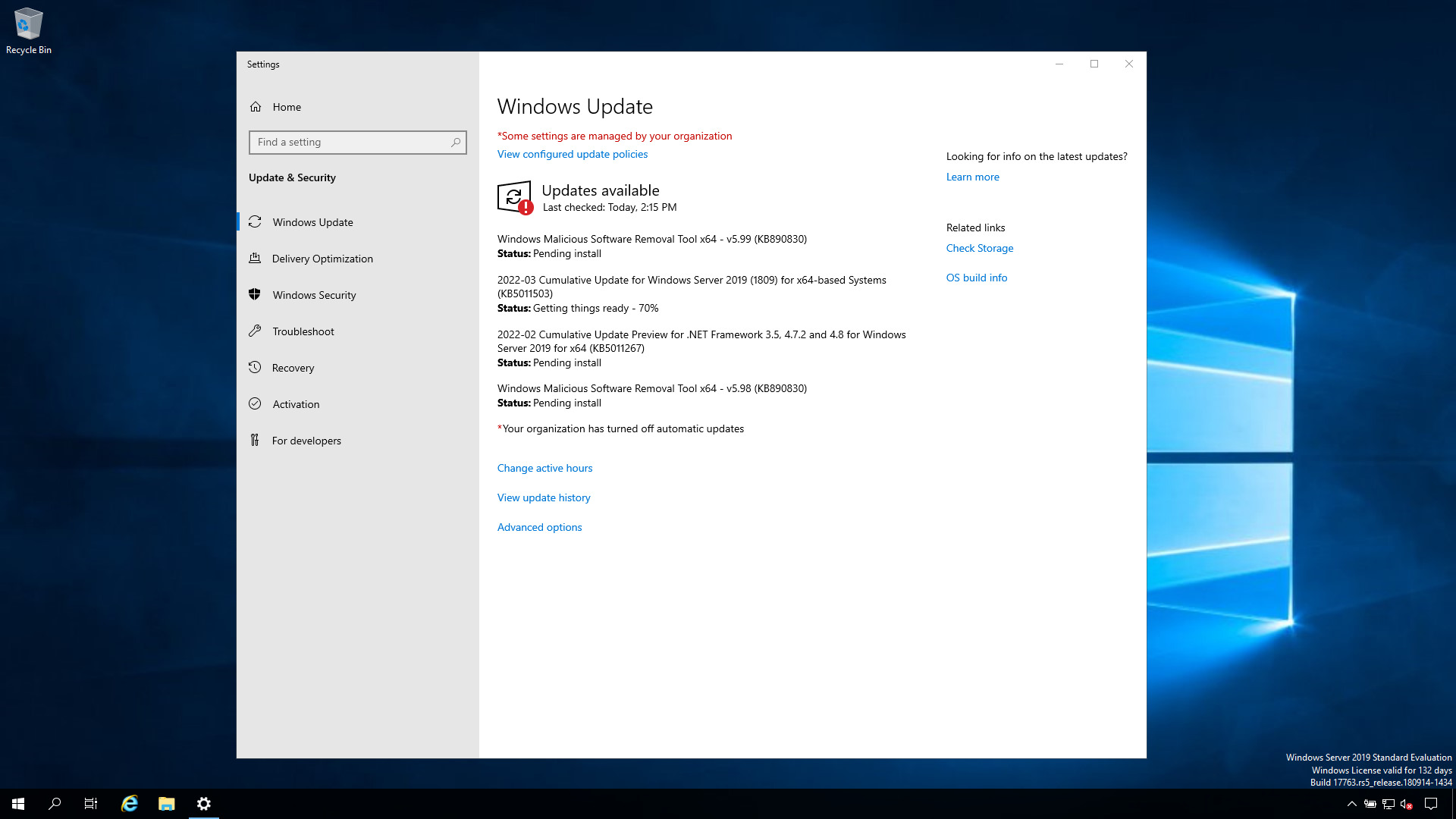
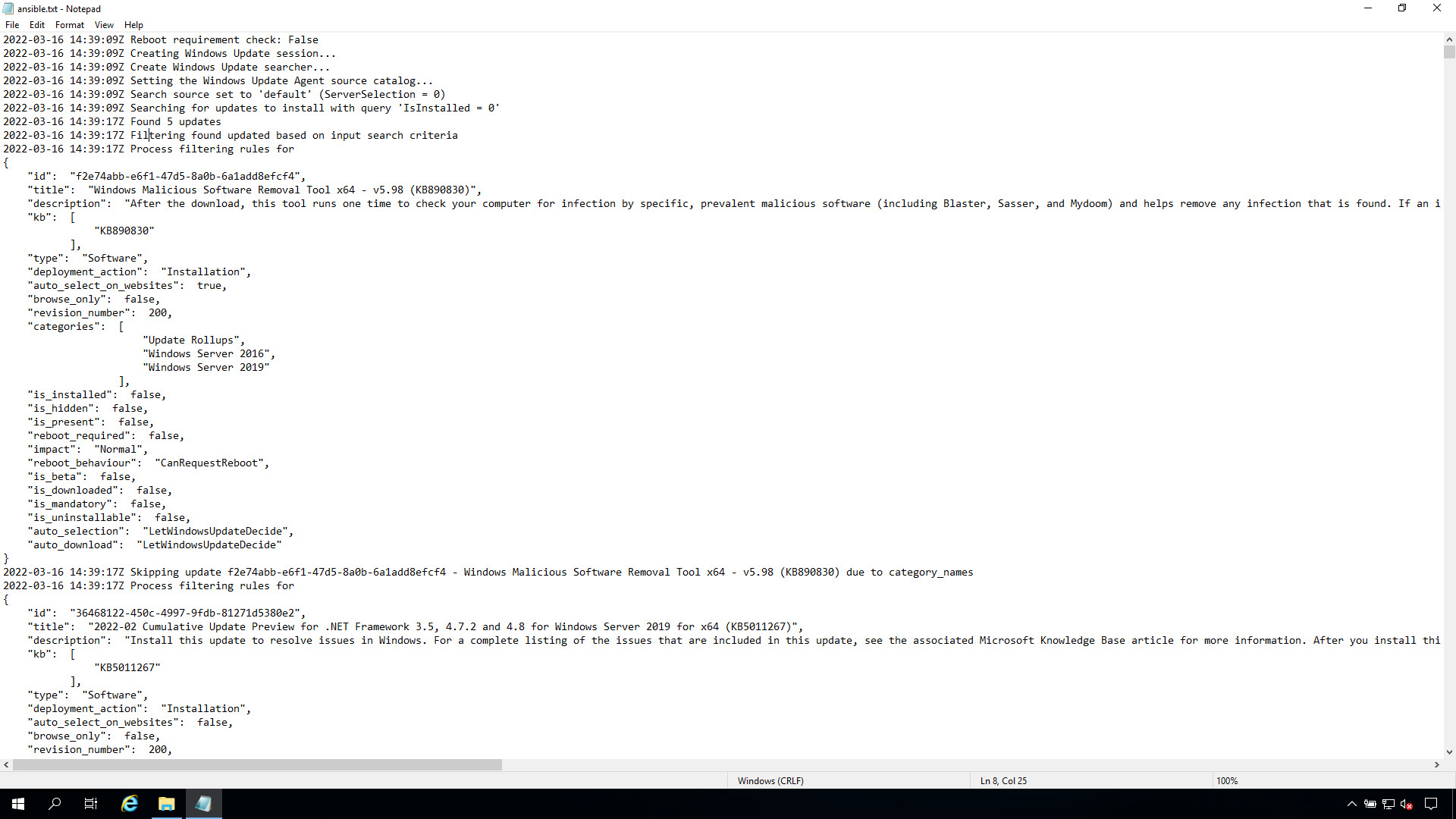
How to install Rolling Update on Windows-like systems, save the log in "C:\ansible.txt" and reboot if necessary with Ansible Playbook.
code
---
- name: windows rolling update
  hosts: all
  tasks:
    - name: Install all critical and security updates
      ansible.windows.win_updates:
        category_names:
          - CriticalUpdates
          - SecurityUpdates
        state: installed
        reboot: true
        log_path: C:\ansible.txt
execution
ansible-pilot $ ansible-playbook -i virtualmachines/win/inventory windows/update.yml
PLAY [windows rolling update] *********************************************************************
TASK [Gathering Facts] ****************************************************************************
ok: [WindowsServer]
TASK [Install all critical and security updates] **************************************************
ok: [WindowsServer]
PLAY RECAP ****************************************************************************************
WindowsServer              : ok=2    changed=0    unreachable=0    failed=0    skipped=0    rescued=0    ignored=0
ansible-pilot $
idempotency
ansible-pilot $ ansible-playbook -i virtualmachines/win/inventory windows/update.yml
PLAY [windows rolling update] *********************************************************************
TASK [Gathering Facts] ****************************************************************************
ok: [WindowsServer]
TASK [Install all critical and security updates] **************************************************
ok: [WindowsServer]
PLAY RECAP ****************************************************************************************
WindowsServer              : ok=2    changed=0    unreachable=0    failed=0    skipped=0    rescued=0    ignored=0
ansible-pilot $
before execution
after execution
Conclusion
Now you know how to perform Rolling Update in Windows-like systems.
See also: Ansible win_file Module: Create Directory on Windows Hosts (Guide)
Install All Available Updates
- name: Install all Windows updates
  ansible.windows.win_updates:
    category_names:
      - SecurityUpdates
      - CriticalUpdates
      - UpdateRollups
    state: installed
    reboot: true
  register: update_result
  become: true
  become_method: runas
  become_user: SYSTEM
Rolling Update Strategy
---
- name: Rolling Windows updates
  hosts: windows_servers
  serial: 1  # One server at a time
  tasks:
    - name: Remove from load balancer
      ansible.windows.win_shell: |
        Invoke-WebRequest -Uri "http://lb/api/disable/{{ inventory_hostname }}" -Method POST
      delegate_to: localhost

    - name: Install updates
      ansible.windows.win_updates:
        category_names: [SecurityUpdates, CriticalUpdates]
        state: installed
        reboot: true
        reboot_timeout: 1800
      register: updates

    - name: Verify server is healthy
      ansible.windows.win_shell: |
        (Invoke-WebRequest -Uri "http://localhost/health").StatusCode
      register: health
      retries: 10
      delay: 30
      until: health.stdout | trim == "200"

    - name: Re-enable in load balancer
      ansible.windows.win_shell: |
        Invoke-WebRequest -Uri "http://lb/api/enable/{{ inventory_hostname }}" -Method POST
      delegate_to: localhost
Category Names
| Category | Description |
|---|---|
SecurityUpdates | Security patches |
CriticalUpdates | Critical fixes |
UpdateRollups | Monthly rollups |
Updates | General updates |
DefinitionUpdates | Defender definitions |
FeaturePacks | Feature updates |
ServicePacks | Service packs |
Drivers | Driver updates |
Selective Updates
# Only specific KB
- ansible.windows.win_updates:
    accept_list:
      - KB5001234
      - KB5005678
    state: installed

# Exclude specific updates
- ansible.windows.win_updates:
    reject_list:
      - KB5009999  # Known problematic update
    state: installed
Check for Updates (No Install)
- ansible.windows.win_updates:
    state: searched
    category_names: [SecurityUpdates, CriticalUpdates]
  register: available

- debug:
    msg: "{{ available.found_update_count }} updates available"
WSUS Configuration
- name: Configure WSUS server
  ansible.windows.win_regedit:
    path: HKLM:\SOFTWARE\Policies\Microsoft\Windows\WindowsUpdate
    name: WUServer
    data: http://wsus.corp.com:8530
    type: string

- name: Install from WSUS
  ansible.windows.win_updates:
    server_selection: managed_server
    state: installed
    reboot: true
Handle Reboots
- ansible.windows.win_updates:
    state: installed
    reboot: false  # Don't auto-reboot
  register: updates

- name: Reboot during maintenance window
  ansible.windows.win_reboot:
    reboot_timeout: 1800
    post_reboot_delay: 60
  when: updates.reboot_required
FAQ
How long do Windows updates take?
Varies widely. Set generous timeouts: reboot_timeout: 3600 (1 hour) for cumulative updates.
Can I schedule updates for a maintenance window?
Ansible doesn't have built-in scheduling. Use AWX/AAP job schedules, or trigger the playbook from a cron job / scheduled task.
Why do some updates fail silently?
Check update_result.updates dict for per-update status. Some updates require prerequisites or specific order.
Related Articles
Category: installation
Watch the video: Ansible Windows Update: Rolling Updates with win_updates Module (Guide) — Video Tutorial