Ansible win_unzip Module: Extract ZIP Archives on Windows (Guide)
By Luca Berton · Published 2024-01-01 · Category: installation
How to extract ZIP archives on Windows with Ansible win_unzip module (community.windows.win_unzip). Unzip files, extract to directory.
How to extract a ZIP compressed archive in Windows-like systems in Ansible?
See also: ansible.builtin.unarchive Module: Download & Extract Archives
Ansible extracts an archive in Windows-like systems
community.windows.win_unzip- Unzips compressed files and archives on the Windows node
win_unzip.
The full name is community.windows.win_unzip, which means that is part of modules maintained by the community for Windows target hosts.
It unzips compressed files and archives on the Windows node.
It supports .zip files natively and can handle also other 7zip formats when combined with the Powershell Community Extensions (PSCX) module.
For Linux targets, use the ansible.builtin.unarchive module.
Parameters
- src string - remote path
- dest string - remote path
- password string - password (require PSCX)
- recurse boolean - no/yes - recursively expand zip files (require PSCX)
win_unzip.
The only mandatory parameters are "src" and "dest" which are the source and destination paths.
The "src" is quite special because is supposed to be a remote path on Windows-like systems.
The following two parameters require Powershell Community Extensions (PSCX) module.
You could specify the encryption password to expand the archive in the "password" parameter.
You could recursively expand zip files inside an archive enabling the "recurse" boolean.
See also: Verify File Existence on Windows with Ansible
Links
## Playbook
How to extract an archive in Windows-like systems with Ansible Playbook.
code
---
- name: win_unzip module Playbook
  hosts: all
  become: false
  vars:
    mysrc: 'C:\Users\vagrant\Desktop\example.zip'
    mydest: 'C:\Users\vagrant\Desktop\output'
  tasks:
    - name: extract archive
      community.windows.win_unzip:
        src: "{{ mysrc }}"
        dest: "{{ mydest }}"
execution
ansible-pilot $ ansible-playbook -i virtualmachines/win/inventory extract\ archive/win_file.yml
PLAY [win_unzip module Playbook] ***************************************************
TASK [Gathering Facts] *********************************************************
ok: [WindowsServer]
TASK [extract archive] *********************************************************
changed: [WindowsServer]
PLAY RECAP *********************************************************************
WindowsServer              : ok=2    changed=1    unreachable=0    failed=0    skipped=0    rescued=0    ignored=0
ansible-pilot $
NOT idempotent
ansible-pilot $ ansible-playbook -i virtualmachines/win/inventory extract\ archive/win_file.yml
PLAY [win_unzip module Playbook] ***************************************************
TASK [Gathering Facts] *********************************************************
ok: [WindowsServer]
TASK [extract archive] *********************************************************
changed: [WindowsServer]
PLAY RECAP *********************************************************************
WindowsServer              : ok=2    changed=1    unreachable=0    failed=0    skipped=0    rescued=0    ignored=0
ansible-pilot $
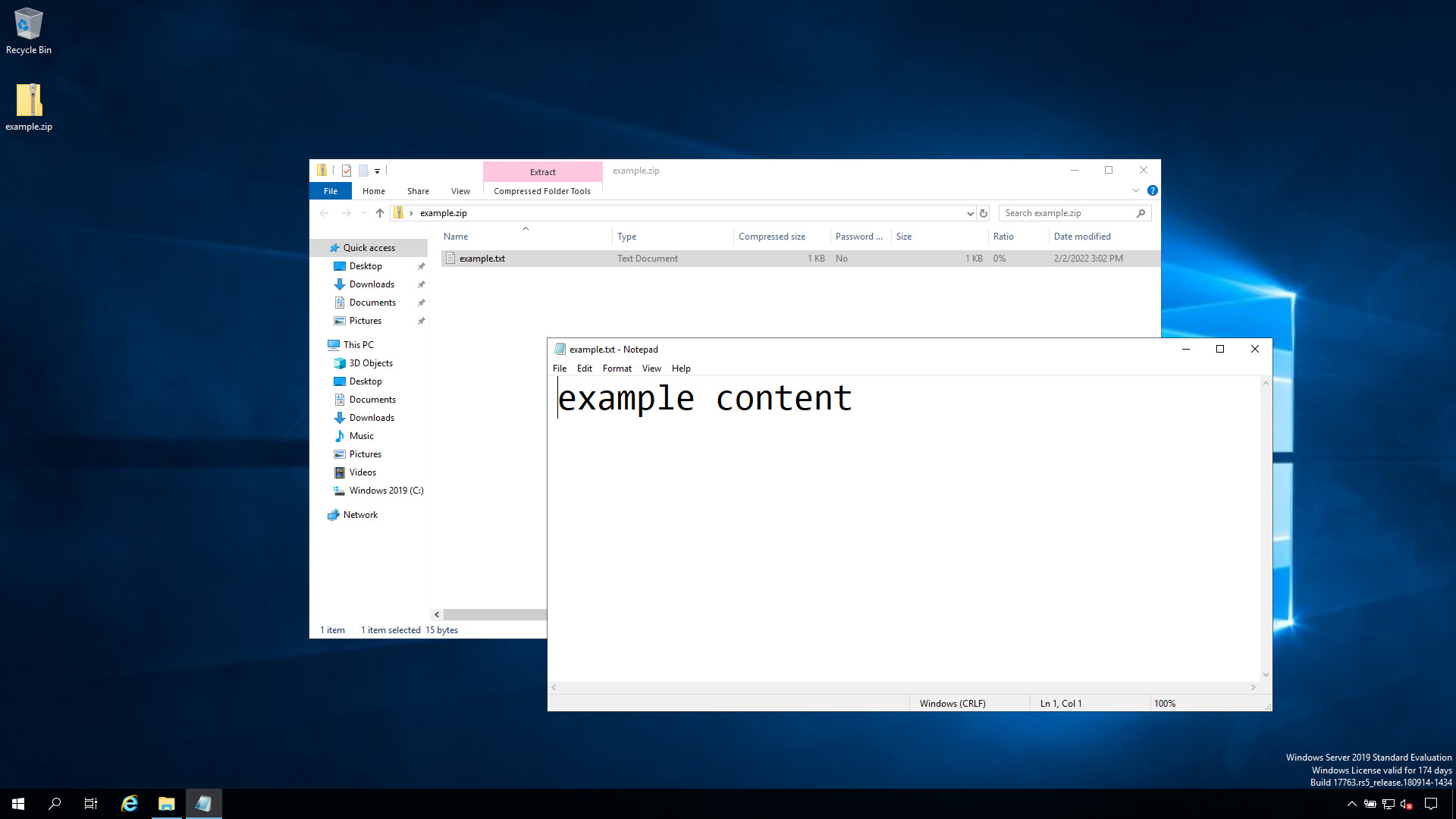
before execution
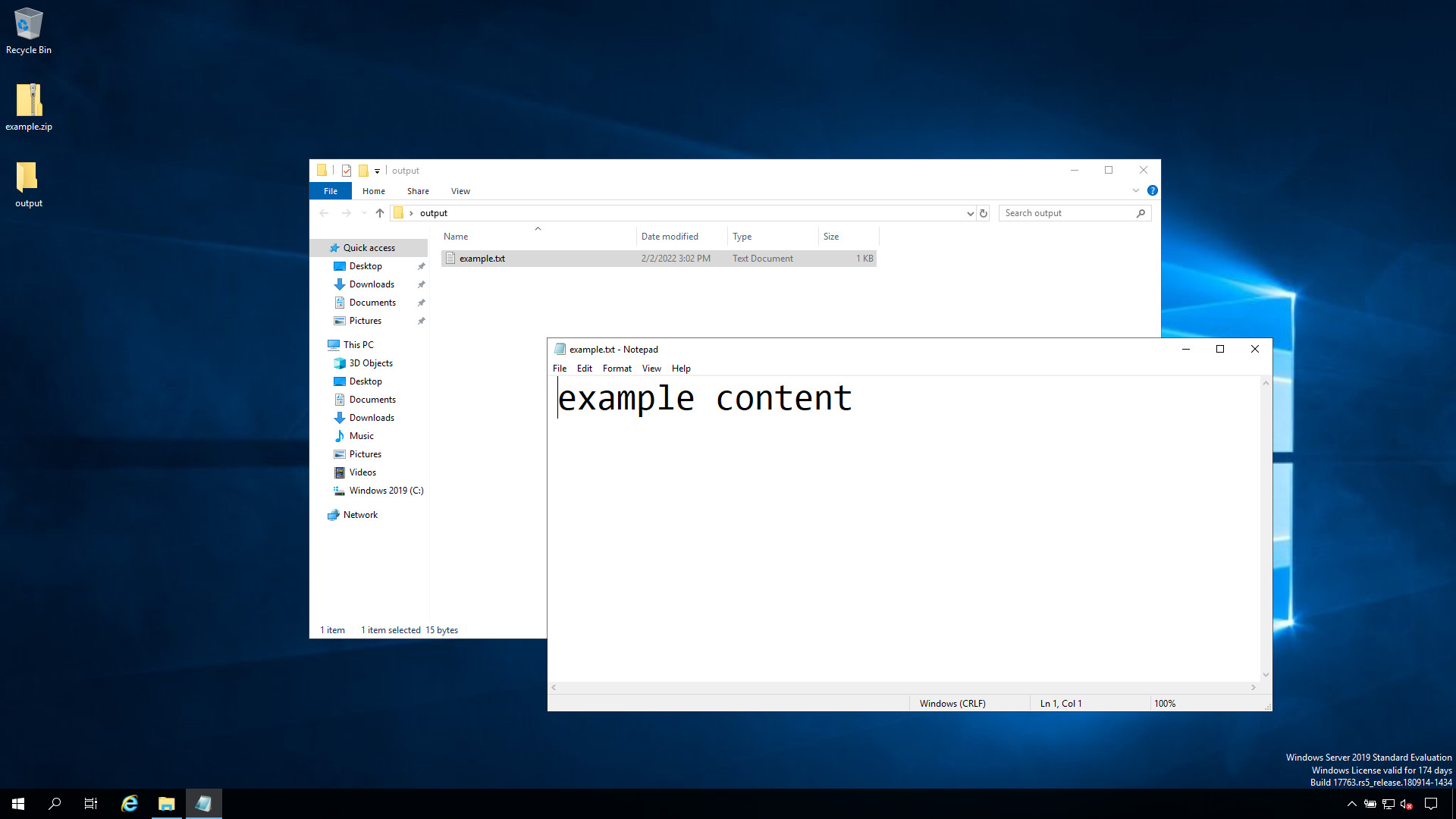
after execution
Conclusion
Now you know how to extract an archive in Windows-like systems with Ansible.See also: Ansible win_file Module: Create Directory on Windows Hosts (Guide)
Extract ZIP File
- name: Extract application archive
  community.windows.win_unzip:
    src: C:\Downloads\myapp-2.0.zip
    dest: C:\Program Files\MyApp
    creates: C:\Program Files\MyApp\app.exe
Download and Extract
- name: Download archive
  ansible.windows.win_get_url:
    url: https://releases.example.com/myapp-2.0.zip
    dest: C:\Temp\myapp.zip

- name: Extract
  community.windows.win_unzip:
    src: C:\Temp\myapp.zip
    dest: C:\Program Files\MyApp

- name: Clean up
  ansible.windows.win_file:
    path: C:\Temp\myapp.zip
    state: absent
Extract with Password (7zip)
- name: Extract password-protected archive
  community.windows.win_unzip:
    src: C:\Temp\secrets.7z
    dest: C:\App\config
    password: "{{ vault_archive_password }}"
  no_log: true
Deployment Pattern
---
- name: Deploy app from ZIP
  hosts: windows
  vars:
    app_version: "2.5.0"
    app_url: "https://releases.example.com/myapp-{{ app_version }}.zip"
  tasks:
    - name: Stop service
      ansible.windows.win_service:
        name: MyAppService
        state: stopped
      ignore_errors: true

    - name: Backup current version
      community.windows.win_zip:
        src: C:\Program Files\MyApp
        dest: C:\Backup\myapp-backup.zip
      ignore_errors: true

    - name: Download new version
      ansible.windows.win_get_url:
        url: "{{ app_url }}"
        dest: C:\Temp\myapp.zip

    - name: Extract new version
      community.windows.win_unzip:
        src: C:\Temp\myapp.zip
        dest: C:\Program Files\MyApp
        delete_archive: true

    - name: Start service
      ansible.windows.win_service:
        name: MyAppService
        state: started
win_unzip Parameters
| Parameter | Description |
|---|---|
src | Path to archive on Windows host |
dest | Extraction destination |
creates | Skip if this path exists |
delete_archive | Remove ZIP after extraction |
password | Archive password (7zip only) |
recurse | Extract nested archives |
Supported Formats
| Format | Requires |
|---|---|
.zip | Built-in (PowerShell) |
.7z | 7-Zip installed |
.tar.gz | 7-Zip installed |
.rar | 7-Zip installed |
FAQ
How do I install 7-Zip for non-ZIP formats?
- name: Install 7-Zip
  chocolatey.chocolatey.win_chocolatey:
    name: 7zip
    state: present
Linux equivalent?
Use ansible.builtin.unarchive module for Linux/macOS.
Why does extraction fail silently?
Check destination permissions and available disk space. Use -vvv for verbose output.
Related Articles
See also
Category: installation
Watch the video: Ansible win_unzip Module: Extract ZIP Archives on Windows (Guide) — Video Tutorial