Automating Linux depmod with Ansible: Kernel Module Dependencies Guide
By Luca Berton · Published 2024-01-01 · Category: installation
Learn how to automate the depmod command using Ansible for streamlined kernel module management.
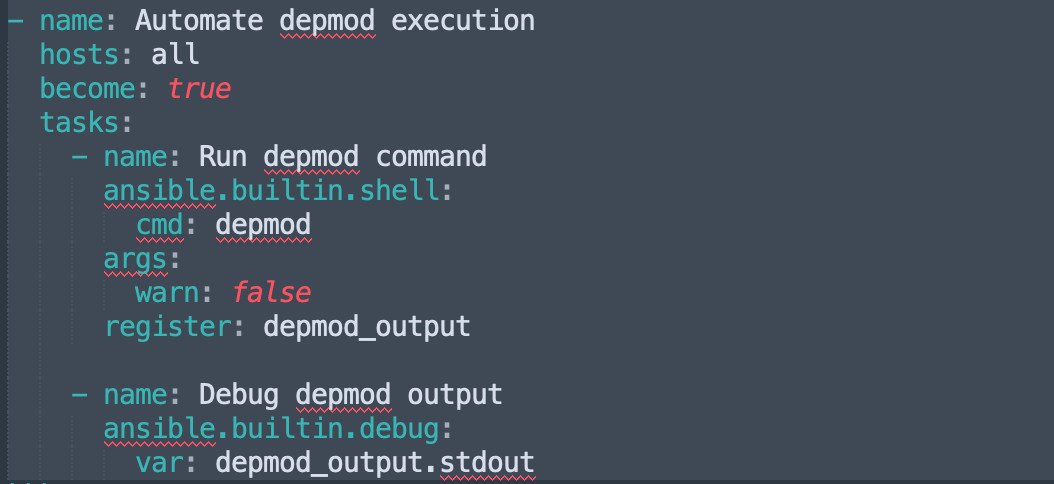
Automating depmod Command with Ansible
The depmod command in Linux is critical for generating module dependency information, stored in /lib/modules/. This command is particularly useful when managing custom kernel modules or after installing new modules. Automating depmod with Ansible ensures consistency, reduces human error, and improves overall efficiency.
---
Why Automate depmod with Ansible?
- Consistency: Guarantees all systems have updated module dependencies.
- Speed: Saves time by automating repetitive tasks during updates or module installations.
- Error Reduction: Eliminates manual mistakes, such as forgetting to run
depmodafter kernel updates. - Scalability: Manages multiple systems simultaneously using a single playbook.
See also: Automating Jenkins Installation with Ansible
What is depmod?
The depmod command analyzes kernel modules and generates dependency files used by modprobe and the kernel to automatically load required modules. Common use cases include:
- Installing a new kernel.
- Adding or removing kernel modules.
- Customizing module configurations.
Ansible Playbook for Automating depmod
Here’s how to automate depmod using Ansible:
---
- name: Automate depmod execution
  hosts: all
  become: true
  tasks:
    - name: Run depmod command
      ansible.builtin.shell:
        cmd: depmod
      args:
        warn: false
      register: depmod_output

    - name: Debug depmod output
      ansible.builtin.debug:
        var: depmod_output.stdout
Explanation:
hosts: all: Specifies that the playbook applies to all hosts in the inventory.become: true: Ensures thedepmodcommand runs with elevated privileges.ansible.builtin.shell: Executes thedepmodcommand.register: Captures the output of the command for debugging or further processing.debug: Prints the output ofdepmodfor verification.
See also: ansible_date_time: Access Date, Time & Timestamp Facts in Ansible
Advanced Use Case: Conditional depmod Execution
Run depmod only when kernel modules are updated by using handlers:
---
- name: Manage kernel modules
  hosts: all
  become: true
  tasks:
    - name: Copy custom kernel module
      ansible.builtin.copy:
        src: /path/to/module.ko
        dest: /lib/modules/$(uname -r)/kernel/
      notify: Execute depmod

  handlers:
    - name: Execute depmod
      ansible.builtin.shell:
        cmd: depmod
This ensures depmod is executed only if a kernel module is modified.
---
Best Practices for Using Ansible with depmod
- Idempotency: Ensure tasks can be executed multiple times without causing issues.
- Security: Use
becomeresponsibly and avoid exposing sensitive data in playbooks. - Testing: Always test playbooks in a staging environment before applying them in production.
See also: Learn Ansible: Complete Beginner's Guide & Learning Path (2026)
Common Troubleshooting Tips
- Permission Denied: Ensure
become: trueis set. - Incorrect Module Path: Verify module paths and compatibility with the kernel version.
- Command Not Found: Make sure
depmodis installed and in the system’s PATH.
Conclusion
Automating depmod with Ansible is an excellent way to streamline kernel module management across multiple systems. By incorporating this process into your automation workflows, you can reduce human error, enhance consistency, and improve efficiency. Whether managing a single system or a complex infrastructure, Ansible makes automation simple and scalable.
Take advantage of Ansible's flexibility to manage kernel modules effectively and keep your systems running smoothly.
Related Articles
Category: installation