Ansible win_stat: Check if File or Directory Exists on Windows (Examples)
By Luca Berton · Published 2024-01-01 · Category: installation
How to check if a file or directory exists on Windows using Ansible win_stat module. Conditional tasks, file properties, checksum verification with practical.

How to check if a directory/folder exists on Windows-like systems with Ansible?
See also: Ansible Check If Directory Exists: stat Module Guide
Ansible check directory exists on Windows-like systems
ansible.windows.win_stat- Get information about Windows files
win_stat.
The full name is ansible.windows.win_stat, which means that is part of the collection of modules specialized to interact with Windows target host.
It's a module pretty stable and out for years.
It works in Windows and Windows Server operating systems.
It gets information about Windows files.
For Linux target use the ansible.builtin.stat module instead.
Parameters & Return Values
Mandatory Parameters
- path string
Main Return Values
- stat complex - isdir
See also: Ansible win_file Module: Create Directory on Windows Hosts (Guide)
Links
## Playbook
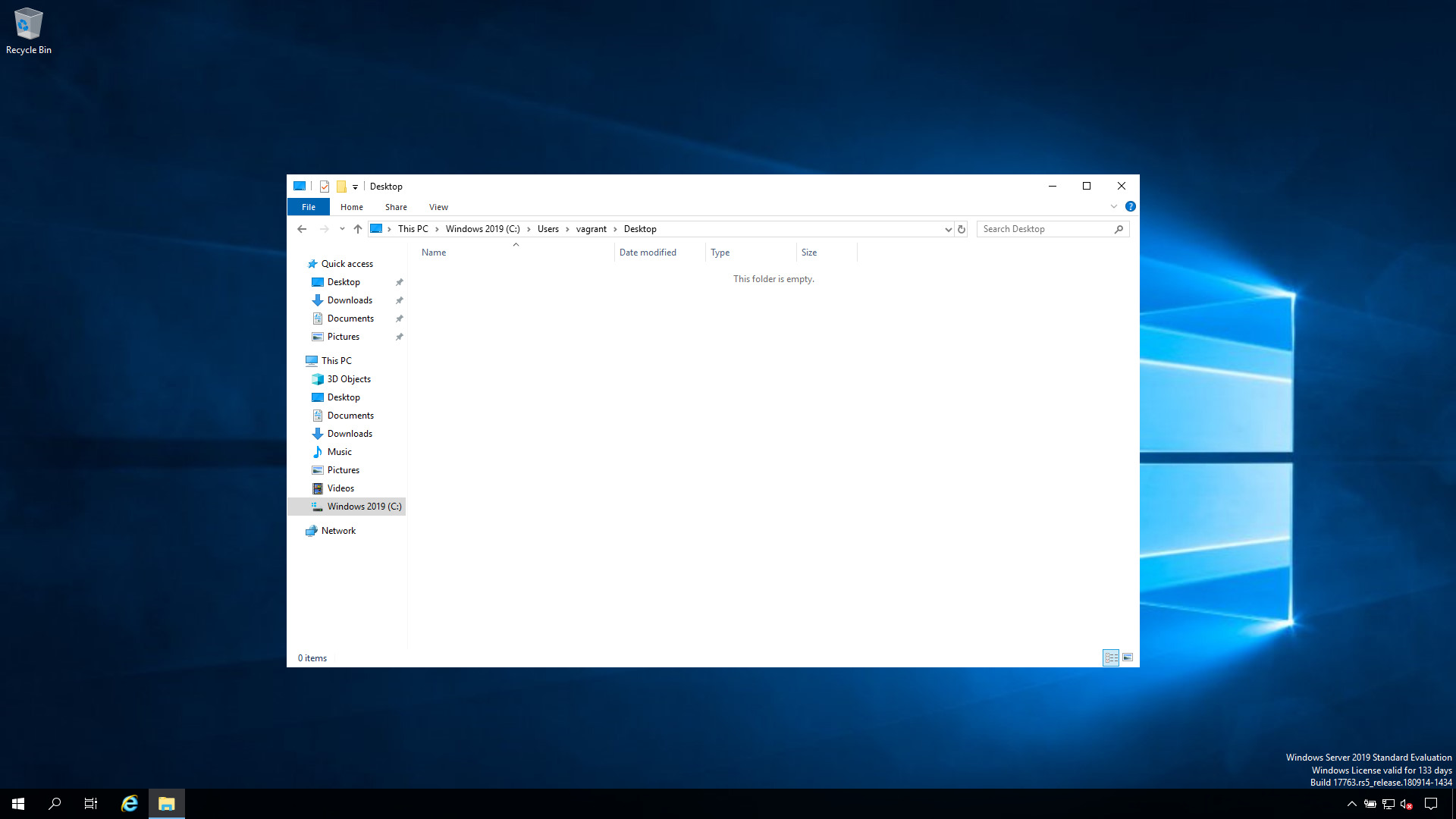
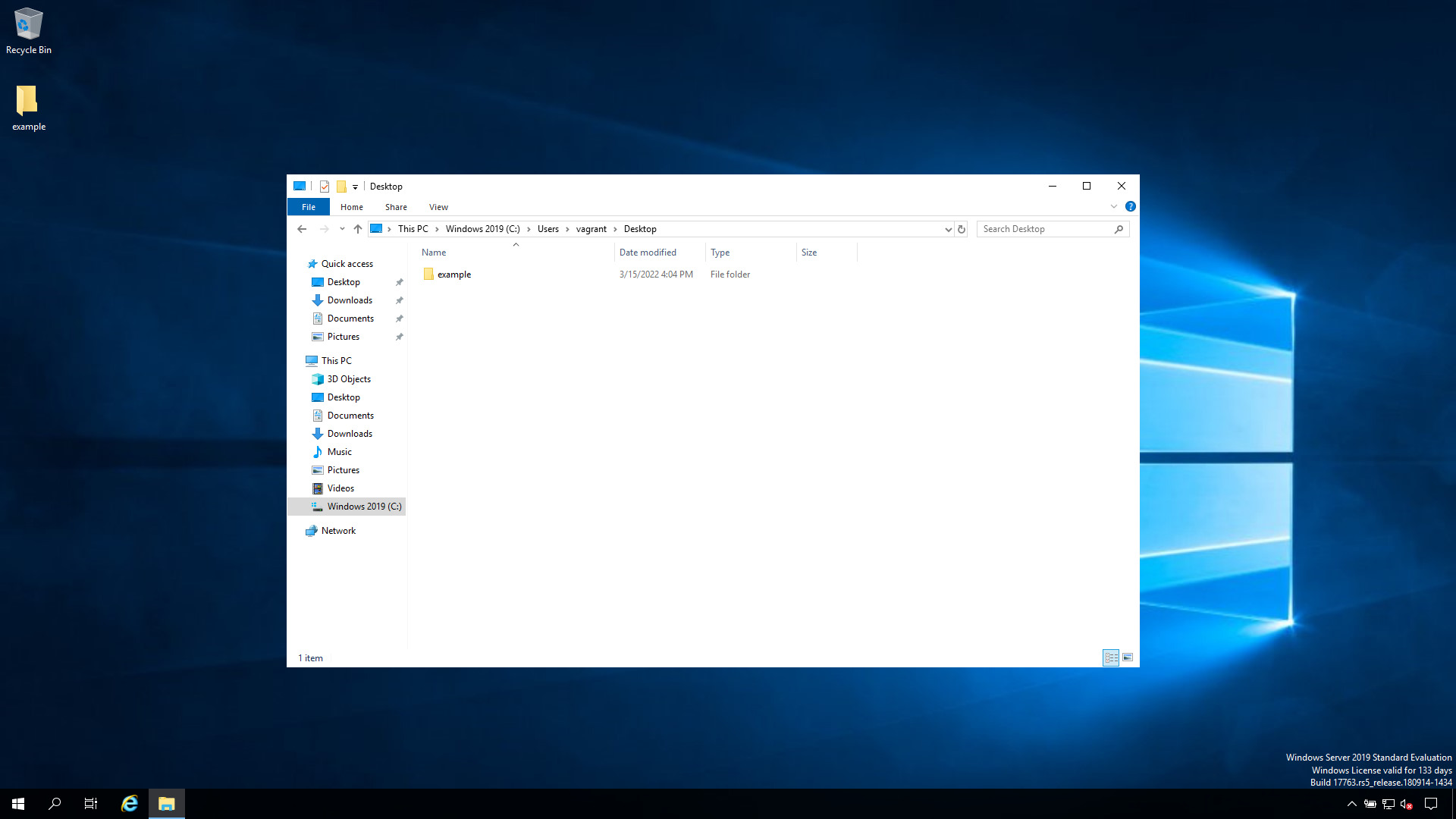
How to check if the "example" directory/folder exists on the Desktop of the user on Windows-like systems with Ansible Playbook.
code
---
- name: check if is a directory
  hosts: all
  vars:
    directory: 'C:\Users\vagrant\Desktop\example'
  tasks:
    - name: Check the directory
      ansible.windows.win_stat:
        path: "{{ directory }}"
      register: dir_data
    - name: Directory found
      ansible.builtin.debug:
        msg: "Directory {{ directory }} present"
      when: dir_data.stat.isdir is defined and dir_data.stat.isdir
directory doesn't exist execution
ansible-pilot $ ansible-playbook -i virtualmachines/win/inventory check\ directory\ exists/directory_exists_windows.yml
PLAY [check if is a directory] ********************************************************************
TASK [Gathering Facts] ****************************************************************************
ok: [WindowsServer]
TASK [Check the directory] ************************************************************************
ok: [WindowsServer]
TASK [Directory found] ****************************************************************************
skipping: [WindowsServer]
PLAY RECAP ****************************************************************************************
WindowsServer              : ok=2    changed=0    unreachable=0    failed=0    skipped=1    rescued=0    ignored=0
ansible-pilot $
directory exist execution
ansible-pilot $ ansible-playbook -i virtualmachines/win/inventory check\ directory\ exists/directory_exists_windows.yml
PLAY [check if is a directory] ********************************************************************
TASK [Gathering Facts] ****************************************************************************
ok: [WindowsServer]
TASK [Check the directory] ************************************************************************
ok: [WindowsServer]
TASK [Directory found] ****************************************************************************
ok: [WindowsServer] => {
    "msg": "Directory C:\\Users\\vagrant\\Desktop\\example present"
}
PLAY RECAP ****************************************************************************************
WindowsServer              : ok=3    changed=0    unreachable=0    failed=0    skipped=0    rescued=0    ignored=0
ansible-pilot $Conclusion
Now you know how to check if a directory exists on Windows-like systems with Ansible.See also: Ansible win_copy Module: Copy Files to Windows Hosts (ansible.windows.win_copy)
Check Directory Exists
- name: Check if directory exists
  ansible.windows.win_stat:
    path: C:\Program Files\MyApp
  register: dir_result

- name: Create if missing
  ansible.windows.win_file:
    path: C:\Program Files\MyApp
    state: directory
  when: not dir_result.stat.exists
Check File Exists
- name: Check config file
  ansible.windows.win_stat:
    path: C:\MyApp\config.yml
  register: config_check

- name: Deploy default config
  ansible.windows.win_copy:
    src: files/default-config.yml
    dest: C:\MyApp\config.yml
  when: not config_check.stat.exists
Get File Properties
- name: Get file info
  ansible.windows.win_stat:
    path: C:\MyApp\app.exe
  register: file_info

- debug:
    msg:
      - "Size: {{ file_info.stat.size }} bytes"
      - "Modified: {{ file_info.stat.lastwritetime }}"
      - "Is directory: {{ file_info.stat.isdir }}"
      - "Is read-only: {{ file_info.stat.isreadonly }}"
Checksum Verification
- name: Get file checksum
  ansible.windows.win_stat:
    path: C:\Downloads\installer.exe
    checksum_algorithm: sha256
  register: dl_check

- name: Verify integrity
  assert:
    that: dl_check.stat.checksum == expected_checksum
    fail_msg: "File corrupted — checksum mismatch"
Common Patterns
Backup before overwrite
- name: Check if config exists
  ansible.windows.win_stat:
    path: C:\MyApp\config.yml
  register: existing

- name: Backup existing config
  ansible.windows.win_copy:
    src: C:\MyApp\config.yml
    dest: "C:\Backup\config-{{ ansible_date_time.iso8601_basic_short }}.yml"
    remote_src: true
  when: existing.stat.exists

- name: Deploy new config
  ansible.windows.win_copy:
    src: files/config.yml
    dest: C:\MyApp\config.yml
Wait for file to appear
- name: Wait for install to complete
  ansible.windows.win_stat:
    path: C:\MyApp\install_complete.flag
  register: flag
  retries: 30
  delay: 10
  until: flag.stat.exists
win_stat vs stat
| Module | Platform | Path Style |
|---|---|---|
win_stat | Windows | C:\path\to\file |
stat | Linux/macOS | /path/to/file |
Available Properties
| Property | Description |
|---|---|
exists | File/directory exists |
isdir | Is a directory |
isreg | Is a regular file |
size | File size in bytes |
checksum | File hash (with algorithm) |
isreadonly | Read-only flag |
ishidden | Hidden flag |
lastwritetime | Last modification time |
FAQ
How do I check a UNC path?
- win_stat:
    path: \\\\fileserver\\share\\folder
  register: unc_check
Does win_stat follow symlinks?
Yes by default. Use follow: false to check the link itself.
Related Articles
Category: installation
Watch the video: Ansible win_stat: Check if File or Directory Exists on Windows (Examples) — Video Tutorial