Ansible troubleshooting - Unhandled exception while executing module win_user
By Luca Berton · Published 2024-01-01 · Category: troubleshooting
Unhandled exception errors are nasty Ansible problems. In a live Playbook, we are going to troubleshoot starting from the error message.

Introduction
Today we're going to talk about Ansible troubleshooting, specifically about Ansible troubleshooting - Unhandled exception while executing modulewin_user.
This is a tricky fatal error message that happens when something extraordinary happens during the module execution. These circumstances are usually not related to Ansible and you need to deep dive into the system configuration.
See also: Ansible Vault Error: Fix 'Attempting to Decrypt but No Vault Secrets Found'
Playbook
The best way of talking about Ansible troubleshooting is to jump in a live Playbook to show you practically the Unhandled exception while executing modulewin_user and how to solve it!
error code
---
- name: windows user add
  hosts: all
  vars:
    usr_name: 'example'
    usr_password: 'password'
  tasks:
    - name: create local user
      ansible.windows.win_user:
        name: "{{ usr_name }}"
        password: "{{ usr_password }}"
See also: Ansible Missing Sudo Password: Fix Passwordless SSH & Sudo Errors
error execution
ansible-pilot $ ansible-playbook -i virtualmachines/win/inventory troubleshooting/windows_user_add_error.yml
PLAY [windows user add] ***************************************************************************
TASK [Gathering Facts] ****************************************************************************
ok: [WindowsServer]
TASK [create local user] **************************************************************************
An exception occurred during task execution. To see the full traceback, use -vvv. The error was: at <ScriptBlock>, <No file>: line 260
fatal: [WindowsServer]: FAILED! => {"changed": false, "msg": "Unhandled exception while executing module: Exception calling \"SetPassword\" with \"1\" argument(s): \"The password does not meet the password policy requirements. Check the minimum password length, password complexity and password history requirements.\r\n\""}
PLAY RECAP ****************************************************************************************
WindowsServer              : ok=1    changed=0    unreachable=0    failed=1    skipped=0    rescued=0    ignored=0
ansible-pilot $
troubleshooting
See also: Ansible troubleshooting - Windows 10 Error 0x80370102 WSL: Windows Subsystem for Linux
fix code
---
- name: windows user add
  hosts: all
  vars:
    usr_name: 'example'
    usr_password: 'NRns@bOFJNyX'
  tasks:
    - name: create local user
      ansible.windows.win_user:
        name: "{{ usr_name }}"
        password: "{{ usr_password }}"
fix execution
ansible-pilot $ ansible-playbook -i virtualmachines/win/inventory troubleshooting/windows_user_add_fix.yml
PLAY [windows user add] ***************************************************************************
TASK [Gathering Facts] ****************************************************************************
ok: [WindowsServer]
TASK [create local user] **************************************************************************
changed: [WindowsServer]
PLAY RECAP ****************************************************************************************
WindowsServer              : ok=2    changed=1    unreachable=0    failed=0    skipped=0    rescued=0    ignored=0
ansible-pilot $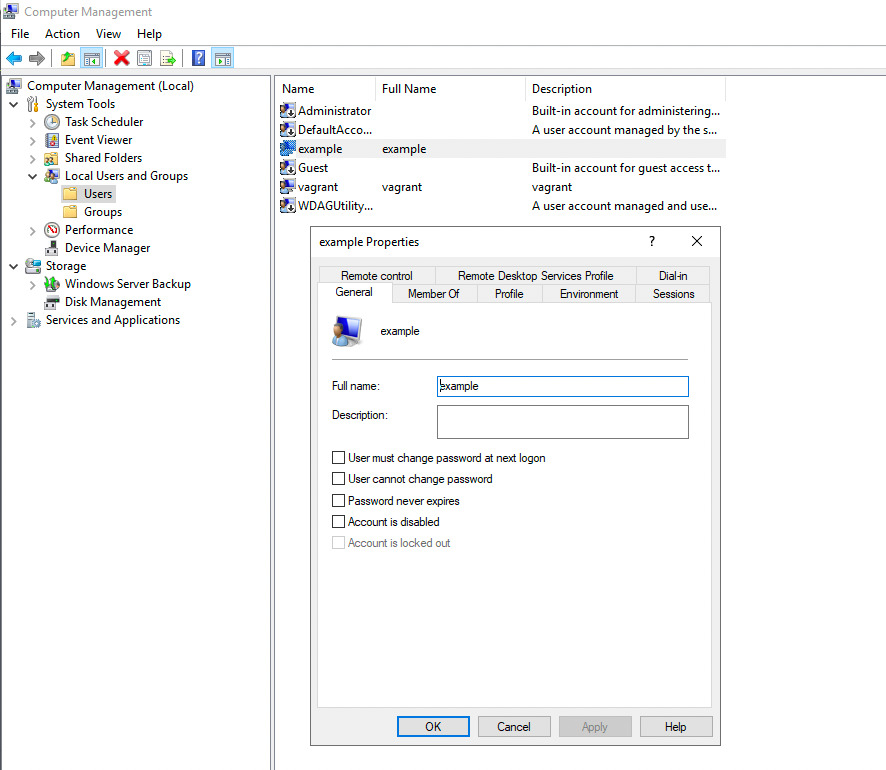
Conclusion
Now you know better how to troubleshoot the Ansible Unhandled exception while executing the module win_user message.Related Articles
- Ansible inventory complete reference
- Ansible Windows playbook patterns
- Ansible Vault Error: Fix 'Attempting to Decrypt but No Vault Secrets Found'
Root Cause
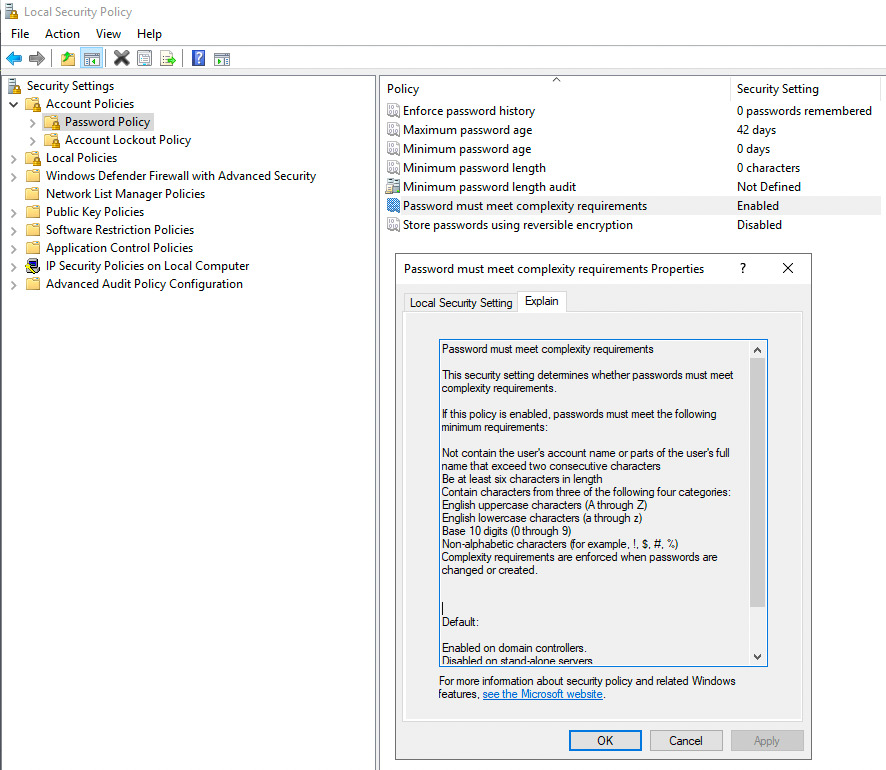
The error message "The password does not meet the password policy requirements" comes from Windows, not Ansible. Windows Server enforces password complexity by default through Group Policy:
- Minimum length: 7 characters (default)
- Complexity: Must contain 3 of 4 categories: uppercase, lowercase, digits, special characters
- History: Cannot reuse recent passwords
- Cannot contain the username or display name
'password' fails because it lacks uppercase letters, digits, and special characters.
Windows Password Complexity Requirements
| Requirement | Description |
|---|---|
| Minimum length | At least 7 characters (default, configurable) |
| Uppercase | At least one A-Z |
| Lowercase | At least one a-z |
| Digits | At least one 0-9 |
| Special characters | At least one !@#$%^&*() etc. |
| Not username | Cannot contain username or display name parts |
Best Practice: Use Ansible Vault for Passwords
Never hardcode passwords in playbooks. Use Ansible Vault:
---
- name: Create Windows user securely
  hosts: all
  vars:
    usr_name: 'example'
    usr_password: "{{ vault_win_user_password }}"
  tasks:
    - name: Create local user
      ansible.windows.win_user:
        name: "{{ usr_name }}"
        password: "{{ usr_password }}"
        password_never_expires: true
        groups:
          - Users
        state: present
# Create vault file
ansible-vault create group_vars/all/vault.yml
# Add variable:
# vault_win_user_password: "YourC0mpl3x!Pass"
# Run with vault
ansible-playbook -i inventory playbook.yml --ask-vault-passGenerate Complex Passwords with Ansible
- name: Generate and set complex password
  hosts: all
  tasks:
    - name: Generate random password
      ansible.builtin.set_fact:
        generated_password: "{{ lookup('password', '/dev/null length=16 chars=ascii_letters,digits,punctuation') }}"

    - name: Create user with generated password
      ansible.windows.win_user:
        name: svc_account
        password: "{{ generated_password }}"
        state: present
FAQ
How do I check Windows password policy?
Run in PowerShell on the Windows target:
Get-ADDefaultDomainPasswordPolicy   # Domain-joined
net accounts                         # Local policy
Can I disable password complexity in Windows?
Yes, via Group Policy (secpol.msc → Account Policies → Password Policy), but this is not recommended for production. A better approach is to ensure your Ansible playbooks use compliant passwords.
Why does the error say "Unhandled exception" instead of a clear message?
The win_user module calls Windows' SetPassword API. When Windows rejects the password, it throws a .NET exception. Ansible surfaces this as an "unhandled exception" because the error comes from the underlying Windows API, not from the module itself.
Category: troubleshooting
Watch the video: Ansible troubleshooting - Unhandled exception while executing module win_user — Video Tutorial