Ansible Linux Users and Groups: Complete Management Guide (Examples)
By Luca Berton · Published 2024-01-01 · Category: troubleshooting
Complete guide to managing Linux users and groups with Ansible. Create users, set passwords, manage groups, SSH keys, home directories, and sudo access.
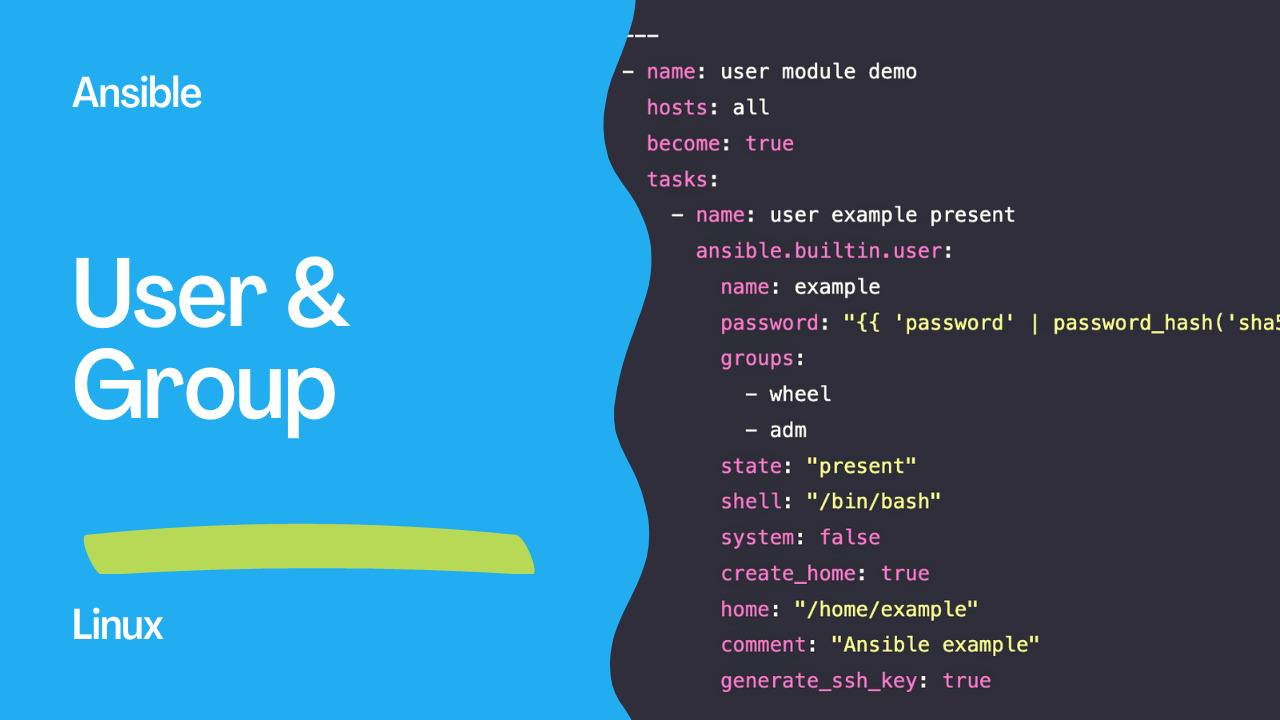
Automating your Linux user management (local user and group) with Ansible enables you to achieve Infrastructure As Code (IaC). Using IaC you're going to be able to automate your workflow, your CI/CD pipelines for example, and be faster about your critical business demands.
Beginners
Ansible provides various modules to manage user management (local user and group). I'll show you step by step how to prepare your Ansible controller to interact with the Linux user and group directory. This initial configuration sometimes is a roadblock for some Docker users to start using Ansible.
See also: Add Secondary Groups to Linux Users with Ansible Playbook
User management
- Create user account - Ansible module user
- Add a User to a Second Group on Linux - Ansible module user
- Change the User Primary Group on Linux - Ansible module user
- Change user password - Ansible module user.md
- User password expiration - Ansible module user
- Enable user account - Ansible module user.md
- Disable user account - Ansible module user
- Remove user account - Ansible module user
Group management
See also: Change the User Primary Group on Linux with Ansible
PostgreSQL
- Allow md5 Connection for a PostgreSQL User or Role - Ansible module postgresql_pg_hba
- Create a PostgreSQL User or Role - Ansible module postgresql_user
- Grant Privileges to User or Role on PostgreSQL Database - Ansible module postgresql_privs
Windows
- Change local user password on Windows-like systems - Ansible module win_user.md
- Create a local group on Windows-like systems - Ansible module win_group.md
- Create a local user on Windows-like systems - Ansible module win_user
- Remove a local group on Windows-like systems - Ansible module win_group.md
- Remove a local user on Windows-like systems - Ansible module win_user.md
See also: ansible.builtin.user: Change User Password with Ansible (Secure Guide)
AWX
Troubleshooting
- Ansible troubleshooting - This command has to be run under the root user
- Ansible troubleshooting - Unhandled exception while executing module win_user
- Ansible troubleshooting - user module bug.md
{{< promote-video-book-containers >}}
Conclusion
Now you know how you could automate your Linux user management (local user and group) using Ansible Automation technology.
Create User with All Options
- name: Create application user
  ansible.builtin.user:
    name: appuser
    comment: "Application Service Account"
    uid: 1500
    group: appgroup
    groups: docker,sudo
    append: true
    shell: /bin/bash
    home: /home/appuser
    create_home: true
    password: "{{ 'SecurePass' | password_hash('sha512') }}"
    generate_ssh_key: true
    ssh_key_bits: 4096
  become: true
Bulk User Management
- vars:
    users:
      - { name: alice, groups: "developers,docker", key: "ssh-ed25519 AAAA..." }
      - { name: bob, groups: "developers", key: "ssh-ed25519 BBBB..." }
      - { name: charlie, groups: "operations,docker", key: "ssh-ed25519 CCCC..." }

  block:
    - name: Create users
      ansible.builtin.user:
        name: "{{ item.name }}"
        groups: "{{ item.groups }}"
        append: true
        shell: /bin/bash
        state: present
      loop: "{{ users }}"

    - name: Deploy SSH keys
      ansible.posix.authorized_key:
        user: "{{ item.name }}"
        key: "{{ item.key }}"
      loop: "{{ users }}"
  become: true
Sudo Access
- name: Grant sudo access
  ansible.builtin.copy:
    content: "{{ item }} ALL=(ALL) NOPASSWD: ALL"
    dest: "/etc/sudoers.d/{{ item }}"
    mode: '0440'
    validate: 'visudo -cf %s'
  loop:
    - alice
    - bob
  become: true
Remove Users
- name: Remove departed users
  ansible.builtin.user:
    name: "{{ item }}"
    state: absent
    remove: true  # Remove home directory
  loop:
    - old_contractor
    - temp_user
  become: true
Password Expiry Policy
- name: Set password policy
  ansible.builtin.user:
    name: "{{ item }}"
    password_expire_max: 90
    password_expire_min: 7
  loop: "{{ all_users }}"
  become: true
System Accounts (No Login)
- name: Create service account
  ansible.builtin.user:
    name: prometheus
    system: true
    shell: /usr/sbin/nologin
    home: /opt/prometheus
    create_home: false
  become: true
Complete Role Pattern
# roles/users/tasks/main.yml
- name: Create groups
  ansible.builtin.group:
    name: "{{ item.name }}"
    gid: "{{ item.gid | default(omit) }}"
  loop: "{{ user_groups }}"

- name: Create users
  ansible.builtin.user:
    name: "{{ item.name }}"
    groups: "{{ item.groups | default(omit) }}"
    shell: "{{ item.shell | default('/bin/bash') }}"
    append: true
  loop: "{{ managed_users }}"

- name: Set authorized keys
  ansible.posix.authorized_key:
    user: "{{ item.name }}"
    key: "{{ item.ssh_key }}"
    exclusive: true
  loop: "{{ managed_users }}"
  when: item.ssh_key is defined
FAQ
How do I lock/unlock an account?
# Lock
- command: usermod -L username
# Unlock
- command: usermod -U username
How do I check if a user exists?
- getent:
    database: passwd
    key: username
  register: user_check
  failed_when: false
What's the difference between group and groups?
group: Primary group (one only)groups: Supplementary groups (comma-separated list)append: true: Add to groups without removing from existing ones
Related Articles
Category: troubleshooting