Ansible Change Windows User Password: win_user Module (Examples)
By Luca Berton · Published 2024-01-01 · Category: troubleshooting
How to change local Windows user passwords with Ansible win_user module. Reset passwords, set expiry policies, and manage credentials across Windows servers.
How to change user passwords on Windows-like systems with Ansible?
Password change is a mundane task that every System Administrator needs to perform regularly for your user base. Using Ansible you could simplify your workflow and maintain consistent your IT infrastructure fleet. ,See also: Ansible Create Windows Local User: win_user Module (Complete Guide)
Ansible changes local user password
> ansible.windows.win_user Manages local Windows user accounts
Today we're talking about the Ansible module win_user.
The full name is ansible.windows.win_user, which means that is part of the collection of modules specialized to interact with Windows target host.
It's a module pretty stable and out for years.
It works in Windows and Windows Server operating systems.
It manages local Windows user accounts.
For Linux target use the user module instead.
Parameters
name_string_ - user namestate_string_ - present/absentpassword_string_ - clear text passwordupdate_password_string_ -always/on_create
See also: Ansible Remove Windows User: win_user Module state=absent (Examples)
Links
## Playbook Change user password on Windows-like systems with Ansible Playbook.
code
---
- name: windows change password
  hosts: all
  vars:
    usr_name: 'example'
    usr_password: 'SMJAo$%8AzU6'
  tasks:
    - name: change password
      ansible.windows.win_user:
        name: "{{ usr_name }}"
        password: "{{ usr_password }}"
execution
ansible-pilot $ ansible-playbook -i virtualmachines/win/inventory windows/user_changepassword.yml
PLAY [windows change password] ********************************************************************
TASK [Gathering Facts] ****************************************************************************
ok: [WindowsServer]
TASK [change password] ****************************************************************************
changed: [WindowsServer]
PLAY RECAP ****************************************************************************************
WindowsServer              : ok=2    changed=1    unreachable=0    failed=0    skipped=0    rescued=0    ignored=0
ansible-pilot $
idempotency
ansible-pilot $ ansible-playbook -i virtualmachines/win/inventory windows/user_changepassword.yml
PLAY [windows change password] ********************************************************************
TASK [Gathering Facts] ****************************************************************************
ok: [WindowsServer]
TASK [change password] ****************************************************************************
ok: [WindowsServer]
PLAY RECAP ****************************************************************************************
WindowsServer              : ok=2    changed=0    unreachable=0    failed=0    skipped=0    rescued=0    ignored=0
ansible-pilot $
before execution
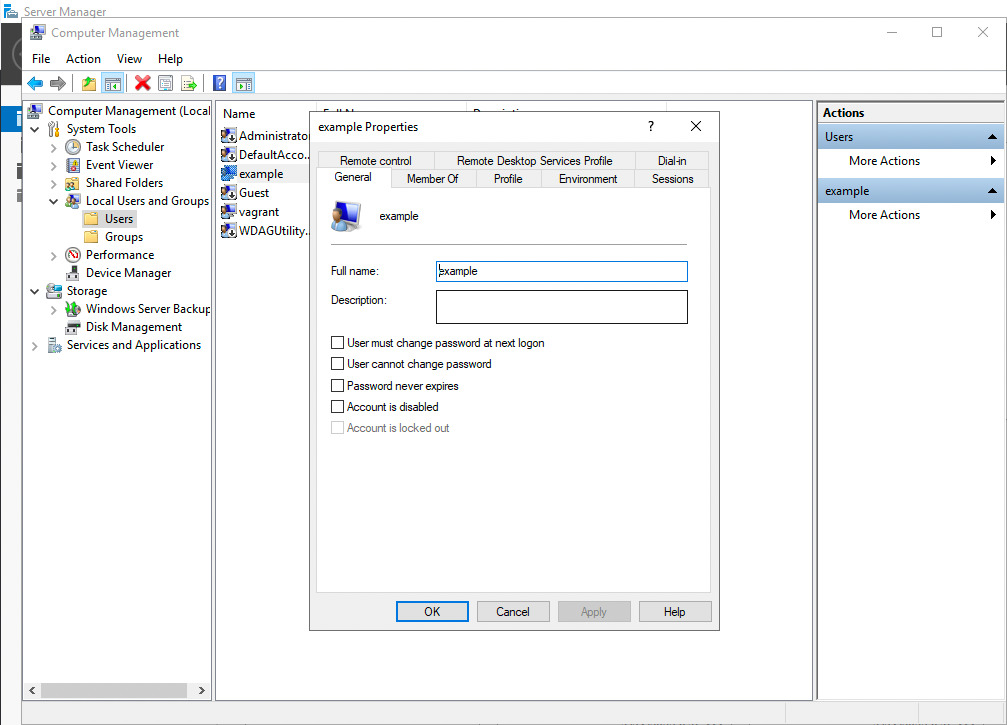
after execution
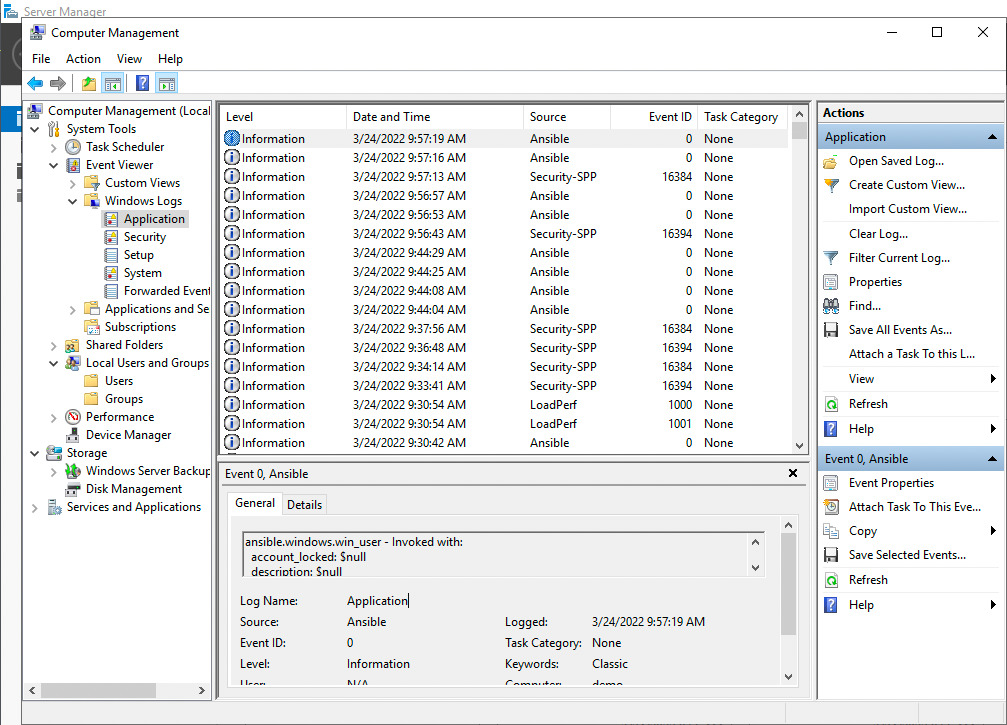

Conclusion
Now you know how to change local user passwords on Windows-like systems with Ansible.
See also: Create Local Groups on Windows with Ansible Playbooks
Change Password
- name: Change user password
  ansible.windows.win_user:
    name: john
    password: "{{ vault_new_password }}"
    update_password: always
  no_log: true
update_password Options
| Value | Behavior |
|---|---|
always | Change password every run |
on_create | Only set when creating user |
Password with Policies
- name: Set password with policies
  ansible.windows.win_user:
    name: admin_user
    password: "{{ vault_admin_password }}"
    update_password: always
    password_expired: false
    password_never_expires: false
    user_cannot_change_password: false
  no_log: true
Force Password Change at Next Login
- name: Reset and require change
  ansible.windows.win_user:
    name: new_employee
    password: "TempPass123!"
    password_expired: true  # Forces change at next login
  no_log: true
Bulk Password Reset
- name: Reset passwords for team
  ansible.windows.win_user:
    name: "{{ item.name }}"
    password: "{{ item.password }}"
    update_password: always
  loop: "{{ vault_user_passwords }}"
  no_log: true
  loop_control:
    label: "{{ item.name }}"
Reset via PowerShell (Alternative)
- name: Reset via PowerShell
  ansible.windows.win_shell: |
    $SecurePass = ConvertTo-SecureString "{{ vault_password }}" -AsPlainText -Force
    Set-LocalUser -Name "{{ username }}" -Password $SecurePass
  no_log: true
Domain User Password
# Requires microsoft.ad collection
- name: Change AD user password
  microsoft.ad.user:
    name: jsmith
    password: "{{ vault_ad_password }}"
    update_password: always
    identity: CN=John Smith,OU=Users,DC=example,DC=com
  no_log: true
Verify Password Works
- name: Test credentials
  ansible.windows.win_shell: |
    $cred = New-Object PSCredential("{{ username }}", (ConvertTo-SecureString "{{ password }}" -AsPlainText -Force))
    Start-Process cmd.exe -Credential $cred -ArgumentList '/c echo success' -NoNewWindow -Wait
  register: test_result
  no_log: true
  ignore_errors: true
Linux vs Windows Password
| Feature | Linux (user module) | Windows (win_user) |
|---|---|---|
| Password format | Hashed (SHA-512) | Plaintext (module hashes) |
| Hash required | Yes | No |
| Expiry | chage command | password_expired param |
| Vault integration | Via filter | Direct |
FAQ
Does win_user accept plaintext passwords?
Yes — unlike the Linux user module, win_user accepts plaintext and handles hashing internally.
How do I enforce password complexity?
Password complexity is enforced by Windows Group Policy, not Ansible. Ensure GPO requires minimum length, uppercase, numbers, etc.
Should I use no_log?
Always — without no_log: true, passwords appear in Ansible output, logs, and AWX job history.
Related Articles
Category: troubleshooting
Watch the video: Ansible Change Windows User Password: win_user Module (Examples) — Video Tutorial