Integrate Private Automation Hub with Automation Controller
By Luca Berton · Published 2024-01-01 · Category: installation
Learn how to connect Red Hat Ansible Automation Platform's Private Automation Hub to your Automation Controller for seamless access to collections.
Introduction
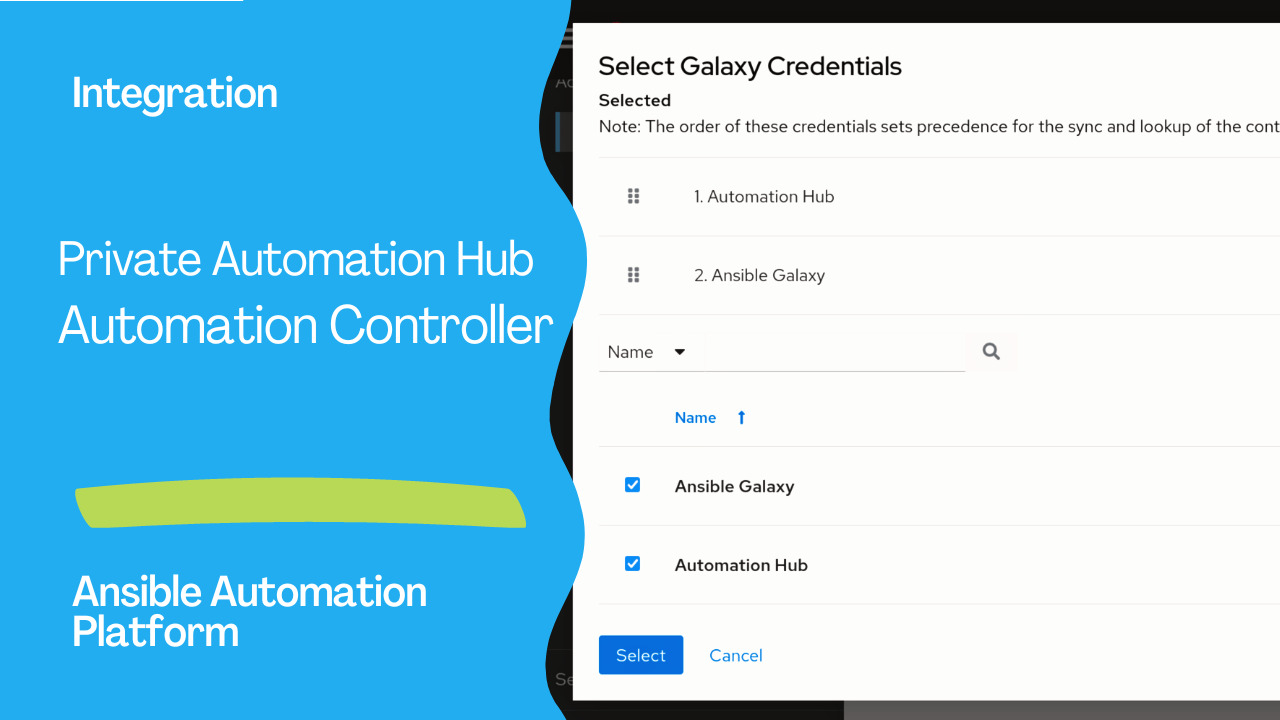
The integration between Red Hat Ansible Automation Platform’s Private Automation Hub and Automation Controller brings a seamless and efficient automation experience to your organization. This connection allows you to access Collections and Execution Environments from the Private Automation Hub, enabling effective management and deployment of automation resources. In this guide, we will walk you through the process of connecting your Private Automation Hub to your Automation Controller.See also: How to Back Up Ansible Automation Platform: Complete Guide (2026)
Prerequisites
Before you begin, ensure you have the following:- Private Automation Hub: Make sure you have a Private Automation Hub instance up and running.
- Automation Controller: Ensure you have Red Hat Ansible Automation Platform installed with a working Automation Controller.
- Automation Hub API Token: Obtain an API token from your Private Automation Hub. This token will be used for authentication.
Links
- https://www.redhat.com/sysadmin/get-started-private-automation-hub
- https://access.redhat.com/solutions/6936761
Step-by-Step Guide
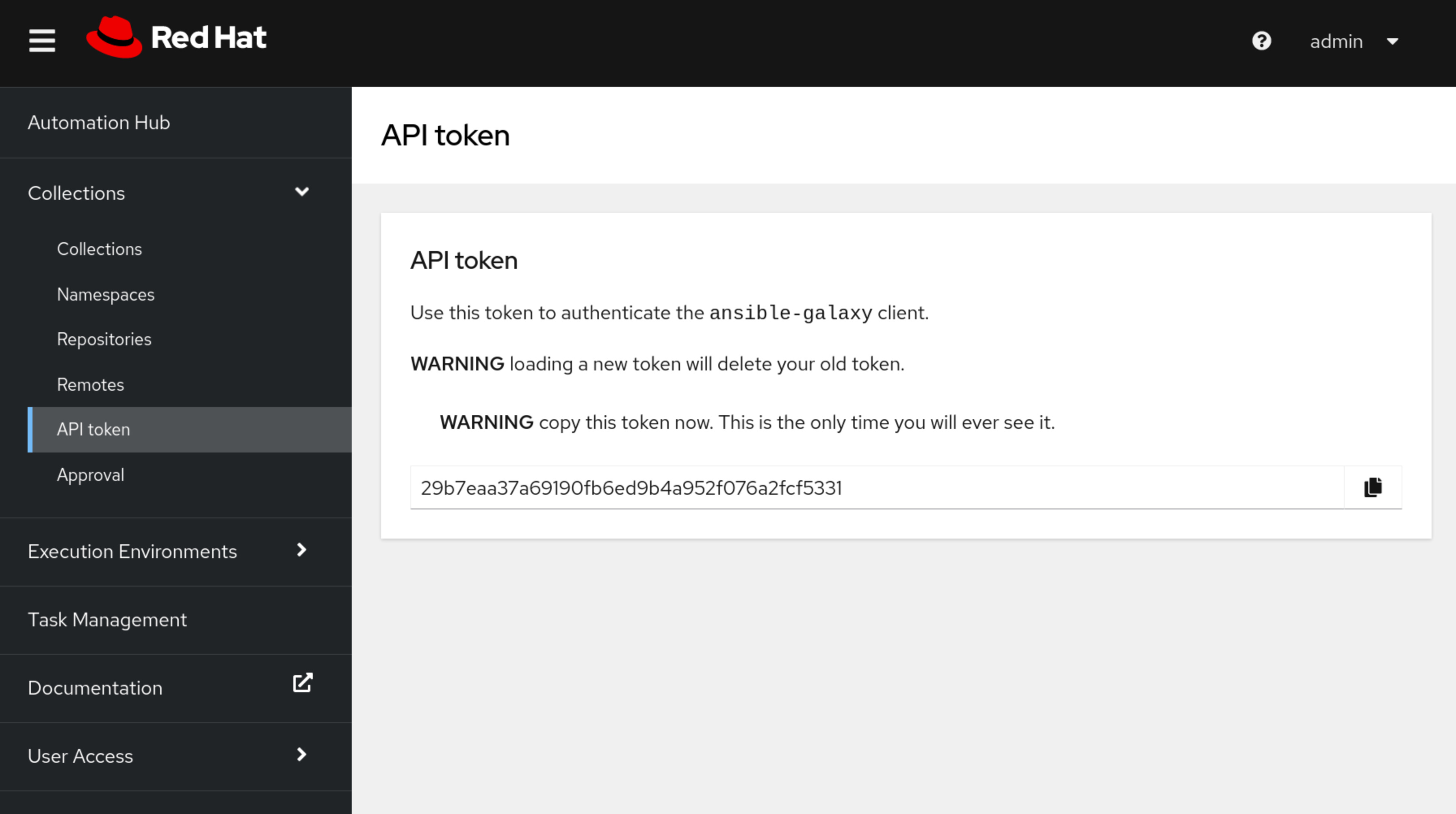
Follow these steps to connect your Private Automation Hub to your Automation Controller:- Collect API Token from Private Automation Hub
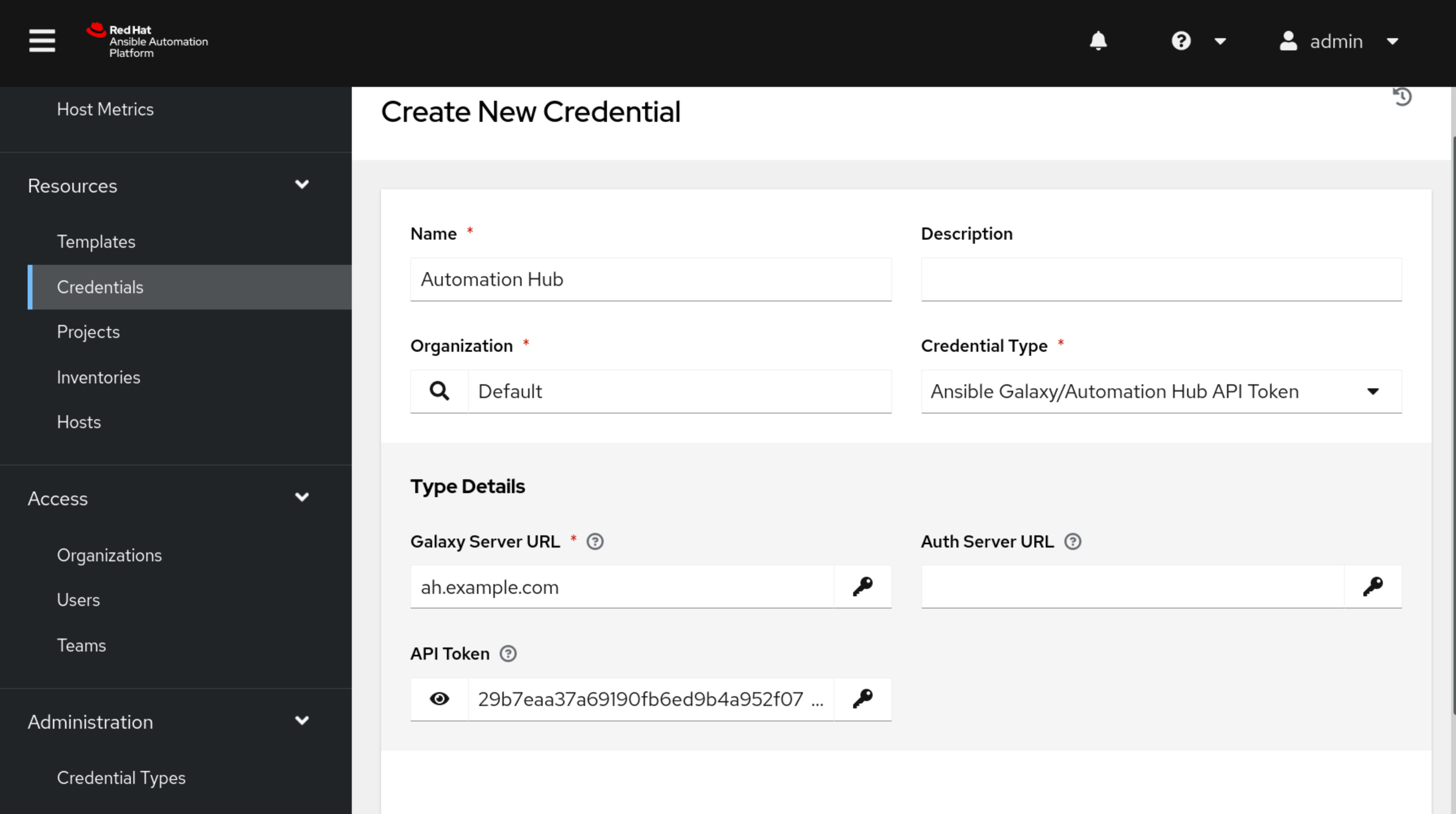
- Create Credentials in Automation Controller
Private Automation Hub — Publish Credential:
— Credential Type: Ansible Galaxy/Automation Hub API Token
— Galaxy Server URL: https://ah.example.com/api/galaxy/content/published/
— API Token: Paste the API token obtained from the Private Automation Hub.
Private Automation Hub — RH-certified Credential:
— Credential Type: Ansible Galaxy/Automation Hub API Token
— Galaxy Server URL: https://ah.example.com/api/galaxy/content/rh-certified/
— API Token: Paste the API token obtained from the Private Automation Hub.
Private Automation Hub — Container Registry Credential:
— Credential Type: Container Registry
— Galaxy Server URL: https://ah.example.com/
— Username: Your Private Automation Hub login username
— Password or Token: Your Private Automation Hub login password or token
- (Optional) Disable SSL verification for Private Automation Hub in Automation Controller > Settings > Jobs

- Attach Credentials to Respective Organization
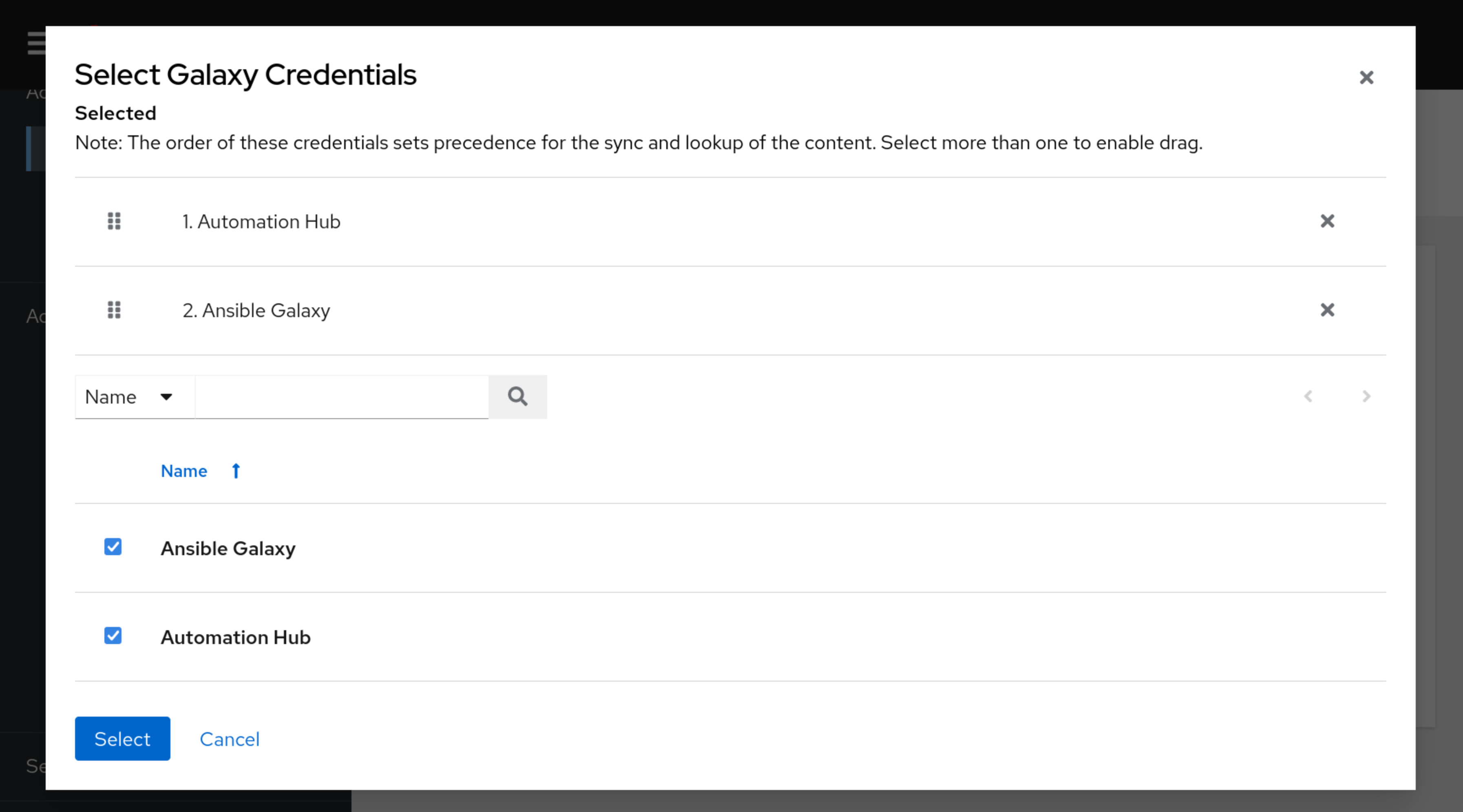
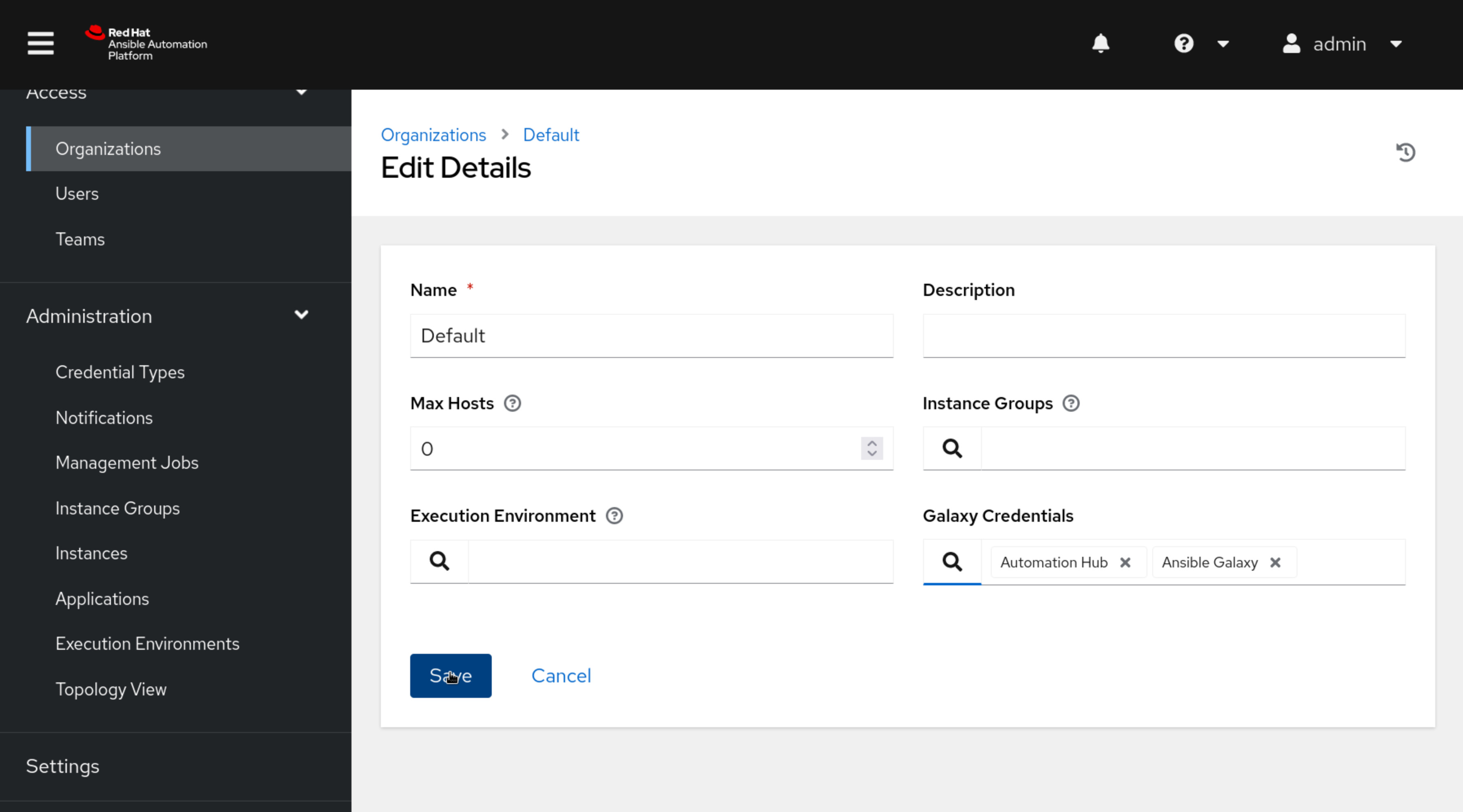
- Authenticate and Access Resources
See also: How to Restore Ansible Automation Platform from Backup: Step-by-Step Guide
Conclusion
Integrating your Private Automation Hub with your Automation Controller enhances your organization’s automation capabilities by enabling seamless access to resources and efficient management of automation assets. Following the steps outlined in this guide, you can establish a secure and effective connection between the Private Automation Hub and the Automation Controller, empowering your teams to achieve more with automation.Disclaimer: This article is based on information available as of 2023. Please refer to the latest documentation for any updates or changes.
Related Articles
Category: installation
Watch the video: Integrate Private Automation Hub with Automation Controller — Video Tutorial