Ansible Private Automation Hub: Centralize and Secure Automation
By Luca Berton · Published 2024-01-01 · Category: installation
Learn how Ansible Private Automation Hub enhances IT automation by centralizing content, improving security, and facilitating collaboration across teams.
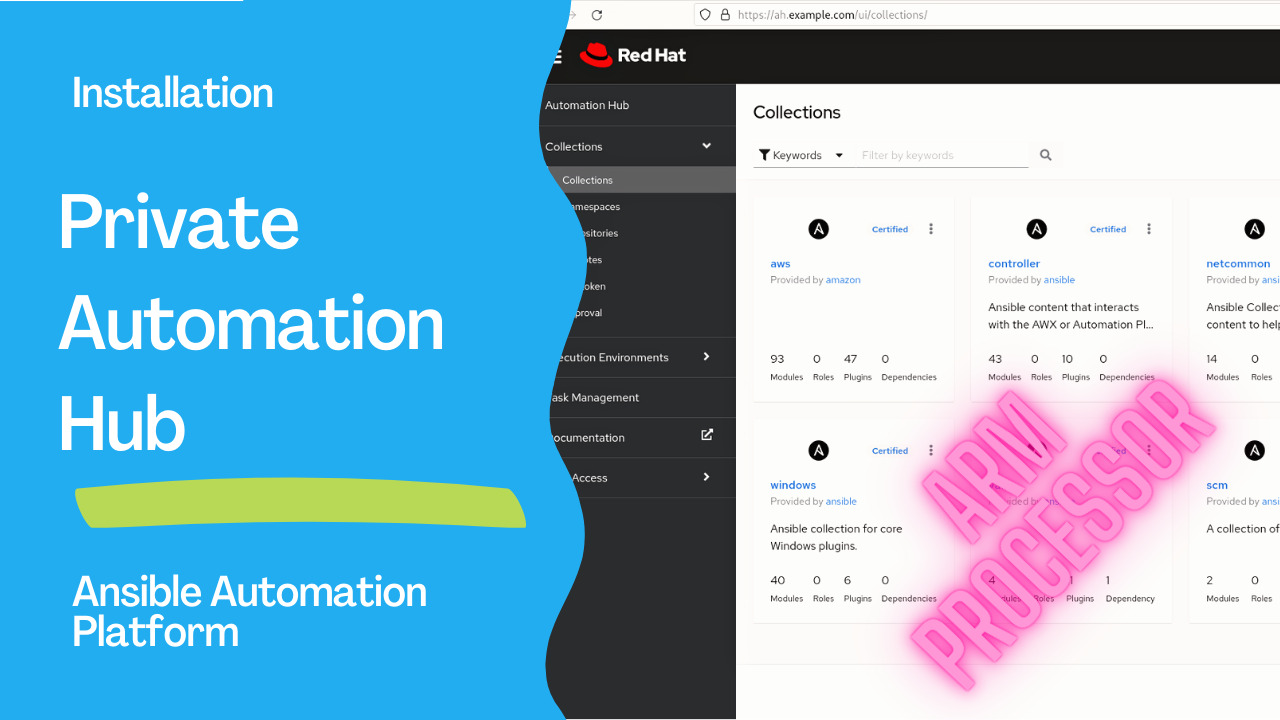
Introduction
In today’s fast-paced world, automation has become crucial for organizations seeking to streamline operations, improve efficiency, and accelerate project delivery. Ansible, a popular open-source automation tool, has revolutionized how organizations manage their IT infrastructure and application deployments. With the introduction of the Ansible Private Automation Hub, organizations now have an even more powerful and flexible solution to leverage the benefits of automation.See also: Event-Driven Ansible: Automate IT Operations Efficiently
What is Ansible Private Automation Hub?
Ansible Private Automation Hub is a feature included in the Red Hat Ansible Automation Platform, designed to enhance the management and distribution of Ansible Content Collections. It is a trusted and secure central repository where organizations can store, control access to, and share their user-generated content alongside Ansible Certified Content from Red Hat and other leading partners.Benefits of Ansible Private Automation Hub:
- Centralized Repository: With the Private Automation Hub, organizations can store their internally generated Ansible content in a single location. This allows for easy access, version control, and efficient collaboration among teams working on automation projects.
- Enhanced Security and Governance: By leveraging the Private Automation Hub, organizations can exercise greater control over access to their user-generated content. This ensures that sensitive information and intellectual property are protected, and content is shared only with authorized individuals or teams. This feature is particularly valuable for organizations with strict security and compliance requirements.
- Pre-Loaded Ansible Validated Content: The Private Automation Hub acts as a repository for pre-loaded Ansible validated content. This content has undergone rigorous testing and validation by Red Hat and the Ansible community, ensuring its reliability and adherence to best practices. By utilizing this content, organizations can jumpstart their automation initiatives with confidence.
- Seamless Collaboration: The Private Automation Hub facilitates collaboration within organizations by enabling teams to share a combination of internally generated content, Red Hat Ansible Certified Content, and Ansible validated content. This promotes knowledge sharing, standardization, and consistency across automation projects.
- Automation Execution Environments: Besides storing and managing Ansible Content Collections, the Private Automation Hub supports automation execution environments. This means organizations can build and share container images that contain defined, consistent, and portable environments for their automation workflows. This capability simplifies the deployment and execution of automation playbooks across different environments, such as development, testing, and production.
Links
- Ansible Automation Hub
- What’s new in Ansible Automation Platform 2.4
- Red Hat Ansible Automation Platform Installation Guide
- Red Hat Ansible Automation Platform Release Notes
See also: Ansible Validated Content: Red Hat-Curated Collections Explained (2026)
Demo
- Download the Installer from the
ansible-automation-platform-setup-bundle-2.4–1-aarch64.tar.gzfrom the Red Hat Console
- Customize the inventory file for the Installer. For single node Automation Controller use the following file:
[automationcontroller]
[automationcontroller:vars]
peers=execution_nodes
[execution_nodes]
[automationhub]
ah.example.com ansible_connection=local
[automationedacontroller]
[database]
[sso]
[all:vars]
admin_password=''
pg_host=''
pg_port=5432
pg_database='awx'
pg_username='awx'
pg_password=''
registry_url='registry.redhat.io'
registry_username=''
registry_password=''
receptor_listener_port=27199

automationhub_admin_password='redhat'
automationhub_pg_host=''
automationhub_pg_port=5432
automationhub_pg_database='automationhub'
automationhub_pg_username='automationhub'
automationhub_pg_password='redhat'
automationhub_pg_sslmode='prefer'

automationedacontroller_admin_password=''
automationedacontroller_pg_host=''
automationedacontroller_pg_port=5432
automationedacontroller_pg_database='automationedacontroller'
automationedacontroller_pg_username='automationedacontroller'
automationedacontroller_pg_password=''
sso_keystore_password=''
sso_console_admin_password=''
The lines you provided represent a set of configuration parameters for the Ansible Private Automation Hub. Let’s break down each parameter and its purpose:
automationhub_admin_password=’redhat’: This parameter sets the password for the administration account of the Automation Hub. In this case, the password is set to ‘redhat’. The administration account typically has privileged access and is responsible for managing and configuring the Automation Hub.automationhub_pg_host=’’: This parameter specifies the hostname or IP address of the PostgreSQL database server used by the Automation Hub. In the given configuration, the value is left blank (‘’), indicating that the default or configured value will be usedautomationhub_pg_port=5432: This parameter sets the port number on which the PostgreSQL database server listens. In this case, the default port for PostgreSQL, 5432, is used. However, you can change it if necessary.automationhub_pg_database=’automationhub’: This parameter specifies the name of the PostgreSQL database used by the Automation Hub. In the given configuration, the database name is set to ‘automationhub’. This is the database where the Automation Hub stores its data.automationhub_pg_username=’automationhub’: This parameter sets the username used to authenticate with the PostgreSQL database. In this case, the username is ‘automationhub’. This user account should have the necessary privileges to access and manipulate the Automation Hub’s database.automationhub_pg_password=’redhat’: This parameter sets the password for the PostgreSQL user specified inautomationhub_pg_username. Here, the password is set to ‘redhat’.automationhub_pg_sslmode=’prefer’: This parameter determines the SSL mode to connect the Automation Hub and the PostgreSQL database server. The value ‘prefer’ indicates that the Automation Hub will attempt to use SSL for the connection if it is available and supported by the server.
- Execute the
setup.sh
collections/ansible_collections/ansible/automation_platform_installer/roles/preflight/defaults/main.yml file in a development environment to lower the 7400 MB of memory requirements.
- Connect to the WebUI and Login with the
adminuser and the selected password (“redhat”):
- The main dashboard look like the following
Conclusion
The Ansible Private Automation Hub is a game-changer for organizations seeking to maximize the potential of their automation initiatives. Organizations can accelerate their automation projects, enhance collaboration, and ensure compliance with security and governance requirements by providing a secure and centralized repository for user-generated content and access to certified and validated content. Whether you are just starting your automation journey or looking to scale your existing automation efforts, the Ansible Private Automation Hub is a valuable tool that empowers organizations to automate confidently.
See also: Ansible Automation Platform on ARM: Enhance Scalability & Efficiency
Related Articles
Category: installation
Watch the video: Ansible Private Automation Hub: Centralize and Secure Automation — Video Tutorial