Install Ansible AWX Operator for Kubernetes (K8s) and OpenShift (OCP) - Ansible AWX
By Luca Berton · Published 2024-01-01 · Category: installation
How to deploy the latest Ansible AWX Operator in your local Red Hat OpenShift Local (formerly Red Hat CodeReady Containers), fully compatible with Kubernetes.
How to Install Ansible AWX Operator for Kubernetes (K8s) and OpenShift (OCP)?
Ansible AWX Operator is the preferred way to deploy an AWX instance in your network. The alternative way is to build and run Docker containers only for experienced users and developers.See also: Create Ansible AWX Superuser in Docker: Admin Account Setup (Guide)
Install Ansible AWX
- Ansible AWX Operator for Kubernetes built with Operator SDK and Ansible
- Ansible AWX for Docker (experienced users)
Links
See also: Install Ansible Automation Platform in Red Hat Ansible OpenShift Platform operator via Operator
Playbook
- Install Ansible AWX Operator for Kubernetes (K8s) or OpenShift (OCP)
code
- kustomization.yaml
apiVersion: kustomize.config.k8s.io/v1beta1
kind: Kustomization
resources:
  # Find the latest tag here: https://github.com/ansible/awx-operator/releases
  - github.com/ansible/awx-operator/config/default?ref=<tag>
# Set the image tags to match the git version from above
images:
  - name: quay.io/ansible/awx-operator
    newTag: <tag>
# Specify a custom namespace in which to install AWX
namespace: awx
Substitute
Kubernetes (K8s) execution
- Install the kustomize tool in your system
$ curl -s "https://raw.githubusercontent.com/kubernetes-sigs/kustomize/master/hack/install_kustomize.sh" | bash- Install the customization manifests in Kubernetes (K8s) by running this:
$ ./kustomize build . | kubectl apply -f -
namespace/awx created
customresourcedefinition.apiextensions.k8s.io/awxbackups.awx.ansible.com created
customresourcedefinition.apiextensions.k8s.io/awxrestores.awx.ansible.com created
customresourcedefinition.apiextensions.k8s.io/awxs.awx.ansible.com created
serviceaccount/awx-operator-controller-manager created
role.rbac.authorization.k8s.io/awx-operator-awx-manager-role created
role.rbac.authorization.k8s.io/awx-operator-leader-election-role created
clusterrole.rbac.authorization.k8s.io/awx-operator-metrics-reader created
clusterrole.rbac.authorization.k8s.io/awx-operator-proxy-role created
rolebinding.rbac.authorization.k8s.io/awx-operator-awx-manager-rolebinding created
rolebinding.rbac.authorization.k8s.io/awx-operator-leader-election-rolebinding created
clusterrolebinding.rbac.authorization.k8s.io/awx-operator-proxy-rolebinding created
configmap/awx-operator-awx-manager-config created
service/awx-operator-controller-manager-metrics-service created
deployment.apps/awx-operator-controller-manager created
- Wait a bit, and you should have the awx-operator running:
$ kubectl get pods -n awx
NAME                                               READY   STATUS    RESTARTS   AGE
awx-operator-controller-manager-7d5f849d55-8sv9n   2/2     Running   0          76s
OpenShift (OCP) execution
- Install the kustomize tool in your system
curl -s "https://raw.githubusercontent.com/kubernetes-sigs/kustomize/master/hack/install_kustomize.sh" | bash- Install the customization manifests in OpenShift (OCP) by running this:
$ ./kustomize build . | kubectl apply -f -
namespace/awx created
customresourcedefinition.apiextensions.k8s.io/awxbackups.awx.ansible.com created
customresourcedefinition.apiextensions.k8s.io/awxrestores.awx.ansible.com created
customresourcedefinition.apiextensions.k8s.io/awxs.awx.ansible.com created
serviceaccount/awx-operator-controller-manager created
role.rbac.authorization.k8s.io/awx-operator-awx-manager-role created
role.rbac.authorization.k8s.io/awx-operator-leader-election-role created
clusterrole.rbac.authorization.k8s.io/awx-operator-metrics-reader created
clusterrole.rbac.authorization.k8s.io/awx-operator-proxy-role created
rolebinding.rbac.authorization.k8s.io/awx-operator-awx-manager-rolebinding created
rolebinding.rbac.authorization.k8s.io/awx-operator-leader-election-rolebinding created
clusterrolebinding.rbac.authorization.k8s.io/awx-operator-proxy-rolebinding created
configmap/awx-operator-awx-manager-config created
service/awx-operator-controller-manager-metrics-service created
deployment.apps/awx-operator-controller-manager created- Wait a bit, and you should have the awx-operator running:
$ oc get pods -n awx
NAME                                               READY   STATUS    RESTARTS   AGE
awx-operator-controller-manager-7d5f849d55-8sv9n   2/2     Running   0          76s
OpenShift (OCP) Web UI:
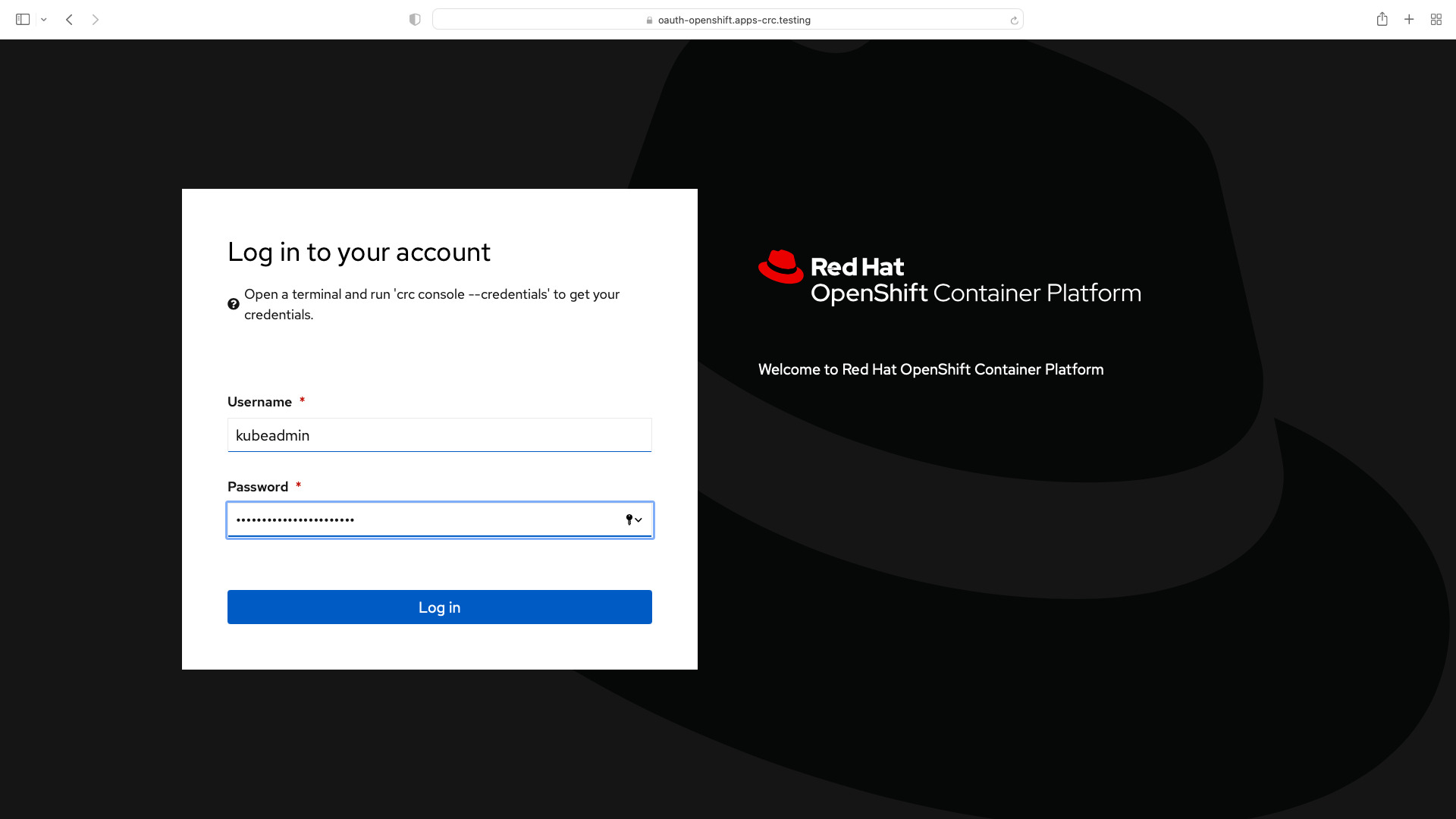
Log in to the OpenShift (OCP) cluster
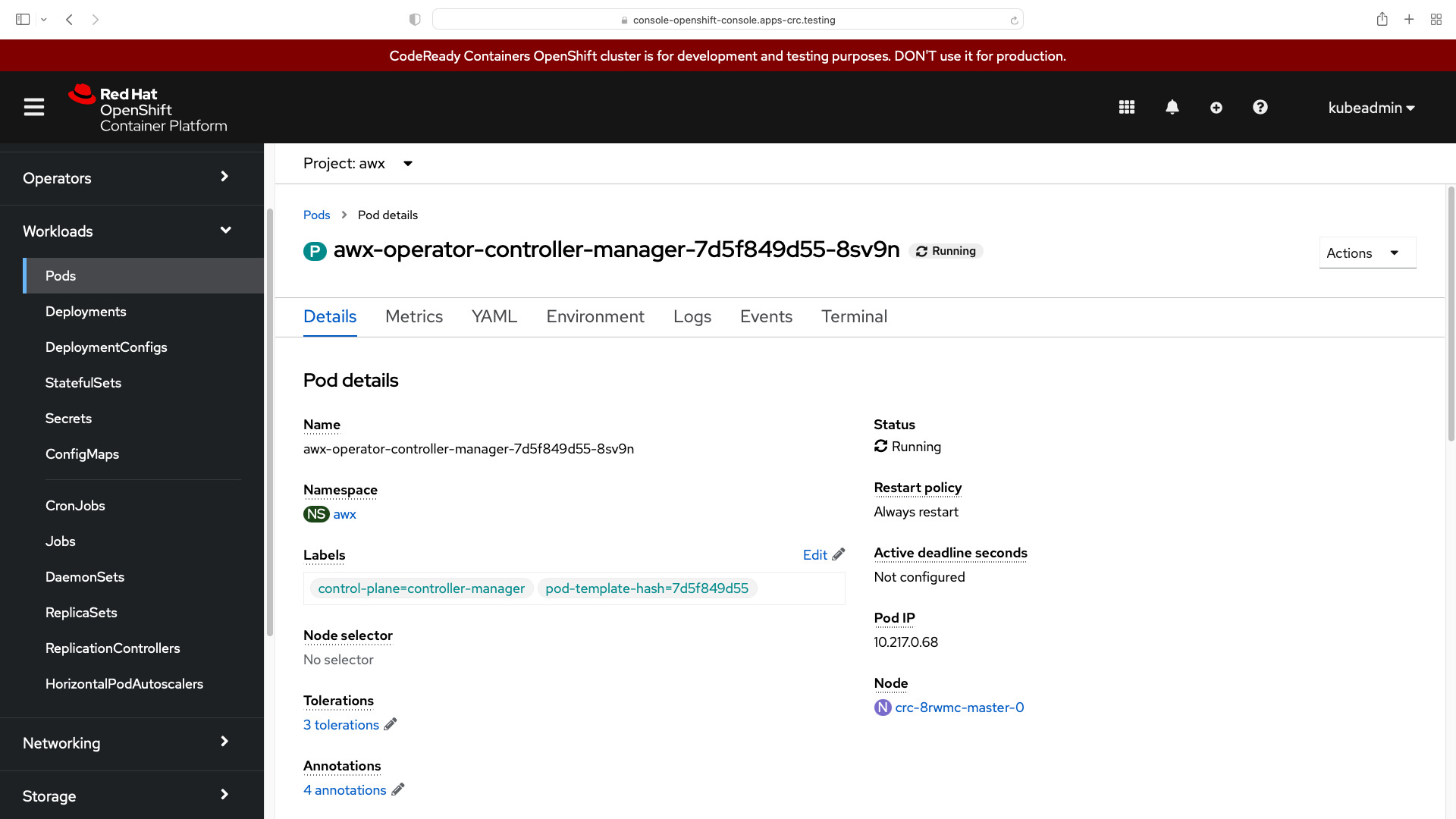
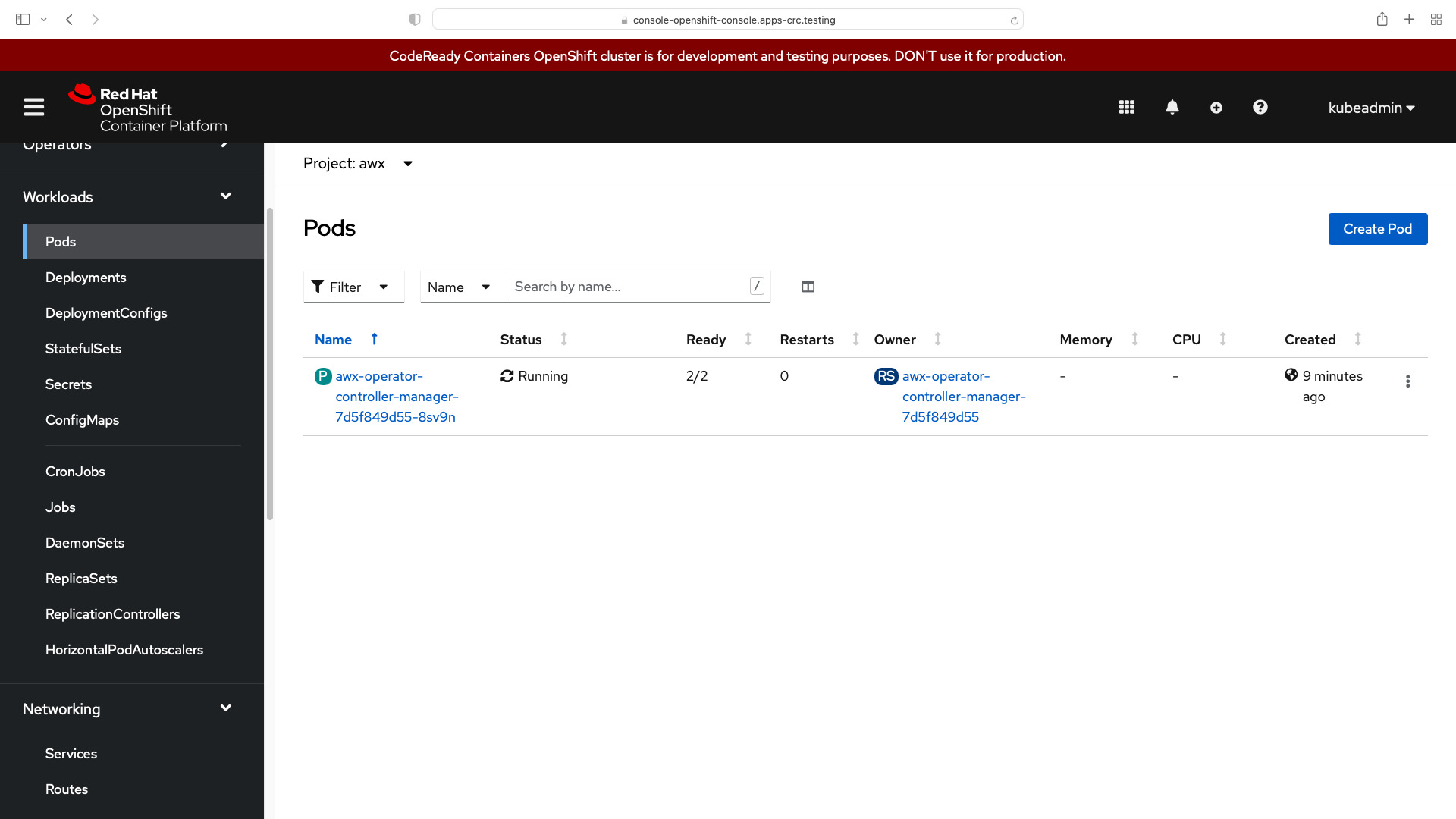
You can find the awx-operator running under the awx project:
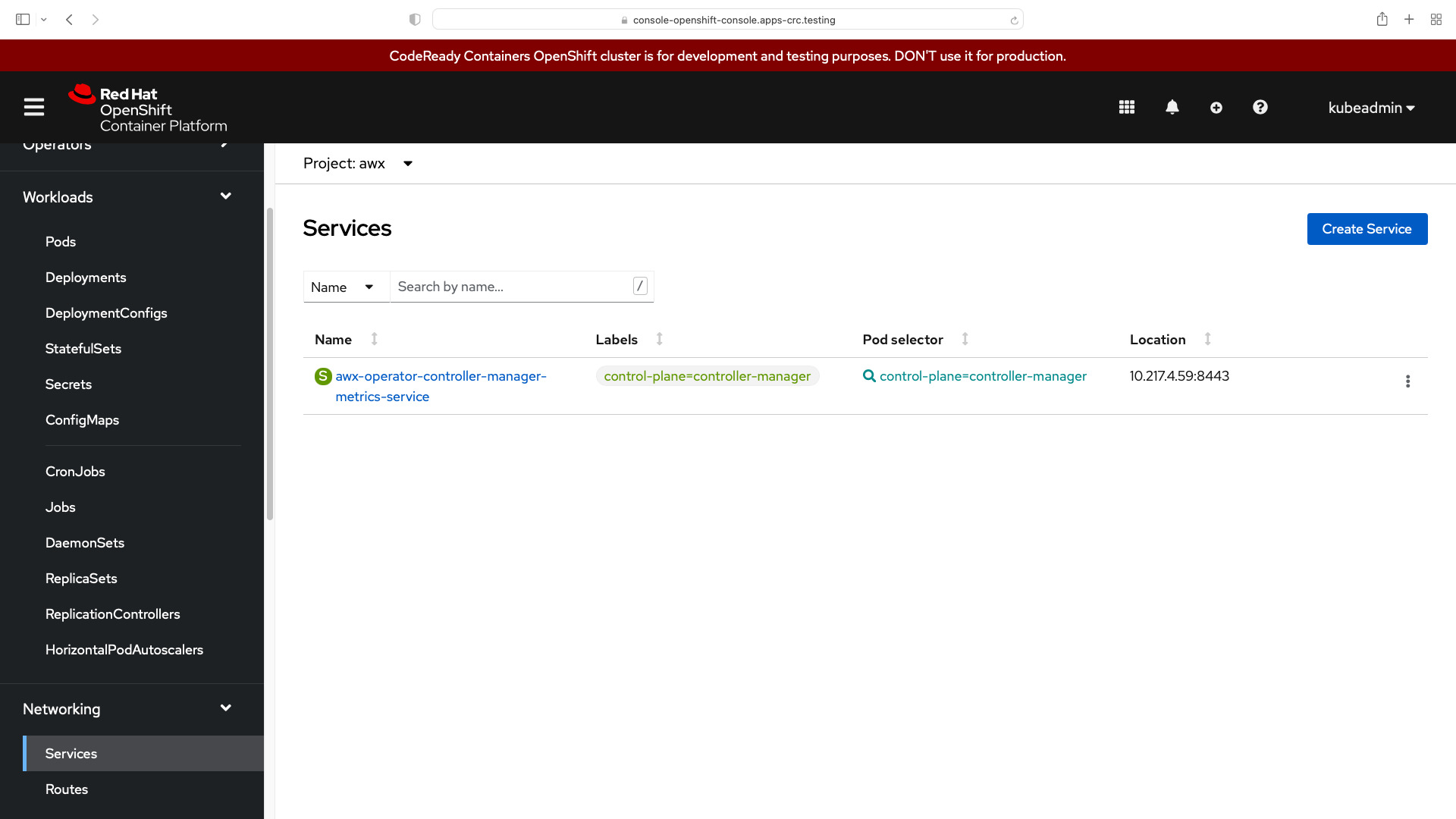
In the Networking > Service, you can find the Location URL to access your Ansible AWX instance. In my case http://10.217.4.59:8443.
Conclusion
Now you know how to Install Ansible AWX Operator for Kubernetes (K8s) and OpenShift (OCP).
See also: Build Ansible AWX in Docker Containers Easily
Related Articles
Further reading
To go deeper, Ansible for Kubernetes by Example expands on these patterns in production.
Category: installation
Watch the video: Install Ansible AWX Operator for Kubernetes (K8s) and OpenShift (OCP) - Ansible AWX — Video Tutorial