Install Red Hat CodeReady Containers to run OpenShift 4 in macOS
By Luca Berton · Published 2024-01-01 · Category: installation
How to install Red Hat CodeReady Containers to run a full OpenShift 4 cluster in your Mac running macOS Big Sur and use the command line and the web interface.
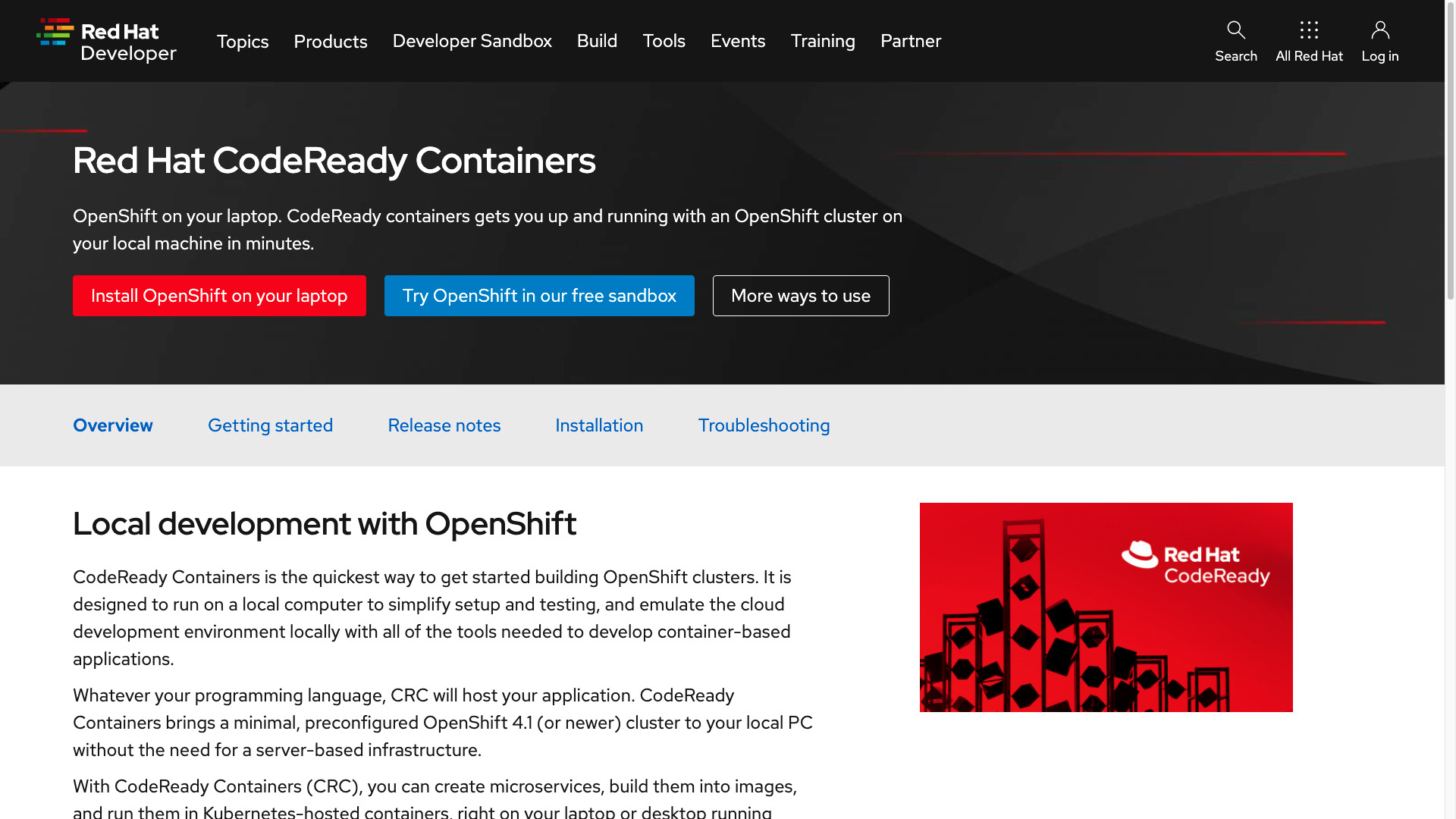
What is Red Hat CodeReady Containers
- an OpenShift 4 cluster for local development
- minimum 4 vCPU, 8 GB RAM, 35 GB storage
- 4 virtual CPUs (vCPUs)
- 8 GB of RAM memory
- 35 GB of storage space
## Playbook
How to Install Red Hat CodeReady Containers in MacOS and simple usage.
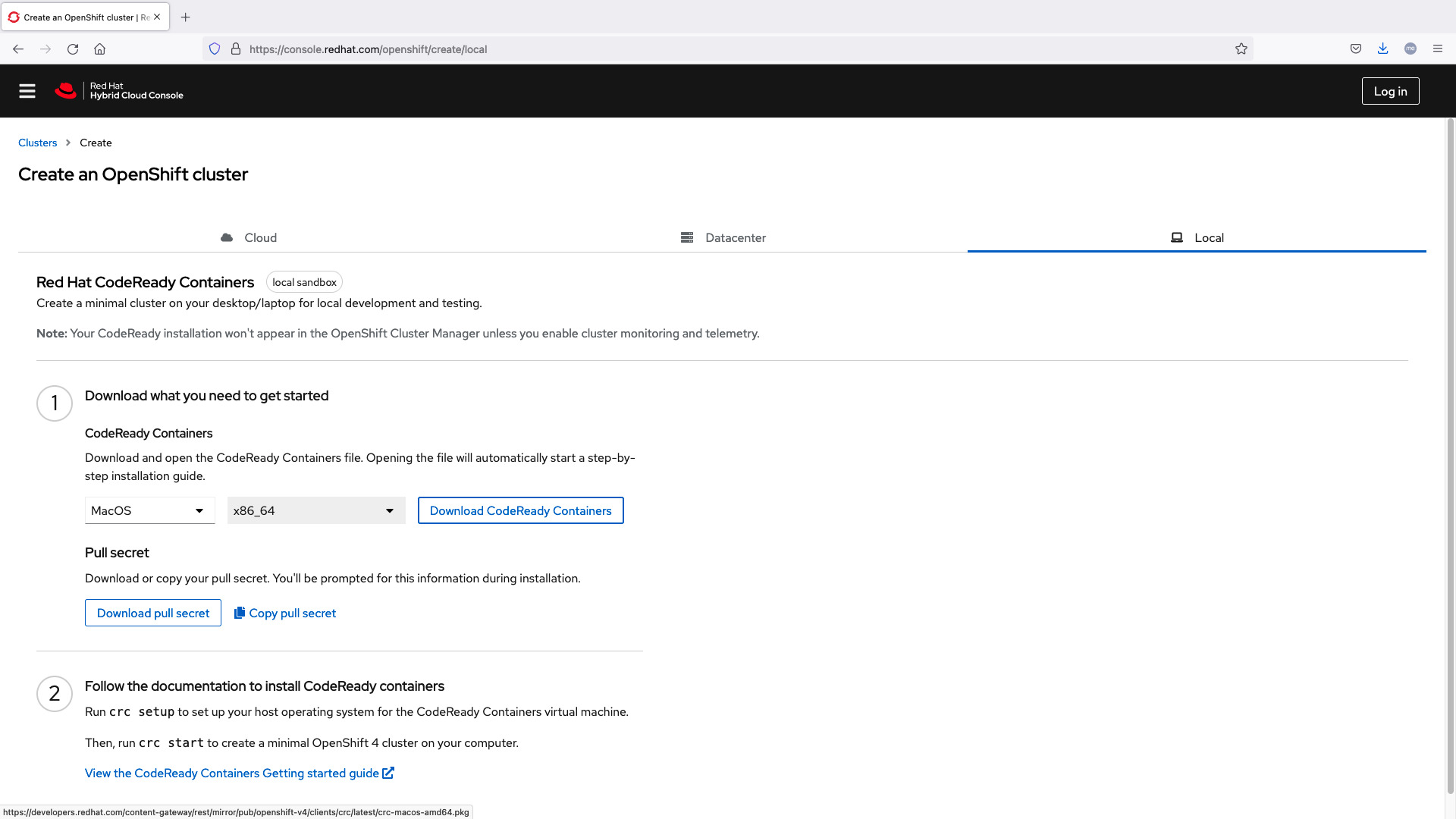
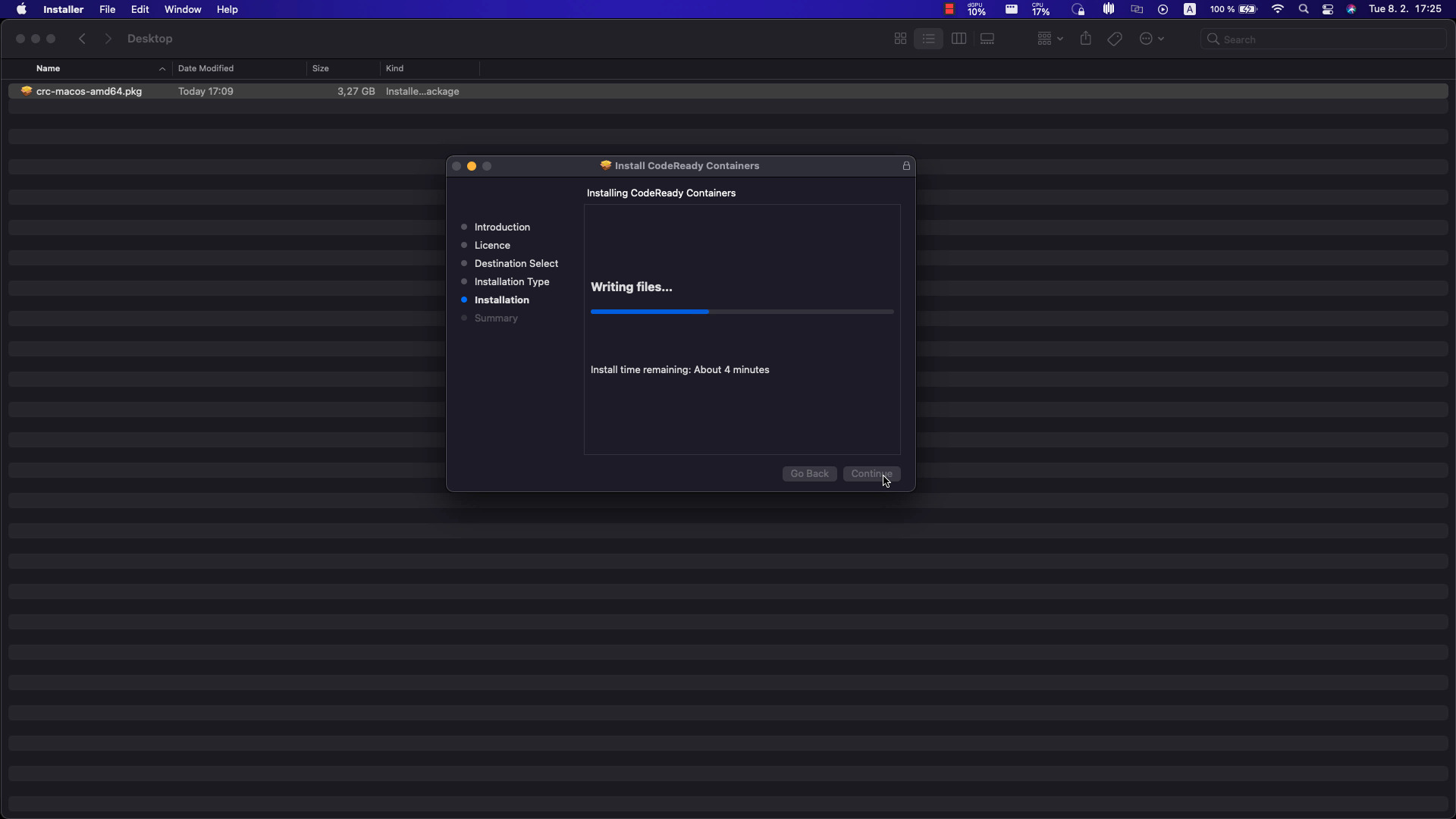
cluster setup
ansible-pilot $ crc status
Machine does not exist. Use 'crc start' to create it
ansible-pilot $ crc setup
CodeReady Containers is constantly improving and we would like to know more about usage (more details at https://developers.redhat.com/article/tool-data-collection)
Your preference can be changed manually if desired using 'crc config set consent-telemetry <yes/no>'
Would you like to contribute anonymous usage statistics? [y/N]: y
Thanks for helping us! You can disable telemetry with the command 'crc config set consent-telemetry no'.
INFO Checking if running as non-root
INFO Checking if crc-admin-helper executable is cached
INFO Checking for obsolete admin-helper executable
INFO Checking if running on a supported CPU architecture
INFO Checking minimum RAM requirements
INFO Checking if running emulated on a M1 CPU
INFO Checking if HyperKit is installed
INFO Checking if qcow-tool is installed
INFO Checking if crc-driver-hyperkit is installed
INFO Checking if CodeReady Containers daemon is running
INFO Checking if launchd configuration for tray exists
INFO Creating launchd configuration for tray
INFO Check if CodeReady Containers tray is running
INFO Checking if CRC bundle is extracted in '$HOME/.crc'
INFO Checking if /Applications/CodeReady Containers.app/Contents/Resources/crc_hyperkit_4.9.15.crcbundle exists
INFO Extracting bundle from the CRC executable
INFO Ensuring directory /Applications/CodeReady Containers.app/Contents/Resources exists
INFO Uncompressing crc_hyperkit_4.9.15.crcbundle
crc.qcow2: 11.70 GiB / 11.70 GiB [--------------------------------------------------------] 100.00%
Your system is correctly setup for using CodeReady Containers, you can now run 'crc start' to start the OpenShift cluster
cluster start
ansible-pilot $ crc start
INFO Checking if running as non-root
INFO Checking if crc-admin-helper executable is cached
INFO Checking for obsolete admin-helper executable
INFO Checking if running on a supported CPU architecture
INFO Checking minimum RAM requirements
INFO Checking if running emulated on a M1 CPU
INFO Checking if HyperKit is installed
INFO Checking if qcow-tool is installed
INFO Checking if crc-driver-hyperkit is installed
CodeReady Containers requires a pull secret to download content from Red Hat.
You can copy it from the Pull Secret section of https://cloud.redhat.com/openshift/create/local.
? Please enter the pull secret *****************************************************************************************************************************************************************************************************************************************************************************************************************************************************************************
INFO Loading bundle: crc_hyperkit_4.9.15...
INFO Creating CodeReady Containers VM for OpenShift 4.9.15...
INFO Generating new SSH Key pair...
INFO Generating new password for the kubeadmin user
INFO Starting CodeReady Containers VM for OpenShift 4.9.15...
INFO CodeReady Containers instance is running with IP 127.0.0.1
INFO CodeReady Containers VM is running
INFO Updating authorized keys...
INFO Check internal and public DNS query...
INFO Check DNS query from host...
INFO Verifying validity of the kubelet certificates...
INFO Starting OpenShift kubelet service
INFO Waiting for kube-apiserver availability... [takes around 2min]
INFO Adding user\'s pull secret to the cluster...
INFO Updating SSH key to machine config resource...
INFO Waiting for user\'s pull secret part of instance disk...
INFO Changing the password for the kubeadmin user
INFO Updating cluster ID...
INFO Updating root CA cert to admin-kubeconfig-client-ca configmap...
INFO Starting OpenShift cluster... [waiting for the cluster to stabilize]
INFO All operators are available. Ensuring stability...
INFO Operators are stable (2/3)...
INFO Operators are stable (3/3)...
INFO Adding crc-admin and crc-developer contexts to kubeconfig...
Started the OpenShift cluster.
The server is accessible via web console at:
  https://console-openshift-console.apps-crc.testing
Log in as administrator:
  Username: kubeadmin
  Password: YSW9N-SmFPP-jiu2f-nNmfc
Log in as user:
  Username: developer
  Password: developer
Use the 'oc' command line interface:
  $ eval $(crc oc-env)
  $ oc login -u developer https://api.crc.testing:6443
ansible-pilot $
cluster status
ansible-pilot $ oc status
In project example on server https://api.crc.testing:6443
You have no services, deployment configs, or build configs.
Run 'oc new-app' to create an application.
ansible-pilot $ crc status
CRC VM:          Running
OpenShift:       Running (v4.9.15)
Disk Usage:      13.36GB of 32.74GB (Inside the CRC VM)
Cache Usage:     12.79GB
Cache Directory: /Users/lberton/.crc/cache
ansible-pilot $
cluster example project
Started the OpenShift cluster.
The server is accessible via web console at:
  https://console-openshift-console.apps-crc.testing
Log in as administrator:
  Username: kubeadmin
  Password: WhDvM-c8WiV-zJ8iH-UKhKV
Log in as user:
  Username: developer
  Password: developer
Use the 'oc' command line interface:
  $ eval $(crc oc-env)
  $ oc login -u developer https://api.crc.testing:6443
ansible-pilot $ eval $(crc oc-env)
ansible-pilot $ oc login -u developer https://api.crc.testing:6443
Logged into "https://api.crc.testing:6443" as "developer" using existing credentials.
You don't have any projects. You can try to create a new project, by running
oc new-project <projectname>
ansible-pilot $ oc new-project example
Now using project "example" on server "https://api.crc.testing:6443".
You can add applications to this project with the 'new-app' command. For example, try:
oc new-app rails-postgresql-example
to build a new example application in Ruby. Or use kubectl to deploy a simple Kubernetes application:
kubectl create deployment hello-node --image=k8s.gcr.io/serve_hostname
ansible-pilot $
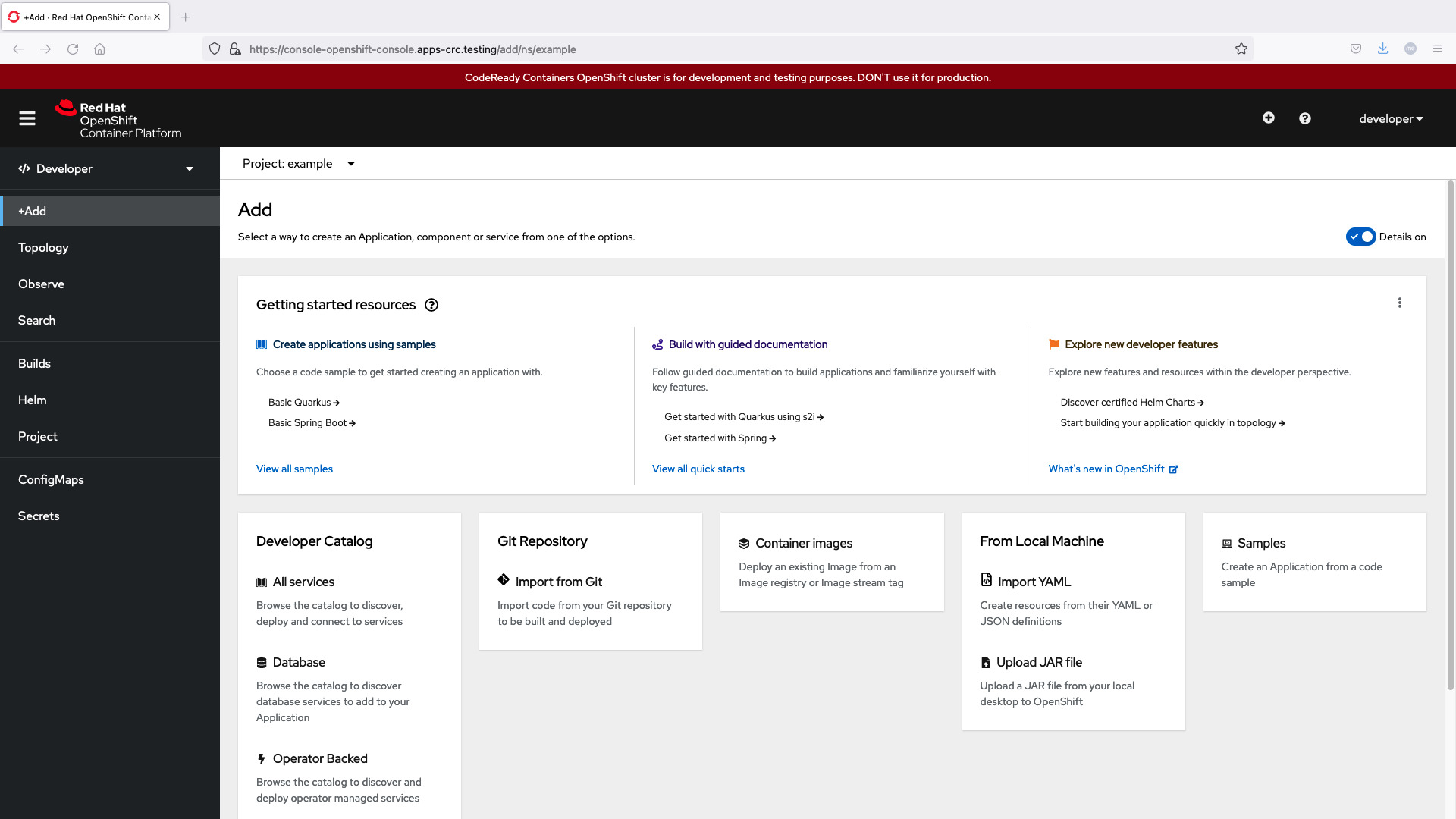
cluster webui
The server is accessible via web console at: https://console-openshift-console.apps-crc.testing
cluster stop
ansible-pilot $ crc stop
INFO Stopping kubelet and all containers...
INFO Stopping the OpenShift cluster, this may take a few minutes...
Stopped the OpenShift cluster
ansible-pilot $ crc status
CRC VM:          Stopped
OpenShift:       Stopped (v4.9.15)
Disk Usage:      0B of 0B (Inside the CRC VM)
Cache Usage:     12.79GB
Cache Directory: /Users/lberton/.crc/cache
ansible-pilot $
cluster restart
ansible-pilot $ crc stop
INFO Stopping kubelet and all containers...
INFO Stopping the OpenShift cluster, this may take a few minutes...
Stopped the OpenShift cluster
ansible-pilot $ crc status
CRC VM:          Stopped
OpenShift:       Stopped (v4.9.15)
Disk Usage:      0B of 0B (Inside the CRC VM)
Cache Usage:     12.79GB
Cache Directory: /Users/lberton/.crc/cache
ansible-pilot $ crc start
INFO Checking if running as non-root
INFO Checking if crc-admin-helper executable is cached
INFO Checking for obsolete admin-helper executable
INFO Checking if running on a supported CPU architecture
INFO Checking minimum RAM requirements
INFO Checking if running emulated on a M1 CPU
INFO Checking if HyperKit is installed
INFO Checking if qcow-tool is installed
INFO Checking if crc-driver-hyperkit is installed
INFO Starting CodeReady Containers VM for OpenShift 4.9.15...
INFO CodeReady Containers instance is running with IP 127.0.0.1
INFO CodeReady Containers VM is running
INFO Check internal and public DNS query...
INFO Check DNS query from host...
INFO Verifying validity of the kubelet certificates...
INFO Starting OpenShift kubelet service
INFO Waiting for kube-apiserver availability... [takes around 2min]
INFO Waiting for user\'s pull secret part of instance disk...
INFO Starting OpenShift cluster... [waiting for the cluster to stabilize]
INFO All operators are available. Ensuring stability...
INFO Operators are stable (2/3)...
INFO Operators are stable (3/3)...
INFO Adding crc-admin and crc-developer contexts to kubeconfig...
Started the OpenShift cluster.
The server is accessible via web console at:
  https://console-openshift-console.apps-crc.testing
Log in as administrator:
  Username: kubeadmin
  Password: WhDvM-c8WiV-zJ8iH-UKhKV
Log in as user:
  Username: developer
  Password: developer
Use the 'oc' command line interface:
  $ eval $(crc oc-env)
  $ oc login -u developer https://api.crc.testing:6443
ansible-pilot $
See also: Install Red Hat OpenShift Local Kubernetes in macOS on MacBook Pro Intel x86_64 and M1 arm64
Conclusion
Now you know how to install Red Hat CodeReady Containers in MacOS and how to manage the OpenShifft 4 cluster, start, stop, restart, status.
Updated: CodeReady Containers Is Now OpenShift Local
> Note: Red Hat renamed CodeReady Containers (CRC) to Red Hat OpenShift Local in 2022. The tool is the same but the binary is now crc → commands remain unchanged.
See also: AAP 2.6 Install Guide: Containerized, RPM & OpenShift Methods (2026)
System Requirements
| Requirement | Minimum |
|---|---|
| CPU | 4 physical cores |
| RAM | 9 GB free |
| Disk | 35 GB free |
| macOS | 12 (Monterey) or newer |
| Architecture | Intel x86_64 or Apple Silicon (M1/M2/M3/M4) |
Installation Steps
# 1. Download from https://console.redhat.com/openshift/create/local
# 2. Extract and move to PATH
tar xvf crc-macos-amd64.tar.xz
sudo cp crc-macos-*/crc /usr/local/bin/

# 3. Set up CRC
crc setup

# 4. Start the cluster
crc start

# 5. Access the cluster
eval $(crc oc-env)
oc login -u developer -p developer https://api.crc.testing:6443
Automate with Ansible
---
- name: Manage OpenShift Local applications
  hosts: localhost
  connection: local
  collections:
    - kubernetes.core
  tasks:
    - name: Create a new project
      kubernetes.core.k8s:
        state: present
        definition:
          apiVersion: project.openshift.io/v1
          kind: Project
          metadata:
            name: my-ansible-app

    - name: Deploy an application
      kubernetes.core.k8s:
        state: present
        namespace: my-ansible-app
        definition:
          apiVersion: apps/v1
          kind: Deployment
          metadata:
            name: hello-ansible
          spec:
            replicas: 2
            selector:
              matchLabels:
                app: hello-ansible
            template:
              metadata:
                labels:
                  app: hello-ansible
              spec:
                containers:
                  - name: hello
                    image: registry.access.redhat.com/ubi9/httpd-24
                    ports:
                      - containerPort: 8080
See also: Ansible troubleshooting - Kubernetes K8s or OpenShift OCP 401 Unauthorized
FAQ
Is CodeReady Containers the same as OpenShift Local?
Yes. Red Hat renamed CRC to OpenShift Local in 2022. The crc command and functionality are identical.
Can I use OpenShift Local with Ansible AWX?
OpenShift Local runs a single-node cluster suitable for development. You can deploy AWX on it for testing, but it's not suitable for production.
Does it work on Apple Silicon Macs?
Yes. OpenShift Local supports both Intel and Apple Silicon (M1/M2/M3/M4) Macs.
How much disk space does the cluster use?
The default disk size is 31 GB, but plan for at least 35 GB free space to accommodate images and persistent volumes.
Related guide
Related reading: running Ansible against Kubernetes clusters covers this in real-world detail.
Category: installation
Watch the video: Install Red Hat CodeReady Containers to run OpenShift 4 in macOS — Video Tutorial