Get VMware vSphere Virtual Machine UUID - Ansible module vmware_guest_info
By Luca Berton · Published 2024-01-01 · Category: troubleshooting
How to automate the gathering of UUID of a specific “myvm” VMware vSphere Virtual Machine using Ansible Playbook and vmware_guest_info module.

How to Get VMware vSphere Virtual Machine UUID with Ansible?
See also: How to Add a Disk to a VMware VM Using Ansible Playbook
Ansible Get VMware vSphere Virtual Machine UUID
community.vmware.vmware_guest_info- Gather info about a single VM
vmware_guest_info.
The full name is community.vmware.vmware_guest_info, which means that is part of the collection of modules to interact with VMware, community-supported.
The module's purpose is to gather info about a single VM.
Parameters
- hostname string / port integer / username string / password string / datacenter string / validate_certs boolean - connection details
- name string - Virtual machine name
vmware_guest_info.
First of all, we need to establish the connection with VMware vSphere or VMware vCenter using a plethora of self-explicative parameters: hostname, port, username, password, datacenter, and validate_certs.
Once the connection is successfully established you could specify the virtual machine name to obtain all information about it.
See also: Configure Ansible Dynamic Inventory for VMware in Simple Steps
Links
Playbook
How to Get VMware vSphere Virtual Machine UUID with Ansible.code
- vm_uuid.yml
---
- name: vm UUID Playbook
  hosts: localhost
  become: false
  gather_facts: false
  collections:
    - community.vmware
  pre_tasks:
    - include_vars: vars.yml
  tasks:
    - name: Get VM UUID
      vmware_guest_info:
        hostname: "{{ vcenter_hostname }}"
        username: "{{ vcenter_username }}"
        password: "{{ vcenter_password }}"
        datacenter: "{{ vcenter_datacenter }}"
        validate_certs: "{{ vcenter_validate_certs }}"
        name: "{{ vm_name }}"
      register: detailed_vm_info
    - name: print VM UUID
      ansible.builtin.debug:
var: detailed_vm_info.instance.hw_product_uuid- vars.yml
---
vcenter_hostname: "vmware.example.com"
vcenter_datacenter: "vmwaredatacenter"
vcenter_validate_certs: false
vcenter_username: "username@vsphere.local"
vcenter_password: "MySecretPassword123"
vm_name: "myvm"
execution
$ ansible-playbook vm_uuid.yml
[WARNING]: provided hosts list is empty, only localhost is available. Note that the implicit localhost
does not match 'all'
PLAY [vm UUID Playbook] ***************************************************************************************
TASK [include_vars] ***************************************************************************************
ok: [localhost]
TASK [Get VM UUID] ****************************************************************************************
ok: [localhost]
TASK [print VM UUID] **************************************************************************************
ok: [localhost] => {
    "detailed_vm_info.instance.hw_product_uuid": "4225a846-b176-892d-0e27-10a4106269a0"
}
PLAY RECAP ************************************************************************************************
localhost                  : ok=3    changed=0    unreachable=0    failed=0    skipped=0    rescued=0    ignored=0
idempotency
$ ansible-playbook vm_uuid.yml
[WARNING]: provided hosts list is empty, only localhost is available. Note that the implicit localhost
does not match 'all'
PLAY [vm UUID Playbook] ***************************************************************************************
TASK [include_vars] ***************************************************************************************
ok: [localhost]
TASK [Get VM UUID] ****************************************************************************************
ok: [localhost]
TASK [print VM UUID] **************************************************************************************
ok: [localhost] => {
    "detailed_vm_info.instance.hw_product_uuid": "4225a846-b176-892d-0e27-10a4106269a0"
}
PLAY RECAP ************************************************************************************************
localhost                  : ok=3    changed=0    unreachable=0    failed=0    skipped=0    rescued=0    ignored=0
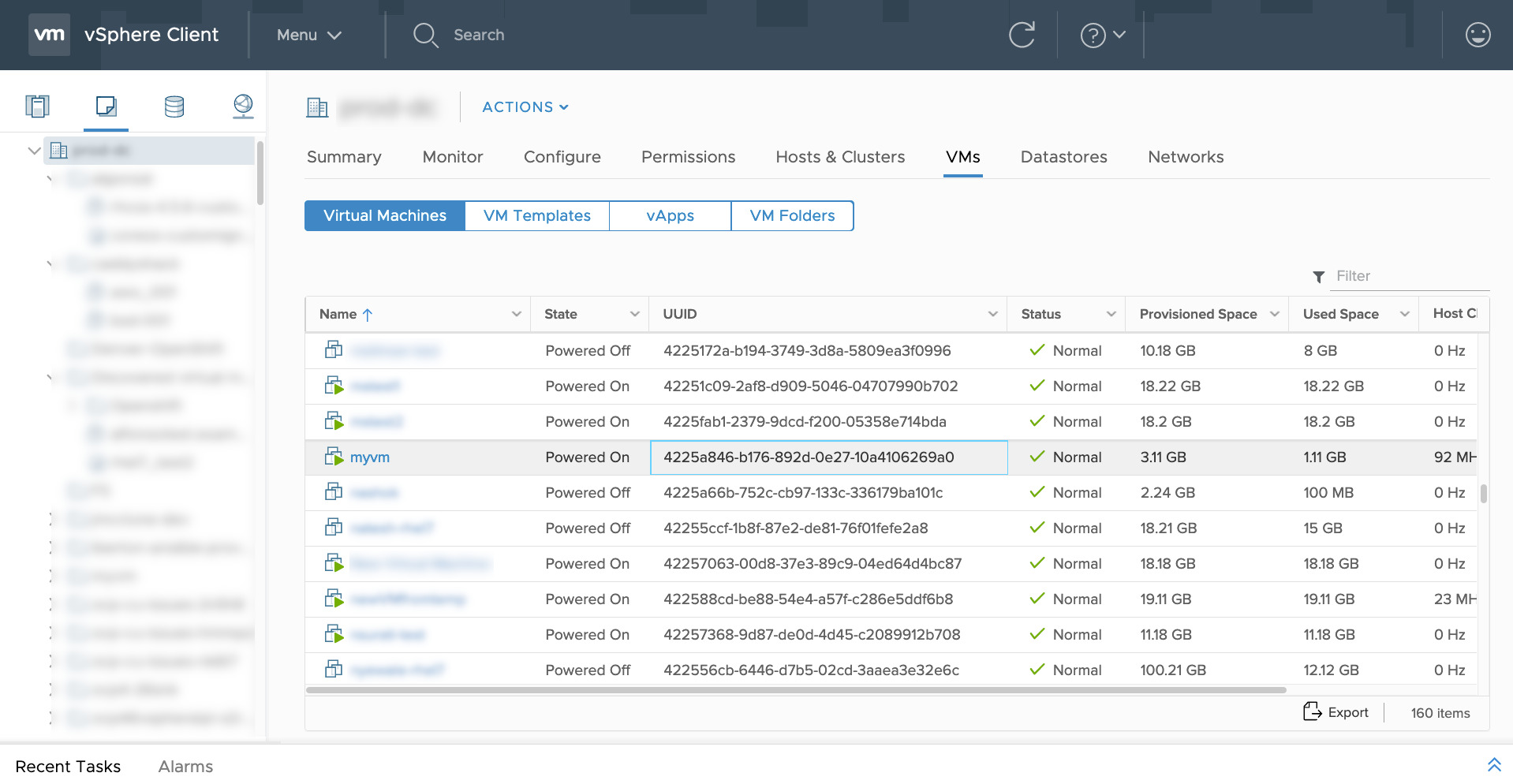
vSphere
after execution
See also: Configuring Ansible for VMware: Complete Setup Guide & Playbook
Conclusion
Now you know how to Get VMware vSphere Virtual Machine UUID with Ansible.Related Articles
Category: troubleshooting
Watch the video: Get VMware vSphere Virtual Machine UUID - Ansible module vmware_guest_info — Video Tutorial