ARA Records Ansible: Playbook Reporting & History (Complete Guide)
By Luca Berton · Published 2024-01-01 · Category: installation
Complete guide to ARA Records Ansible. Install ARA, view playbook run history, debug failures, and set up the reporting dashboard with examples.
Original post: https://blog.while-true-do.io/spotlight-ara-records-ansible/
Introduction
Are you an avid Ansible user? Do you find yourself utilizing Ansible in pipelines or collaborating across teams? If so, tracking changes and keeping tabs on your last runs might be a priority. Enter ARA, a powerful tool that records Ansible activities and provides a comprehensive overview. In this article, we’ll delve into ARA, exploring how this tool can elevate your Ansible experience.Ansible Overview
Ansible stands as an open-source automation software designed for tasks ranging from small-scale use cases to managing entire cloud ecosystems. Using minimal YAML configurations, you can automate processes such as package installations, network configurations, or even Kubernetes deployments on platforms like AWS.ARA — ARA Records Ansible
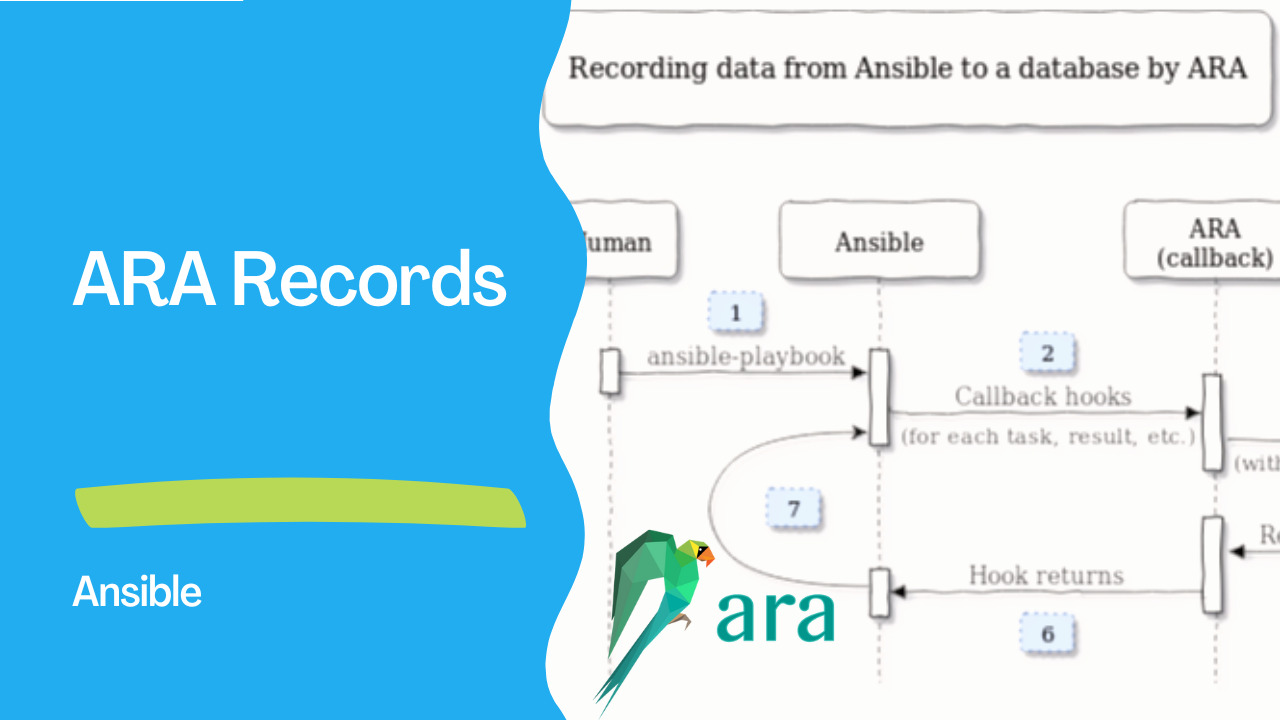
ARA steps in as an Ansible reporting solution, capturing ansible and ansible-playbook commands regardless of their execution location or method. Achieving this functionality involves integrating a simple callback plugin into your existing content.Reasons to Use ARA
Let’s take a closer look at ARA and understand its potential benefits. The first question that may arise is, “Why should I use ARA?” While ARA isn’t mandatory for running Ansible or enhancing playbook performance, it provides transparency into the execution process. ARA proves invaluable for:- Compliance Audits
- Change Management
- CI/CD Tracking (e.g., GitOps)
- Self-Service Portal Use Cases
- Troubleshooting and Diagnosing
See also: Conditional Ansible Role Execution in Playbooks
Installing the ARA Server
For those accustomed to running most services in containers, ARA follows suit. The initial setup involves spinning up an ARA container for testing purposes, as Playbooknstrated below:- With Podman
$ podman run --name api-server --detach --tty \
  --volume ara:/opt/ara:z -p 8000:8000 \
docker.io/recordsansible/ara-api:latest- With Docker
docker run --name api-server --detach --tty \
  --volume ara:/opt/ara:z -p 8000:8000 \
  docker.io/recordsansible/ara-api:latest
This setup is suitable for testing; for production environments, proper authentication and other configurations should be considered.
Running Playbooks
Now that ARA is up and running, let’s explore how it works. ARA functions by requiring a playbook or any Ansible command to make a callback to the ARA API server. Configuration involves setting up Ansible on the control node to use the ARA callback plugin.Creating a project directory and installing Ansible in a Python virtual environment can be achieved with the following commands:
# Create project directory
$ mkdir myProject

# Change into it
$ cd myProject/

# Create a Python virtualenv
$ python -m venv .venv

# Activate the new virtualenv
$ source .venv/bin/activate

# Install Ansible and ARA plugins
$ pip install ansible ara
Subsequently, Ansible needs to be configured using the ARA callback plugin. This involves creating an Ansible configuration file (ansible.cfg) with the appropriate plugin paths.
# Find the callback plugin path
$ python3 -m ara.setup.ansible

# Create the config file
$ touch ansible.cfg
The content of the ansible.cfg file includes the plugin paths and additional configurations:
[defaults]
bin_ansible_callbacks=True

callback_plugins=/very/long/path/to/ara/plugins/callback
action_plugins=/very/long/path/to/ara/plugins/action
lookup_plugins=/very/long/path/to/ara/plugins/lookup

[ara]
api_client = http
api_server = http://localhost:8000
Running Playbooks and Viewing Results With the setup complete, executing a playbook involves the following steps:
Create a playbook (e.g., playbook.yml). Run the playbook:
$ ansible-playbook -K -k -i inventory, playbook.yml- View results in ARA by accessing the web interface at
ipaddress:8000.
Links
- https://ara.recordsansible.org/
Conclusion
ARA offers a powerful solution for recording Ansible activities, providing transparency and detailed insights into playbook execution. Whether for compliance audits, change management, or CI/CD tracking, ARA proves to be a valuable addition to your Ansible toolkit. For small-scale or local development scenarios, ARA can be run without a dedicated server. As you explore ARA further, consider delving into topics such as API security, alternative databases, server administration, and integration with CI/CD pipelines. For those considering ARA for production use, explore the following topics: API Security, Using a Database Other Than SQLite, and Server Administration. Additionally, consider integrating ARA into your CI/CD pipeline with the ARA API client and explore features like names and labels. To learn more about ARA and get started, refer to the official documentation: ARA Documentation[(https://docs.ansible.com/ansible/latest/collections/community/general/ara.html). Happy automating with Ansible and ARA!See also: Automate Ansible Galaxy Roles with GitHub Actions
What is ARA?
ARA (ARA Records Ansible) records Ansible playbook runs and provides a web interface and API to browse results, debug failures, and track history.
Install
pip install "ara[server]"

# Verify
ara --version
See also: Ansible troubleshooting - Error sanity
Enable ARA Callback
# Set environment variables
export ANSIBLE_CALLBACK_PLUGINS=$(python3 -m ara.setup.callback_plugins)
export ARA_API_CLIENT=http
export ARA_API_SERVER=http://localhost:8000

# Or in ansible.cfg
# [defaults]
# callback_plugins = /path/to/ara/plugins/callback
Start ARA Server
# Development server
ara-manage runserver 0.0.0.0:8000

# With SQLite (default)
ara-manage migrate
ara-manage runserver
Run Playbooks (Auto-Recorded)
# Just run normally — ARA records automatically
ansible-playbook site.yml

# View in browser
# http://localhost:8000
CLI Queries
# List recent playbooks
ara playbook list

# Show specific playbook
ara playbook show <playbook-id>

# List tasks
ara task list --playbook <id>

# Show task result
ara result list --task <id>

# Show specific result with details
ara result show <result-id> --with-content
API Access
# List playbooks
curl http://localhost:8000/api/v1/playbooks

# Get playbook details
curl http://localhost:8000/api/v1/playbooks/1

# Filter by status
curl "http://localhost:8000/api/v1/playbooks?status=failed"

# Get task results
curl http://localhost:8000/api/v1/results?status=failed
Production Setup
# Use PostgreSQL for production
export ARA_DATABASE_ENGINE=django.db.backends.postgresql
export ARA_DATABASE_NAME=ara
export ARA_DATABASE_USER=ara
export ARA_DATABASE_PASSWORD=secret
export ARA_DATABASE_HOST=db.internal

# Run with gunicorn
pip install gunicorn
gunicorn ara.server.wsgi:application -b 0.0.0.0:8000 --workers 4
Docker Deployment
docker run -p 8000:8000 \
  -v ara-data:/opt/ara \
  quay.io/recordsansible/ara-api:latest
Integration with CI/CD
# GitHub Actions
- name: Install ARA
  run: pip install "ara[server]"
- name: Configure ARA
  run: |
    export ANSIBLE_CALLBACK_PLUGINS=$(python3 -m ara.setup.callback_plugins)
- name: Run playbook
  run: ansible-playbook deploy.yml
- name: Generate HTML report
  run: ara playbook list -f html > report.html
- uses: actions/upload-artifact@v4
  with:
    name: ara-report
    path: report.html
Key Features
| Feature | Description |
|---|---|
| Recording | Automatic capture of all runs |
| Web UI | Browse playbooks, tasks, results |
| API | RESTful API for integration |
| Search | Filter by host, status, date |
| Debugging | Task output, diffs, timing |
| History | Track changes over time |
| Export | HTML, JSON, CSV reports |
FAQ
Does ARA affect playbook performance?
Minimal impact — the callback plugin runs asynchronously. Recording adds ~1-2% overhead.
Can multiple users share an ARA server?
Yes — deploy the API server centrally. All Ansible controllers point ARA_API_SERVER to it.
ARA vs AWX/AAP?
ARA is lightweight reporting. AWX/AAP provides full job scheduling, RBAC, inventory management, and credential handling. ARA complements AWX by providing deeper run analysis.
Related Articles
- [building Docker images via Ansible
- organizing hosts with Ansible inventory
- automating AWS with Ansible
See also
Category: installation