Start a VMware vSphere Virtual Machine - Ansible module vmware_guest_powerstate
By Luca Berton · Published 2024-01-01 · Category: troubleshooting
How to automate the change of power state from Powered Off to Powered On of the virtual machine guest “myvm” using Ansible Playbook and vmware_guest_powerstate.
How to Start a VMware vSphere Virtual Machine with Ansible?
See also: Stop a VMware vSphere Virtual Machine - Ansible module vmware_guest_powerstate
Ansible Start a VMware vSphere Virtual Machine
community.vmware.vmware_guest_powerstate- Manages power states of virtual machines in vCenter
vmware_guest_powerstate.
The full name is community.vmware.vmware_guest_powerstate, which means that is part of the collection of modules to interact with VMware, community-supported.
Manages power states of virtual machines in vCenter.
Parameters
- hostname string / username string / password string / datacenter string / validate_certs boolean - connection details
- state string - present / powered-off / powered-on / reboot-guest / restarted / shutdown-guest / suspended
- force boolean - no/yes
- answer string - A list of questions to answer, should one or more arise while waiting for the task to be complete.
vmware_guest_powerstate.
First of all, we need to establish the connection with VMware vSphere or VMware vCenter using a plethora of self-explicative parameters: hostname, username, password, datacenter, and validate_certs.
Once the connection is successfully established you could specify the desired power state, in this case, "powered-on".
You could also force the power state change using the force parameter, default disabled.
You could also specify the reply to some answer that could arise while waiting for the task to complete.
Some common uses are to allow a cdrom to be changed even if locked or to answer the question as to whether a VM was copied or moved.
See also: How to Add a Disk to a VMware VM Using Ansible Playbook
Links
## Playbook How to Start a VMware vSphere Virtual Machine with Ansible.
code
- vm_start.yml
---
- name: start vm Playbook
  hosts: localhost
  become: false
  gather_facts: false
  collections:
    - community.vmware
  pre_tasks:
    - include_vars: vars.yml
  tasks:
    - name: power on
      vmware_guest_powerstate:
        hostname: "{{ vcenter_hostname }}"
        username: "{{ vcenter_username }}"
        password: "{{ vcenter_password }}"
        name: "{{ vm_name }}"
        validate_certs: "{{ vcenter_validate_certs }}"
        state: powered-on
- vars.yml
---
vcenter_hostname: "vmware.example.com"
vcenter_datacenter: "vmwaredatacenter"
vcenter_validate_certs: false
vcenter_username: "username@vsphere.local"
vcenter_password: "MySecretPassword123"
vm_name: "myvm"- inventory
localhostexecution
$ ansible-playbook vm_start.yml
[WARNING]: provided hosts list is empty, only localhost is available. Note that the implicit
localhost does not match 'all'
PLAY [start vm Playbook] ******************************************************************************
TASK [include_vars] *******************************************************************************
ok: [localhost]
TASK [power on] ***********************************************************************************
changed: [localhost]
PLAY RECAP ****************************************************************************************
localhost                  : ok=2    changed=1    unreachable=0    failed=0    skipped=0    rescued=0    ignored=0
idempotency
$ ansible-playbook vm_start.yml
[WARNING]: provided hosts list is empty, only localhost is available. Note that the implicit
localhost does not match 'all'
PLAY [start vm Playbook] ******************************************************************************
TASK [include_vars] *******************************************************************************
ok: [localhost]
TASK [power on] ***********************************************************************************
ok: [localhost]
PLAY RECAP ****************************************************************************************
localhost                  : ok=2    changed=0    unreachable=0    failed=0    skipped=0    rescued=0    ignored=0
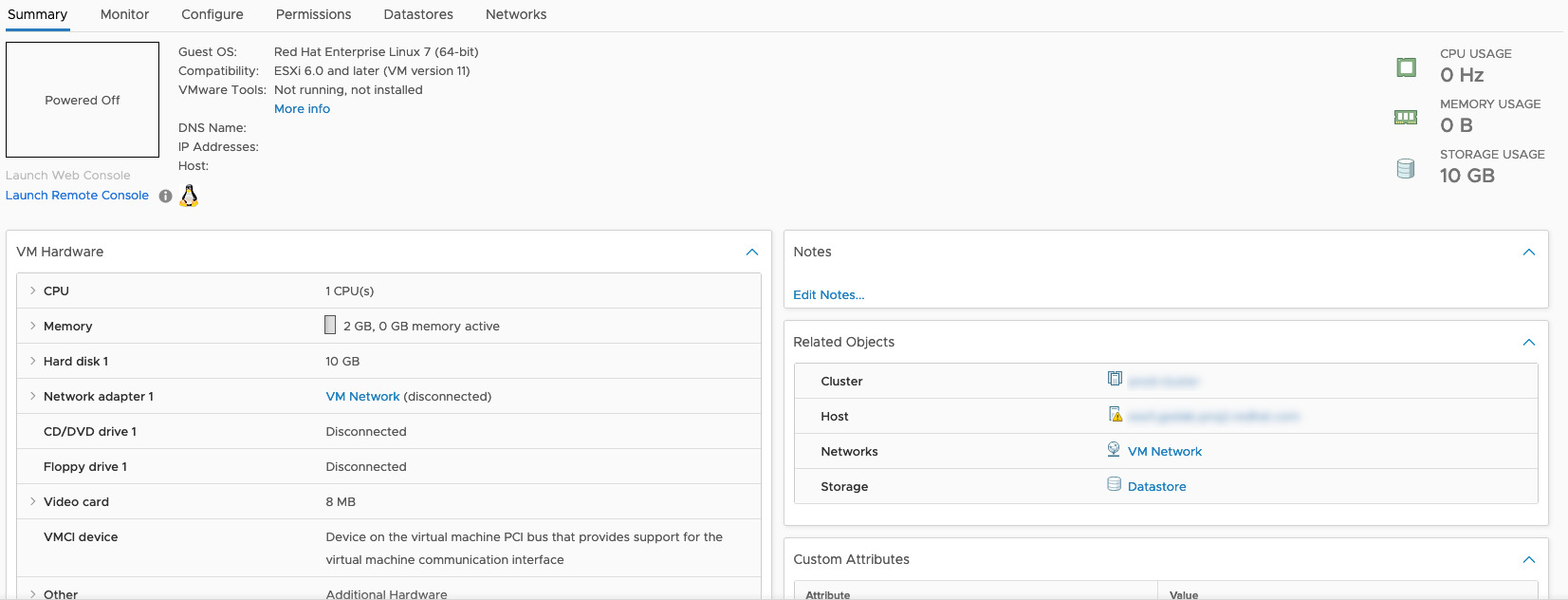
before execution
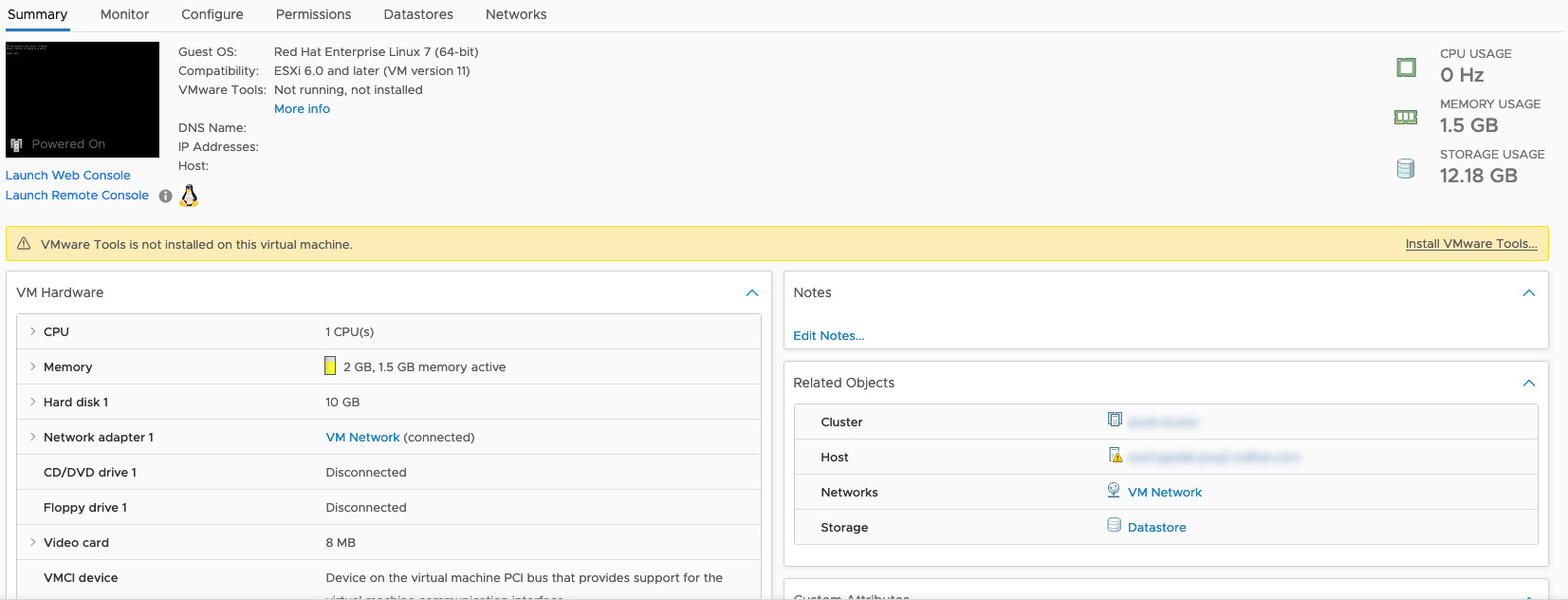
after execution
Conclusion
Now you know how to Start a VMware vSphere Virtual Machine with Ansible.See also: Configure Ansible Dynamic Inventory for VMware in Simple Steps
Related Articles
Category: troubleshooting
Watch the video: Start a VMware vSphere Virtual Machine - Ansible module vmware_guest_powerstate — Video Tutorial