Ansible SSH Username & Password: Set Default Credentials (Guide)
By Luca Berton · Published 2024-01-01 · Category: installation
How to set default SSH username and password in Ansible. Configure ansible_user, ansible_password, ansible_ssh_private_key_file in inventory and ansible.cfg.
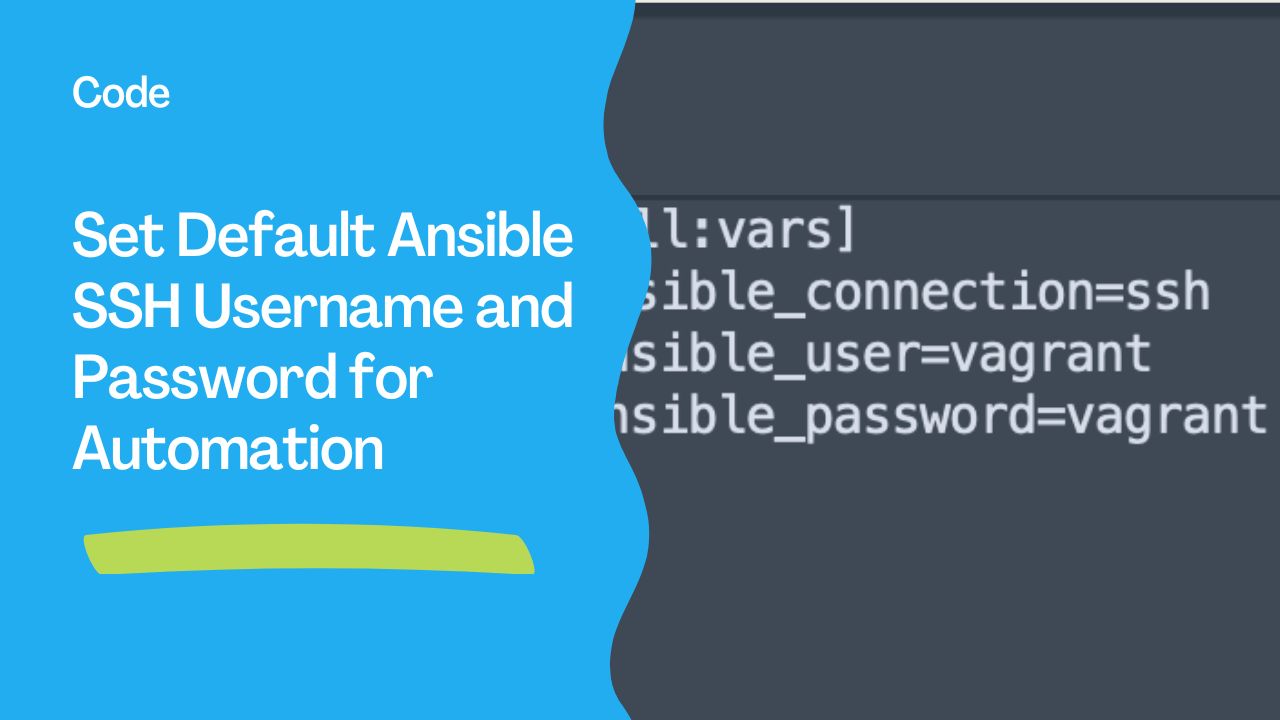
Learn how to configure default SSH credentials for seamless Ansible automation.
Introduction
When using Ansible to manage infrastructure, specifying the same username and password for each host in the inventory file can be repetitive. To streamline this process and set default credentials globally, follow these best practices.
---
1. Setting Default Variables in the Inventory File
You can use the [all:vars] group in your inventory file to define default values for all hosts.
For example:
[all:vars]
ansible_connection=ssh
ansible_user=vagrant
ansible_password=vagrant
This method eliminates the need to specify ansible_user and ansible_password for individual hosts.
---
2. Using Group Variables
If you want to specify default credentials for a specific group of hosts, you can create a directory structure following Ansible best practices. For instance:
inventory/
  group_vars/
    all.yml
Content of all.yml:
ansible_connection: ssh
ansible_user: vagrant
ansible_password: vagrant
You can also create separate files for each group like group_vars/master.yml for the master group.
---
3. Dynamic Inventory or Central Configuration
For larger environments:
- Use dynamic inventory scripts to generate host details dynamically.
- Define these variables in
ansible.cfgto make them universally available.
ansible.cfg:
[defaults]
inventory = ./inventory
host_key_checking = False

[privilege_escalation]
become = True
become_method = sudo
become_user = root
---
4. Avoid Hardcoding Credentials
While these methods work well, hardcoding credentials in plain text is a security risk. To secure your Ansible environment:
- Use SSH keys instead of passwords.
- Store sensitive credentials in encrypted files using Ansible Vault:
ansible-vault create vars.yml
  ansible_user: vagrant
  ansible_password: vagrant
  - hosts: all
    vars_files:
      - vars.yml
    tasks:
      - name: Test connectivity
        ping:
---
5. Testing Your Configuration
Run a basic ping command to ensure your configuration works:
ansible all -m pingIf configured correctly, the output should confirm successful connectivity without needing to repeatedly specify credentials.
---
By following these methods, you can manage credentials effectively, reduce redundancy, and ensure secure and streamlined automation using Ansible.
Set Default SSH User
In inventory
# inventory.yml
all:
  vars:
    ansible_user: deploy
    ansible_ssh_private_key_file: ~/.ssh/deploy_key
  children:
    webservers:
      hosts:
        web1:
          ansible_host: 192.168.1.10
In group_vars
# group_vars/all.yml
ansible_user: deploy
ansible_ssh_private_key_file: ~/.ssh/deploy_key
In ansible.cfg
[defaults]
remote_user = deploy
private_key_file = ~/.ssh/deploy_key
Per host override
# host_vars/special-server.yml
ansible_user: admin
ansible_port: 2222
See also: Ansible vars_files: Load Variables from External YAML Files (Guide)
SSH Password Authentication
Inventory variable
all:
  vars:
    ansible_user: deploy
    ansible_password: "{{ vault_ssh_password }}"
    ansible_become_password: "{{ vault_sudo_password }}"
Command line
ansible-playbook site.yml --ask-pass --ask-become-passRequires sshpass
# Ubuntu/Debian
sudo apt install sshpass

# RHEL/CentOS
sudo dnf install sshpass
SSH Key Authentication (Recommended)
Deploy SSH key to hosts
---
- name: Setup SSH key authentication
  hosts: all
  tasks:
    - name: Add authorized key
      ansible.posix.authorized_key:
        user: deploy
        key: "{{ lookup('file', '~/.ssh/deploy_key.pub') }}"
      become: true
Disable password auth after key setup
- name: Disable SSH password auth
  ansible.builtin.lineinfile:
    path: /etc/ssh/sshd_config
    regexp: '^#?PasswordAuthentication'
    line: 'PasswordAuthentication no'
  become: true
  notify: restart sshd
See also: Ansible SSH Password Authentication: sshpass & Connection Setup (Guide)
Connection Variables Reference
| Variable | Description | Default |
|---|---|---|
ansible_user | SSH username | Current user |
ansible_password | SSH password | None (use key) |
ansible_ssh_private_key_file | SSH key path | ~/.ssh/id_rsa |
ansible_port | SSH port | 22 |
ansible_become | Enable sudo | false |
ansible_become_password | Sudo password | None |
ansible_connection | Connection type | ssh |
ansible_ssh_common_args | Extra SSH args | None |
Precedence Order
Command line (-u, --ask-pass) > host_vars > group_vars > inventory vars > ansible.cfgFAQ
SSH keys vs passwords - which should I use?
Always prefer SSH keys. They're more secure, don't require sshpass, and enable passwordless automation. Use password auth only for initial bootstrap.
How do I use different users for different host groups?
# group_vars/webservers.yml
ansible_user: www-deploy

# group_vars/dbservers.yml
ansible_user: dba
How do I store passwords securely?
Use Ansible Vault:
ansible-vault encrypt_string 'MyPassword' --name 'vault_ssh_password'Never store plaintext passwords in inventory files.
See also: Ansible troubleshooting - Error run-once
Set in Inventory
# inventory.yml
all:
  vars:
    ansible_user: deploy
    ansible_ssh_private_key_file: ~/.ssh/deploy_key

  children:
    webservers:
      hosts:
        web1: { ansible_host: 192.168.1.10 }
        web2: { ansible_host: 192.168.1.11 }
    dbservers:
      hosts:
        db1:
          ansible_host: 192.168.1.20
          ansible_user: postgres  # Override per host
Set in ansible.cfg
[defaults]
remote_user = deploy
private_key_file = ~/.ssh/deploy_key
host_key_checking = false
timeout = 30
SSH Key Authentication (Recommended)
# Generate key pair
ssh-keygen -t ed25519 -f ~/.ssh/deploy_key -C "ansible deploy"

# Copy to hosts
ssh-copy-id -i ~/.ssh/deploy_key deploy@192.168.1.10
# inventory.yml
all:
vars:
ansible_user: deploy
ansible_ssh_private_key_file: ~/.ssh/deploy_keyPassword Authentication
# group_vars/all/vault.yml (encrypt with ansible-vault)
vault_ansible_password: "SecurePassword123"

# group_vars/all/vars.yml
ansible_password: "{{ vault_ansible_password }}"
ansible_become_password: "{{ vault_ansible_password }}"
# Run with vault
ansible-playbook site.yml --ask-vault-pass
# Or prompt for SSH password directly
ansible-playbook site.yml --ask-pass --ask-become-passPer-Group Credentials
# group_vars/webservers.yml
ansible_user: www-deploy
ansible_ssh_private_key_file: ~/.ssh/web_key

# group_vars/dbservers.yml
ansible_user: db-admin
ansible_ssh_private_key_file: ~/.ssh/db_key
Per-Host Credentials
# host_vars/legacy-server.yml
ansible_user: root
ansible_password: "{{ vault_legacy_password }}"
ansible_port: 2222
Windows Hosts
# group_vars/windows.yml
ansible_connection: winrm
ansible_user: Administrator
ansible_password: "{{ vault_win_password }}"
ansible_winrm_transport: ntlm
ansible_port: 5986
ansible_winrm_server_cert_validation: ignore
SSH Agent Forwarding
# ansible.cfg
[ssh_connection]
ssh_args = -o ForwardAgent=yes
# Add key to agent
eval $(ssh-agent)
ssh-add ~/.ssh/deploy_keyConnection Variables Reference
| Variable | Description |
|---|---|
ansible_user | SSH username |
ansible_password | SSH password (use Vault!) |
ansible_ssh_private_key_file | Path to private key |
ansible_port | SSH port (default: 22) |
ansible_connection | ssh, local, winrm, docker |
ansible_become_password | sudo password |
ansible_host | IP or hostname to connect |
ansible_ssh_common_args | Extra SSH arguments |
FAQ
SSH keys vs passwords?
Keys are more secure and convenient. Passwords should only be used when keys aren't possible (legacy systems).
How do I manage SSH keys across a team?
Use a shared deploy key (stored in Vault), or use AAP/AWX which manages credentials centrally.
"Permission denied" even with correct password?
Check: SSH allows password auth (PasswordAuthentication yes in sshd_config), user exists, password is correct, and sshpass is installed on controller.
ansible.cfg Default User
[defaults]
remote_user = deploy
Inventory Variables
# Global
[all:vars]
ansible_user=deploy
ansible_ssh_private_key_file=~/.ssh/deploy_key

# Per-group
[webservers:vars]
ansible_user=www-deploy
ansible_ssh_private_key_file=~/.ssh/web_key

# Per-host
[webservers]
web1 ansible_host=10.0.1.10 ansible_user=admin
Password Authentication
# inventory (NOT recommended for production)
[all:vars]
ansible_user=deploy
ansible_password=MyPassword123

# Better: prompt at runtime
# ansible-playbook site.yml -k (--ask-pass)
Vault-Encrypted Password
# group_vars/all/vault.yml (encrypted with ansible-vault)
vault_ssh_password: "SecurePassword123"

# group_vars/all/main.yml
ansible_password: "{{ vault_ssh_password }}"
SSH Key Authentication (Recommended)
# Generate key pair
ssh-keygen -t ed25519 -f ~/.ssh/ansible_key -N ""

# Copy to hosts
ssh-copy-id -i ~/.ssh/ansible_key deploy@web1
# ansible.cfg
[defaults]
remote_user = deploy
private_key_file = ~/.ssh/ansible_keyPer-Play Override
- hosts: special_servers
  vars:
    ansible_user: root
    ansible_ssh_private_key_file: ~/.ssh/root_key
  tasks:
    - ping:
Connection Summary
| Setting | ansible.cfg | Inventory | Play vars |
|---|---|---|---|
| Username | remote_user | ansible_user | ansible_user |
| Password | N/A | ansible_password | ansible_password |
| SSH key | private_key_file | ansible_ssh_private_key_file | ansible_ssh_private_key_file |
| Port | remote_port | ansible_port | ansible_port |
| sudo pass | N/A | ansible_become_password | ansible_become_password |
FAQ
SSH key vs password?
Always prefer SSH keys — they're more secure, don't need to be stored in files, and support passphrase protection.
How to handle multiple users across environments?
Use group_vars/ per environment: group_vars/production.yml with one user, group_vars/staging.yml with another.
"Permission denied" after setting user?
Check: SSH key is in the correct user's ~/.ssh/authorized_keys, correct permissions (700 for .ssh, 600 for keys), and the user exists on the remote host.
Related Articles
Category: installation