Create Custom Ansible Modules: Python Module Development Guide
By Luca Berton · Published 2024-01-01 · Category: installation
How to create custom Ansible modules in Python. Build, test, and deploy custom modules with argument specs, return values, and error handling examples.
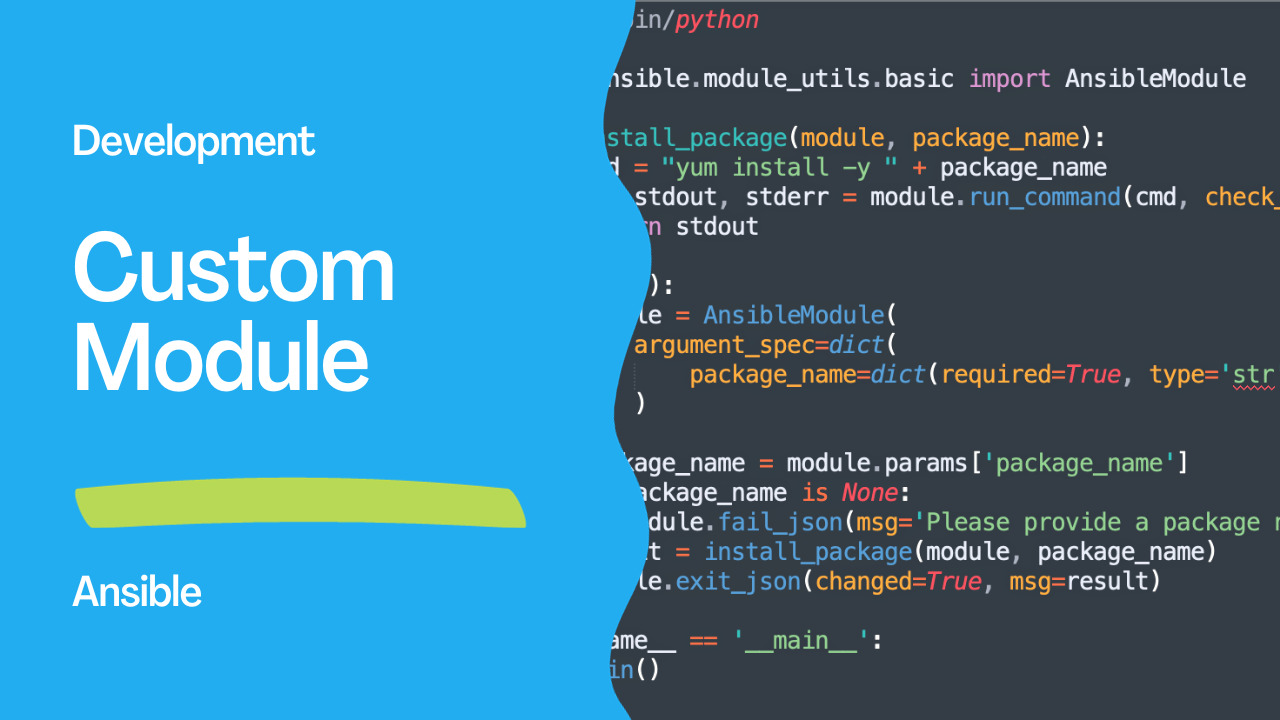
Original author: Nikhil Kumar in Customizing Ansible: Ansible Module Creation
Introduction
Ansible is a powerful open-source software used for configuration management, provisioning, and application deployment. It belongs to the realm of Infrastructure as Code (IaC), where infrastructure is defined and managed through code. Ansible enables you to create and deploy infrastructure on various platforms, including cloud services like AWS and Azure, as well as hypervisors.One of the key components that makes Ansible so versatile and extensible is the concept of Ansible Modules. These modules are reusable, standalone units of code designed to perform specific tasks on managed or target nodes. While Ansible modules can be written in any language capable of producing JSON output, Python is the most popular and recommended choice. This is because Ansible itself is written in Python, which makes it seamlessly integrate with JSON data.
In this article, we will explore the steps involved in creating custom Ansible modules using Python. We’ll also provide an example to illustrate the process.
See also: Creating a Custom Ansible Lookup Plugin in Python for Reading a File
Creating Custom Ansible Modules in Python
To create a custom Ansible module in Python, follow these steps:- Set Up Your Environment: Begin by creating a library directory in your working environment where you will store your custom modules. This directory will contain the Python files for your modules. Let’s call it library.
- Create Your Module File: Inside the library directory, create your custom module file, e.g., custom_module.py. This is where you'll write the code for your module.
- Utilize Ansible Module Utils: Ansible provides a module_utils library that can be used for creating custom modules. Import this library in your module to access the AnsibleModule class, which is used for handling module arguments, inputs, outputs, and errors.
- Define Module Inputs: Define the module inputs that you want to take from the users. This can include parameters like username, package_name, or any other input required for your module.
- Write Module Logic: Within your module file, write the logic for the module. This logic should specify what actions the module will perform on the target node and how it will return the output.
- Testing: Test your module rigorously with various test cases to ensure it functions as expected. Provide different sets of inputs and verify whether the module produces the correct output.
Example: Installing Packages on Linux with a Custom Module
Here’s an example of a custom Ansible module written in Python. This module installs packages on a Linux system using the yum package manager:
#!/usr/bin/python

from ansible.module_utils.basic import AnsibleModule

def install_package(module, package_name):
    cmd = "yum install -y " + package_name
    rc, stdout, stderr = module.run_command(cmd, check_rc=True)
    return stdout

def main():
    module = AnsibleModule(
        argument_spec=dict(
            package_name=dict(required=True, type='str'),
        )
    )
    package_name = module.params['package_name']
    if package_name is None:
       module.fail_json(msg='Please provide a package name')
    result = install_package(module, package_name)
    module.exit_json(changed=True, msg=result)

if __name__ == '__main__':
    main()
In this example:
- We import the
ansible.module_utilslibrary to access the AnsibleModule class. - The
install_packagefunction takes the module object and the package name as arguments and uses the run_command method to execute the yum command to install the specified package. - In the
mainfunction, we create an AnsibleModule object with the required input parameters, and the install_package function is called with the package name. - We use
fail_jsonto handle module failures, and in this case, we check whether the package name is provided; if not, it throws an error in JSON format and exits the module. - Finally, we use
exit_jsonto return the result of the module execution.
httpd package, you can include the following task in your playbook:
---
- name: Use the Custom Module
  hosts: localhost
  tasks:
  - name: install httpd
    custom_module:
       package_name: httpd
Best Practices for Custom Ansible Module Creation
When creating custom Ansible modules, it’s essential to follow best practices to ensure the modules are effective and maintainable:- Utilize Ansible Module Utils: Use the ansible.module_utils library to leverage the AnsibleModule class and streamline module development.
- Clear and Concise Module Names: Choose module names that clearly indicate the module’s purpose. A well-named module is self-explanatory and easy to understand.
- Consistent and Well-Documented Input Format: Define input parameters in a consistent and well-documented manner. Users should easily understand what inputs are required.
- Error Handling: Ensure that your module handles errors gracefully. Error messages should be informative and help users diagnose and resolve issues.
- Thorough Testing: Thoroughly test your module with different scenarios to confirm its correctness and reliability.
Conclusion
Creating custom Ansible modules is a rewarding and powerful way to automate infrastructure management. It allows you to extend Ansible’s functionality and automate complex tasks. By following best practices for module creation, you can develop high-quality, user-friendly Ansible modules. This, in turn, enables you to harness the full potential of Ansible for automating your infrastructure.In conclusion, custom Ansible modules empower you to tailor your automation solutions to your specific needs, and they also provide an opportunity to contribute to the open-source Ansible community. So, don’t hesitate to explore the creation of your own custom Ansible modules and share your experiences and insights with the broader community.
See also: Creating a Custom Ansible Lookup Plugin in Python for retrieving API token
Minimal Module
#!/usr/bin/python
# library/my_module.py

from ansible.module_utils.basic import AnsibleModule

def main():
    module = AnsibleModule(
        argument_spec=dict(
            name=dict(type='str', required=True),
        )
    )

    name = module.params['name']
    module.exit_json(changed=False, msg=f"Hello {name}")

if __name__ == '__main__':
    main()
# Use it
- my_module:
name: worldFull Module Template
#!/usr/bin/python

DOCUMENTATION = r'''
---
module: my_service
short_description: Manage my custom service
description:
  - Create, update, and delete service configurations.
version_added: "1.0.0"
options:
  name:
    description: Service name
    required: true
    type: str
  state:
    description: Desired state
    choices: [present, absent]
    default: present
    type: str
  port:
    description: Service port
    type: int
    default: 8080
author:
  - Your Name (@github)
'''

EXAMPLES = r'''
- name: Create service
  my_service:
    name: webapp
    state: present
    port: 9090

- name: Remove service
  my_service:
    name: webapp
    state: absent
'''

RETURN = r'''
config_path:
  description: Path to generated config
  returned: success
  type: str
  sample: /etc/myservice/webapp.conf
'''

from ansible.module_utils.basic import AnsibleModule
import os

def create_service(module, name, port):
    config_path = f"/etc/myservice/{name}.conf"
    config = f"name={name}\nport={port}\n"

    if os.path.exists(config_path):
        with open(config_path) as f:
            if f.read() == config:
                return False, config_path  # No change

    os.makedirs(os.path.dirname(config_path), exist_ok=True)
    with open(config_path, 'w') as f:
        f.write(config)
    return True, config_path

def remove_service(module, name):
    config_path = f"/etc/myservice/{name}.conf"
    if os.path.exists(config_path):
        os.remove(config_path)
        return True
    return False

def main():
    module = AnsibleModule(
        argument_spec=dict(
            name=dict(type='str', required=True),
            state=dict(type='str', default='present', choices=['present', 'absent']),
            port=dict(type='int', default=8080),
        ),
        supports_check_mode=True,
    )

    name = module.params['name']
    state = module.params['state']
    port = module.params['port']

    if module.check_mode:
        module.exit_json(changed=True)

    try:
        if state == 'present':
            changed, config_path = create_service(module, name, port)
            module.exit_json(changed=changed, config_path=config_path)
        else:
            changed = remove_service(module, name)
            module.exit_json(changed=changed)
    except Exception as e:
        module.fail_json(msg=str(e))

if __name__ == '__main__':
    main()
See also: Executing Custom Lookup Plugins in the Ansible Automation Platform
Module Location
project/
├── library/              ← Project-level modules
│   └── my_service.py
├── ansible.cfg
└── playbook.yml

# Or in a role:
roles/myrole/
└── library/
    └── my_service.py

# Or in a collection:
plugins/modules/
└── my_service.py
Argument Types
argument_spec=dict(
    name=dict(type='str', required=True),
    count=dict(type='int', default=1),
    enabled=dict(type='bool', default=True),
    tags=dict(type='list', elements='str', default=[]),
    config=dict(type='dict', default={}),
    state=dict(type='str', choices=['present', 'absent']),
    password=dict(type='str', no_log=True),
    path=dict(type='path'),  # Expands ~ and env vars
)
Check Mode Support
module = AnsibleModule(
    argument_spec=spec,
    supports_check_mode=True,
)

if module.check_mode:
    # Don't make changes, just report what would change
    module.exit_json(changed=would_change)
Run Commands
# Run shell commands from module
rc, stdout, stderr = module.run_command(['systemctl', 'status', 'nginx'])
if rc != 0:
    module.fail_json(msg=f"Command failed: {stderr}")
Testing
# Test locally
python3 -c "
import json, sys
sys.argv = ['', json.dumps({'ANSIBLE_MODULE_ARGS': {'name': 'test'}})]
exec(open('library/my_module.py').read())
"

# Integration test with Ansible
ansible localhost -m my_module -a "name=test" -M ./library
FAQ
Do modules need to be Python?
No — modules can be any executable (Bash, Go, Ruby). Python is recommended for cross-platform support and access to AnsibleModule utilities.
How do I distribute custom modules?
Package them in a collection: ansible-galaxy collection build. Or place in library/ for project-specific use.
What's the difference between exit_json and fail_json?
exit_json() = success (with optional changed=True). fail_json() = error (task fails, msg= shown to user).
Related Articles
Category: installation