Executing Custom Lookup Plugins in the Ansible Automation Platform
By Luca Berton · Published 2024-01-01 · Category: installation
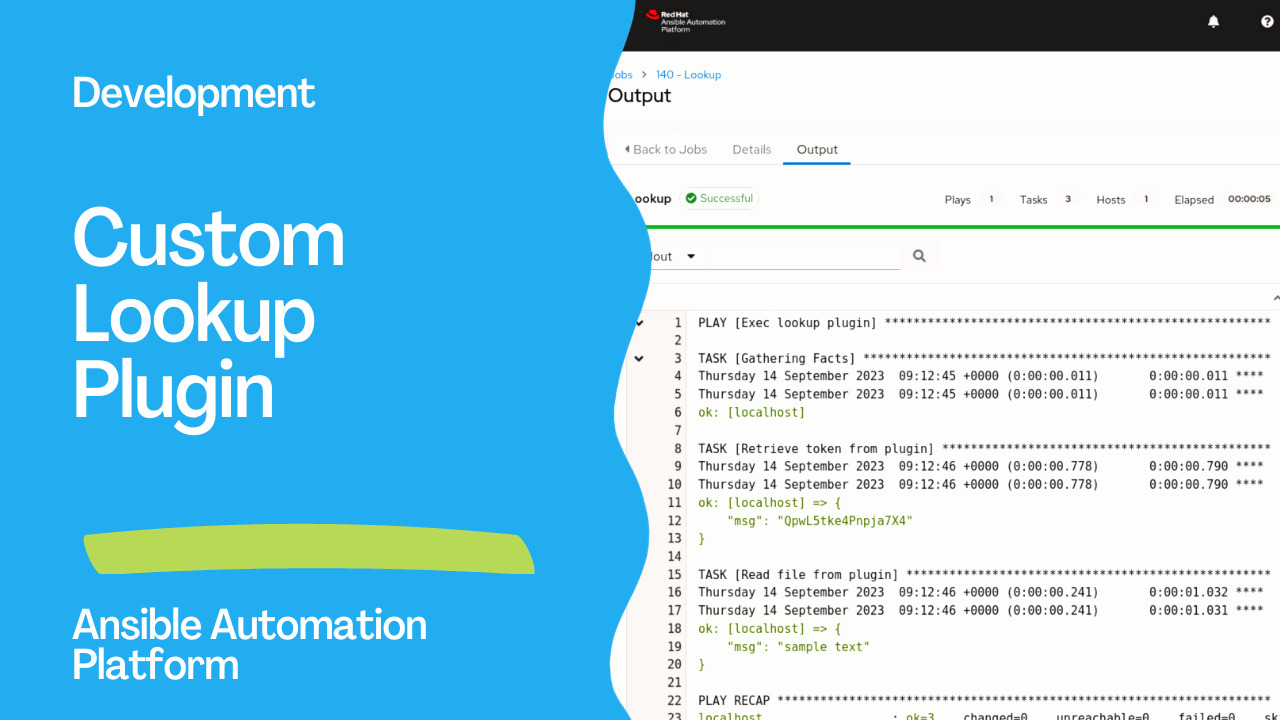
How to execute two custom Ansible Lookup Plugins to interact with API and read the contents of files in the local Ansible Controller.
Introduction
Ansible, an open-source automation tool, offers a wide range of built-in modules and plugins to simplify infrastructure management. However, sometimes, you may need to extend its functionality by creating custom plugins tailored to your needs. In this article, we’ll explore the creation of a custom Ansible lookup plugin in Python and execute it in Ansible Controller (part of Ansible Automation Platform).What is a Lookup Plugin?
Ansible lookup plugins are used to retrieve data dynamically during playbook execution. They allow you to fetch information from various sources, such as databases, APIs, or external files, and use that data in your Ansible tasks.See also: Creating a Custom Ansible Lookup Plugin in Python for Reading a File
Links
- https://docs.ansible.com/ansible/latest/dev_guide/developing_plugins.html#lookup-plugins
- https://docs.ansible.com/ansible/latest/plugins/lookup.html#lookup-plugins
- https://docs.ansible.com/ansible/latest/reference_appendices/config.html#default-lookup-plugin-path
Step by Step
To execute a custom Ansible lookup plugin in the Ansible Automation Platform, you’ll need to follow these steps:- Create the Custom Lookup Plugin:
- Write your custom lookup plugin in Python. You can create a Python script file with the plugin code.
- Save the plugin file in a directory named
lookup_pluginsin your Ansible project directory, or you can create a Python package for it. - Ensure that the plugin file has the
.pyextension.
- Here’s an example of a simple custom lookup plugin:
- token.py
# python 3 headers, required if submitting to Ansible
from __future__ import (absolute_import, division, print_function)
__metaclass__ = type

DOCUMENTATION = r"""
  name: test
  author: Luca Berton <luca@ansiblepilot.com>
  version_added: "0.1"  # same as collection version
  short_description: read API token
  description:
      - This lookup returns the token from the provided API.
"""
from ansible.errors import AnsibleError, AnsibleParserError
from ansible.plugins.lookup import LookupBase
from ansible.utils.display import Display
import requests

display = Display()

class LookupModule(LookupBase):

    _URL_ = "https://reqres.in/api/login"

    def run(self, terms, variables=None, **kwargs):
      payload = {
        "email": "eve.holt@reqres.in",
        "password": "cityslicka"
      }
      try:
        res = requests.post(self._URL_, data=payload)
        res.raise_for_status()
        ret = res.json()['token']

      except requests.exceptions.HTTPError as e:
        raise AnsibleError('There was an error getting a token. The lookup API returned %s', response.status_code)
      except Exception as e:
        raise AnsibleError('Unhandled exception is lookup plugin. Origin: %s', e)

return [ret]- Install Dependencies (if required): If your custom lookup plugin has external dependencies, make sure they are installed on the system where you plan to run your Ansible playbook.
- Create an Ansible Playbook: Create an Ansible playbook or role that uses your custom lookup plugin. You can define variables and tasks within your playbook that utilize the plugin.
- exec.yml
---
- name: Exec the lookup plugin
  hosts: all
  tasks:
    - name: Use Custom Lookup Plugin
      debug:
msg: "{{ lookup('token') }}"- Publish the code in a GitOps repository (for example, GitHub or Gitlab).
ansible-playbook command. Make sure to specify the inventory file and the playbook file.
ansible-playbook -i inventory.ini exec.ymlReplace inventory.ini with your actual inventory file.
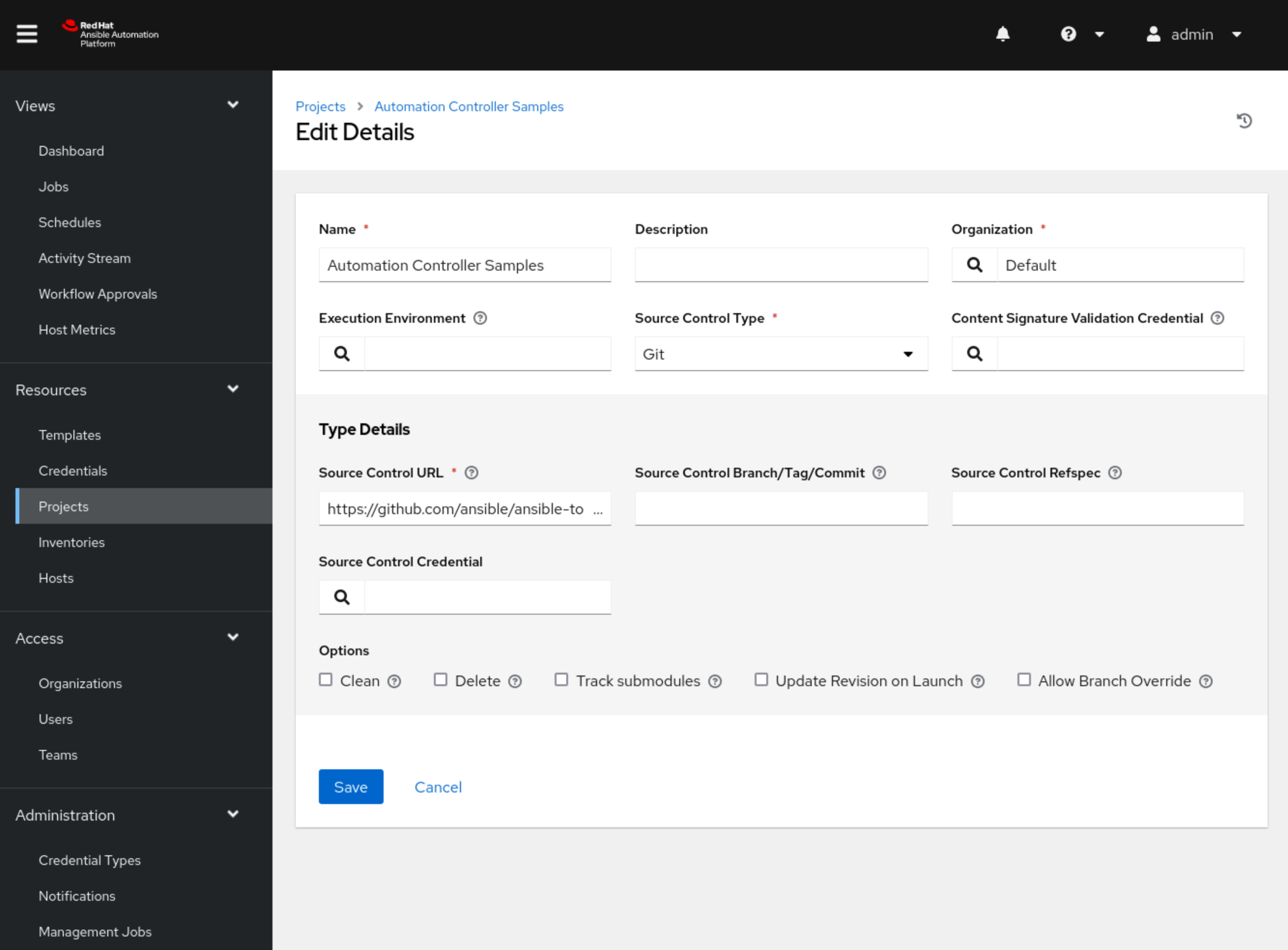
- Create a Project in Ansible Controller fetching the GitOps repository as shown in the following Figure:
- Create a Job Template to execute the “exec.yml” Ansible playbook
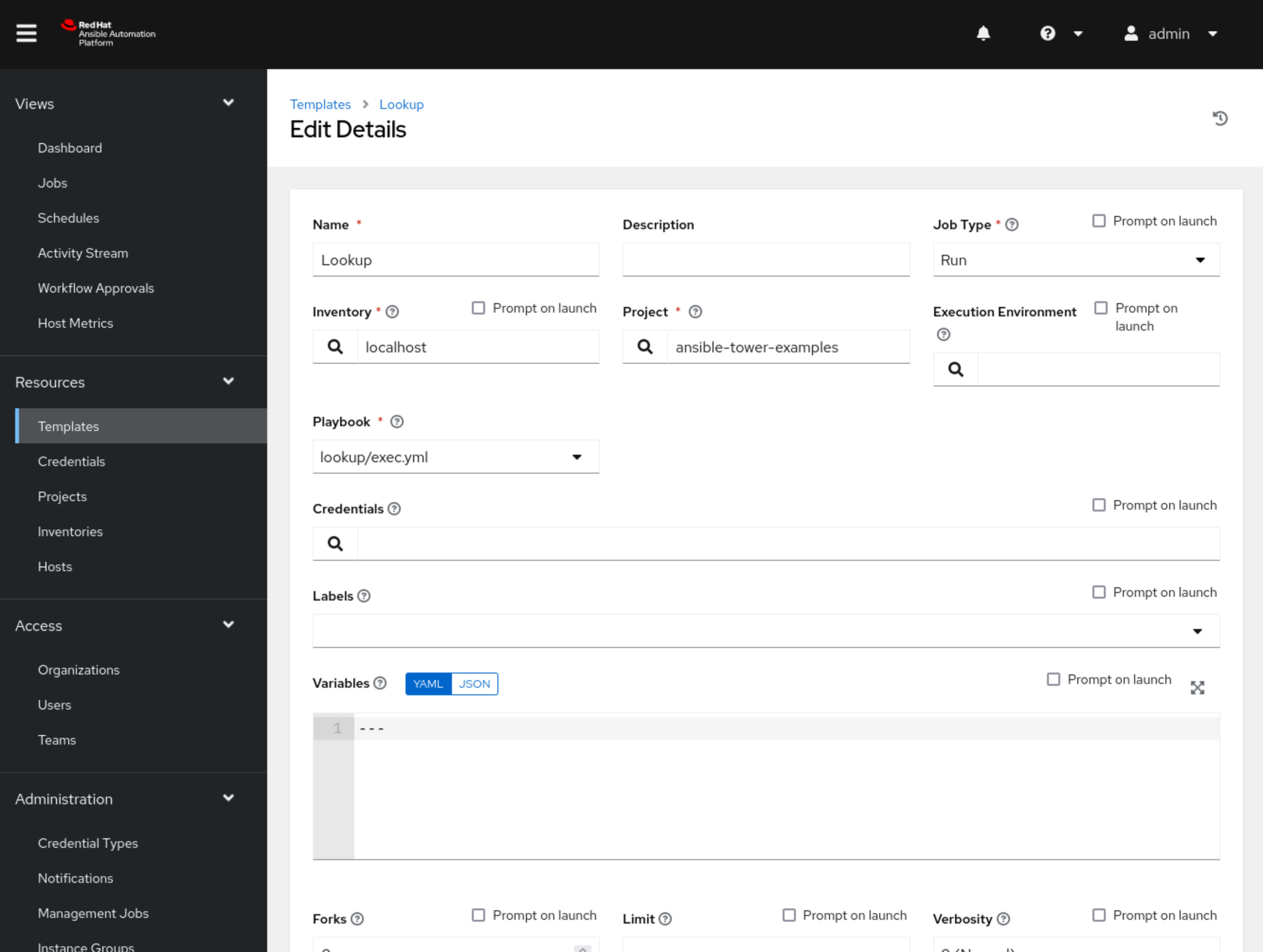
Replace the inventory with your actual inventory.
- Launch the Job Template to execute the Custom Lookup Plugin
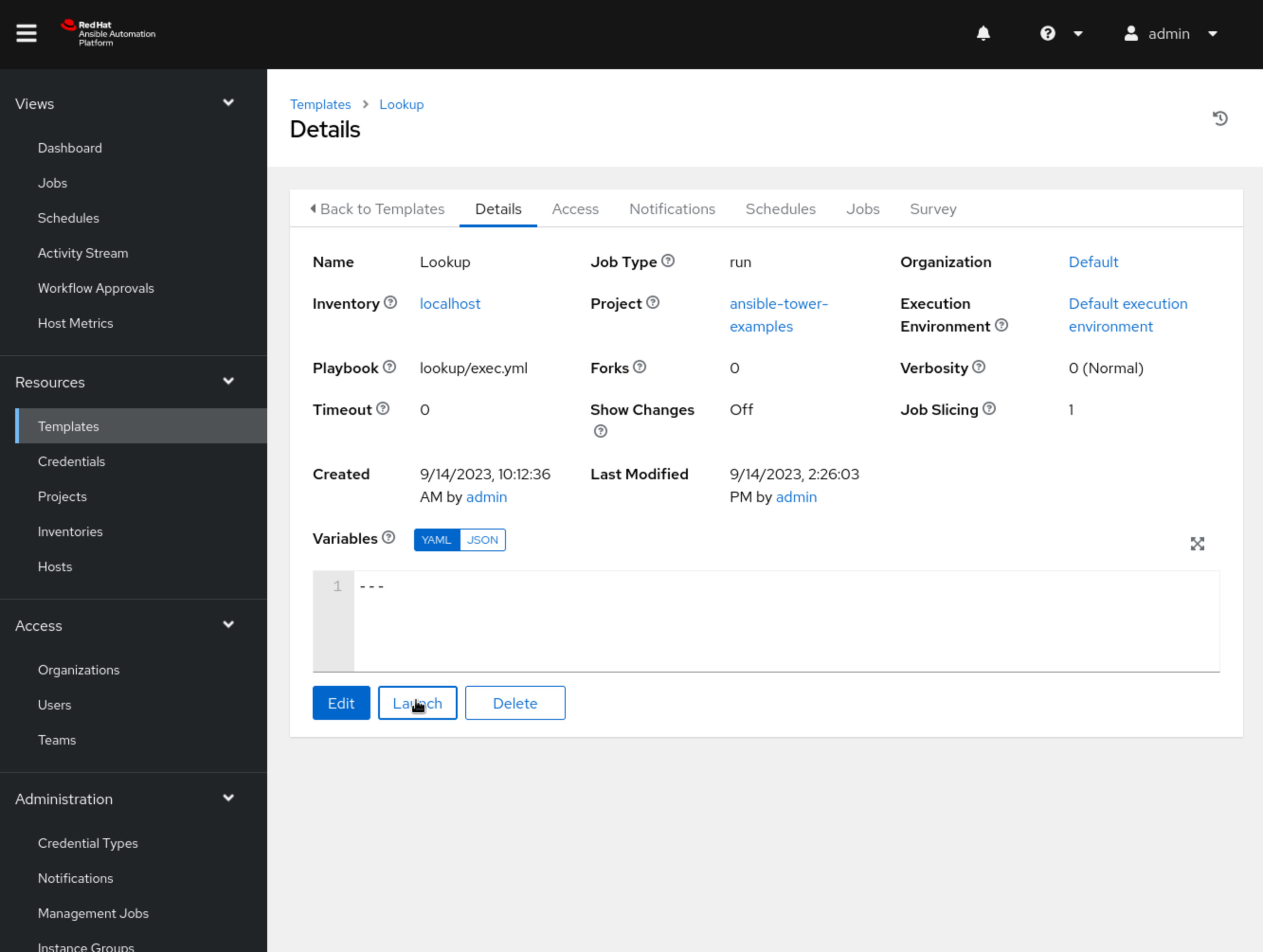
- View the Output: Ansible will execute your playbook, including the custom lookup plugin. The plugin’s output will be displayed in the playbook’s output, as shown in the debug task in the example playbook above.
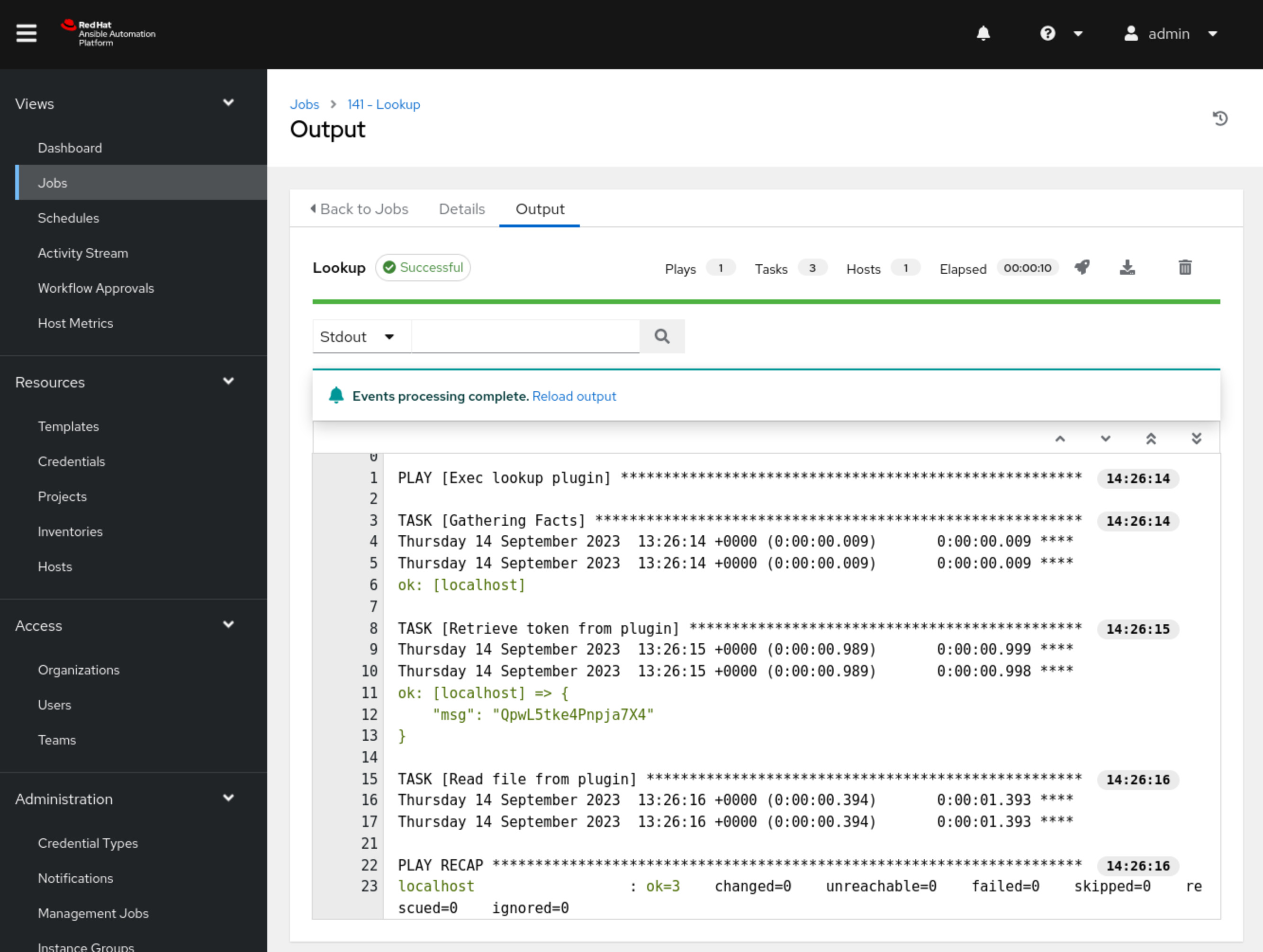
That’s it! You’ve successfully executed a custom Ansible lookup plugin in the Ansible Automation Platform. You can extend the functionality of your custom lookup plugin as needed to suit your automation requirements.
Conclusion
In conclusion, this article has provided a comprehensive guide on creating and executing custom Ansible Lookup Plugins within the Ansible Automation Platform. We began by understanding the essential role of Lookup Plugins in dynamically fetching data for Ansible tasks and then detailed a step-by-step process for creating, installing, and utilizing these custom plugins. By following these instructions, users can harness the full potential of Ansible to tailor their automation workflows, efficiently manage infrastructure, and seamlessly integrate external data sources, ultimately enhancing the versatility and effectiveness of their Ansible automation efforts.See also: Creating a Custom Ansible Lookup Plugin in Python for retrieving API token
Related Articles
Category: installation
Watch the video: Executing Custom Lookup Plugins in the Ansible Automation Platform — Video Tutorial