Expand a Virtual Disk in VMware vSphere Virtual Machine - Ansible module vmware_guest_disk
By Luca Berton · Published 2024-01-01 · Category: troubleshooting
How to automate the expansion from 1GB to 2GB size Virtual Disk connected to VMware Virtual Machine guest named “myvm” using Ansible Playbook and vmware_guest_disk module.
How to Expand a Virtual Disk in VMware vSphere Virtual Machine with Ansible? I'm going to show you a live Playbook and some simple Ansible code. I'm Luca Berton and welcome to today's episode of Ansible Pilot.
Ansible Expand a Virtual Disk in VMware vSphere Virtual Machine • community.vmware.vmware_guest_disk • Manage disks related to a virtual machine in a given vCenter infrastructure
Let's talk about the Ansible module vmware_guest_disk. The full name is community.vmware.vmware_guest_disk, which means that is part of the collection of modules to interact with VMware, community-supported. It manages disks related to a virtual machine in a given vCenter infrastructure.
Parameters • hostname string / username string / password string / datacenter string / validate_certs boolean - connection details • datacenter string - The datacenter name to which the virtual machine belongs to • scsi_controller / unit_number / scsi_type string - SCSI controller details • size / size_kb / size_mb / size_gb / size_tb string - Disk storage size • disk_mode string - persistent / independent_persistent / independent_nonpersistent
The following parameters are useful in order to Expand a Virtual Disk in VMware vSphere Virtual Machine using the module vmware_guest_disk. First of all, we need to establish the connection with VMware vSphere or VMware vCenter using a plethora self-explicative parameters: hostname, username, password, datacenter, and validate_certs. Once the connection is successfully established you could specify the desired disk configuration, in this expansion, a disk is connected to a virtual machine. The mandatory parameters are only datacenter and unit_number. The datacenter parameter specifies which datacenter name the virtual machine belongs to, for resources allocations. The disk must be connected to a SCSI controller inside the virtual machine, so you should specify all the small details like scsi_controller, unit_number, and scsi_type. You might be interested in deep-diving into some performance analysis to properly adjust these parameters. You could specify the disk size via various parameters according to the needed size unit: kb, MB, GB, TB, etc. One most important parameter is the disk_mode, default to persistent mode, other options are independent_persistent and independent_nonpersistent.
Links • community.vmware.vmware_guest_disk
## Playbook
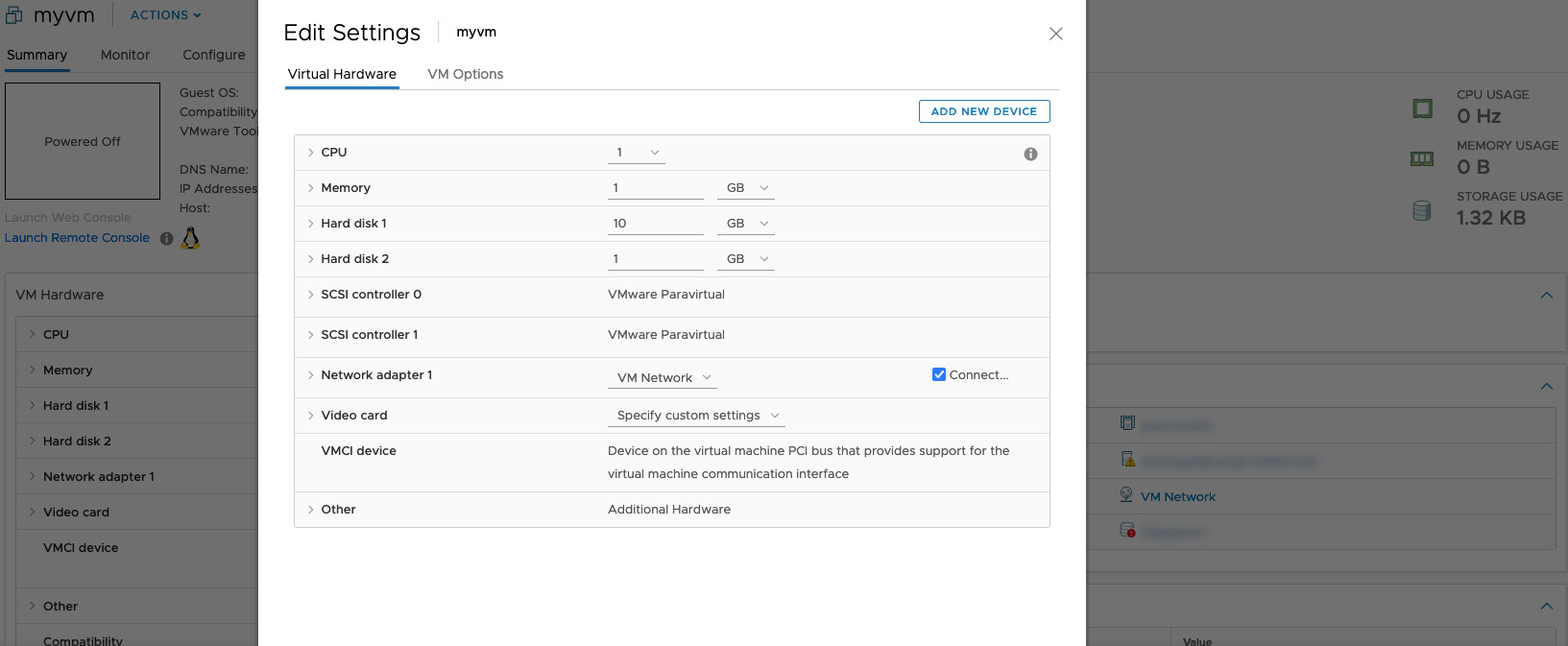
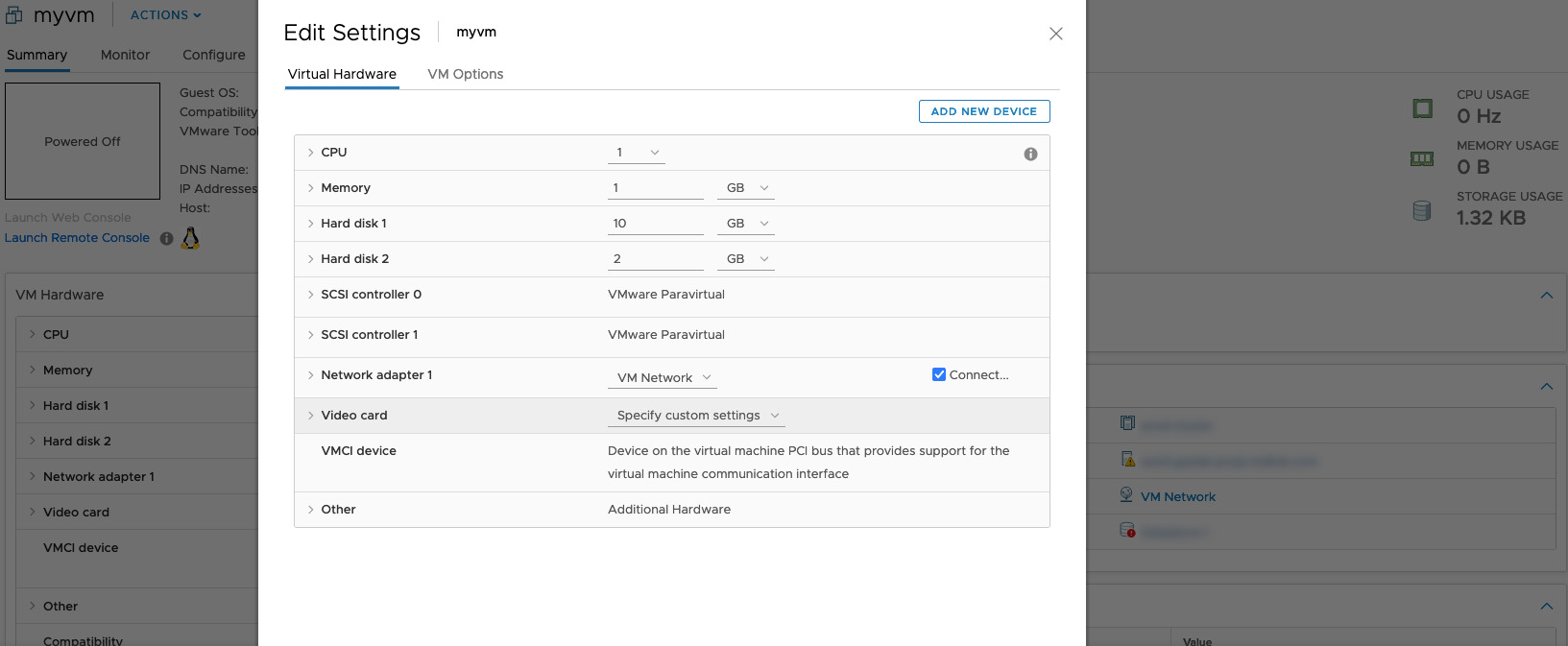
How to Expand a Virtual Disk in VMware vSphere Virtual Machine with Ansible. I'm going to show you how to expand the size of an additional disk connected to a Virtual Machine named "myvm" using Ansible Playbook. The disk is connected to a SCSI controller number 1 and has unit number 1. The beginning of the Playbook has a size of 1 GB and we would like to expand it to 2 GB.
code • vm_disk_expand.yml • vars.yml • inventory
execution
idempotency
before execution
!vmware_guest_disk before execution
after execution
!vmware_guest_disk after execution
Conclusion
Now you know how to Expand a Virtual Disk in VMware vSphere Virtual Machine with Ansible.
Related Articles • Ansible Become Guide • Ansible Inventory Guide
Category: troubleshooting
Watch the video: Expand a Virtual Disk in VMware vSphere Virtual Machine - Ansible module vmware_guest_disk — Video Tutorial