Ansible win_file Module: Create & Manage Files on Windows (Guide)
By Luca Berton · Published 2024-01-01 · Category: troubleshooting
How to create and manage files on Windows with Ansible win_file module (ansible.windows.win_file). Create files, directories, symlinks on Windows.
How to create an empty file in Windows-like systems with Ansible?
I'm going to show you a live Playbook and some simple Ansible code. I'm Luca Berton and welcome to today's episode of Ansible Pilot.See also: Ansible win_file Module: Create Directory on Windows Hosts (Guide)
Ansible creates an empty file
•ansible.windows.win_file
• Creates, touches, or removes files or directories
Today we're talking about the Ansible module win_file.
The full name is ansible.windows.win_file, which means that is part of the collection of modules to interact with windows machines.
It's a module pretty stable and out for years.
It creates, touches, or removes files or directories.
For Linux targets, use the ansible.builtin.file module) instead.
Parameters
• path path - file path • state string - file/absent/directory/touchThis module has some parameters to perform any tasks. The only required is "path", where you specify the filesystem path of the file you're going to edit. The state defines the type of object we are modifying, the default is "file" but for our use case, we need the "touch" option.
See also: Add Windows Registry on Windows-like systems - Ansible module win_regedit
Links
• ansible.windows.win_filePlaybook
Create an empty file in Windows-like systems with Ansible playbook
code
---
- name: win_file module demo
  hosts: all
  become: false
  gather_facts: false
  vars:
    myfile: 'C:\Users\vagrant\Desktop\example.txt'
  tasks:
    - name: Creating an empty file
      ansible.windows.win_file:
        path: "{{ myfile }}"
        state: touch
execution
ansible-pilot $ ansible-playbook -i virtualmachines/win/inventory create\ file/file-windows.yml
PLAY [win_file module demo] ***********************************************************************
TASK [Creating an empty file] *********************************************************************
changed: [WindowsServer]
PLAY RECAP ****************************************************************************************
WindowsServer              : ok=1    changed=1    unreachable=0    failed=0    skipped=0    rescued=0    ignored=0
ansible-pilot $
idempotency not valid
ansible-pilot $ ansible-playbook -i virtualmachines/win/inventory create\ file/file-windows.yml
PLAY [win_file module demo] ***********************************************************************
TASK [Creating an empty file] *********************************************************************
changed: [WindowsServer]
PLAY RECAP ****************************************************************************************
WindowsServer              : ok=1    changed=1    unreachable=0    failed=0    skipped=0    rescued=0    ignored=0
ansible-pilot $
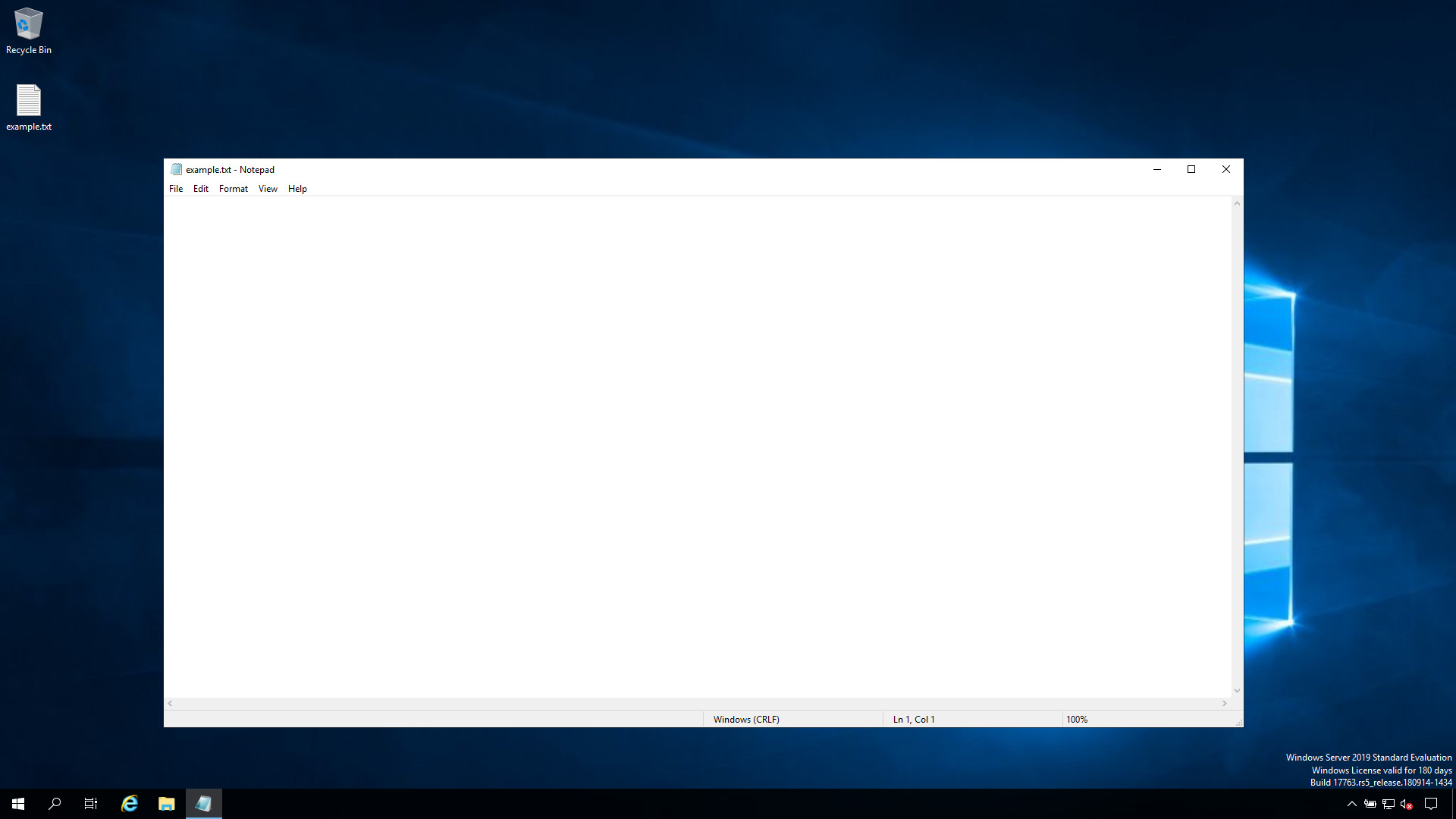
before execution

after execution
See also: Check .NET Framework Version on Windows with Ansible
Conclusion
Now you know how to create an empty file in Windows-like systems with Ansible.
Related Articles
• how Ansible become works under the hood • building an Ansible inventory • using the ansible.builtin.file module • configuring Windows services via AnsibleCategory: troubleshooting
Watch the video: Ansible win_file Module: Create & Manage Files on Windows (Guide) — Video Tutorial